Hello everyone !
I am making a 2D platformer, and I currently am working on an enemy script. The enemy walks on a platform, and uses a linecast to detect the player. The said linecast goes a bit behind the monster, to simulate the earing (so if the players is too close behind, the monster turns around, and gets the player).
The problem is, that with the following script, the monster can only detect the player if the player behind the monster, on it’s right (the case in which the rotation y of the monster is 0).
I really don’t get why the “else if” condition right after, very similar but for the other side, won’t work.
As told just where the problem is in the script (I tried to make it explicit so that it would be easier to find), the one thind that doesn’t work is the condition in the “else if” to detect wether or not the player is behind the monster.
Here is the script
using UnityEngine;
using System.Collections;

public class enemy_type_mannequin : MonoBehaviour {

    public LayerMask enemyMask;
    public LayerMask PreyMask;
    public bool findyou = false;
    public Transform GroundCheck;
    public GameObject Target;
    Rigidbody2D myBody;
    Transform myTrans;
    float myWidth;
    public float speed;
    public float idleTimer;
    float idleDuration = 8;
    Animator freakAnimator;
    public Transform lookDirection;
    public Transform lookOrigin;
    public float HuntTimer;
    public SpriteRenderer preyRenderer;
    bool hunting;
    bool hasKilled;
    public Laureline_movement preymovement;
    public float distance;
    public bool isBehind;


	// Use this for initialization
	void Start () {

        myTrans = this.transform;
        myBody = this.GetComponent<Rigidbody2D>();
        freakAnimator = this.GetComponent<Animator>();
        HuntTimer = 0;
        preyRenderer = GameObject.FindGameObjectWithTag("Player").GetComponent<SpriteRenderer>();
        hunting = false;
        hasKilled = false;
        preymovement = GameObject.FindGameObjectWithTag("Player").GetComponent<Laureline_movement>();
        isBehind = false;

        Target = GameObject.FindGameObjectWithTag("Player");
    }
    void FixedUpdate()
    {
        // eyesight line to detect the player
        Debug.DrawLine(lookOrigin.position, lookDirection.position);
        RaycastHit2D SeeYou = Physics2D.Linecast(lookOrigin.position, lookDirection.position, PreyMask);


        distance = transform.position.x - Target.transform.position.x;

        // if the monster "sees" the player, hunt him down
        if (SeeYou.collider != null && SeeYou.collider.tag == "Player" && HuntTimer == 0 && hasKilled == false) {


            Hunt();

        }else if ( HuntTimer != 0 && HuntTimer < 4 && hasKilled == false)
        {


            Hunt();


// if the monster does not see the player, idle/patrol
        }

        else if(hasKilled == false){


            Idle();

        }


    }

    void Hunt() {


        hunting = true;

        HuntTimer += Time.deltaTime;

       // here's the " if the player is behind, turn around"
       //the first one works well

        if(distance < 0 && transform.rotation.y == 0)
        {

            Vector3 currRot = myTrans.eulerAngles;
            currRot.y += 180;
            myTrans.eulerAngles = currRot;

        }
        // this is the one that does not work, the boolean is there to confirm that the problem does not come form the code to make the monster turn around, but from the condition in the "else if" statement.
        else if(distance > 0 && myTrans.rotation.y == 180)
        {

            Vector3 currRot = myTrans.eulerAngles;
            currRot.y += 180;
            myTrans.eulerAngles = currRot;
            isBehind = true;
        }

        // change speed and anim according to hunting the player

        freakAnimator.SetBool( "isHunting" , true);
        Vector2 myVel = myBody.velocity;
        myVel.x = -myTrans.right.x * speed;
        myBody.velocity = myVel;
        speed = 10;


    }

    // detects if the player is in the trigger used to determined if the monster is close enough to kill the player, and acts accordingly

    void OnTriggerStay2D(Collider2D Col) {

        if (Col.CompareTag("Player") && hunting && Col.isTrigger == false)
        {
            hasKilled = true;
            freakAnimator.SetBool("HaveKilled", true);

            speed = 0;

            myBody.isKinematic = true;
            preymovement.enabled = false;
            preyRenderer.enabled = false;


        }


    }

    // when idling, the monster stays on one platform, unlike when hunting, and when at the end of the platform, it turns around after an idling time.
        void Idle () {

        hunting = false;

        HuntTimer = 0;

        freakAnimator.SetBool("isHunting", false);
        speed = 1;
        // check to see if there's ground in front before moving forward.
        Vector2 lineCastPos = GroundCheck.position - GroundCheck.right;
        Vector2 lineCastFront = myTrans.position - myTrans.right;
        Debug.DrawLine(lineCastPos, lineCastPos + Vector2.down);
        Debug.DrawLine(lineCastFront, lineCastFront + Vector2.left);
        bool isGrounded = Physics2D.Linecast(lineCastPos, lineCastPos +Vector2.down, enemyMask);
        bool isBlocked = Physics2D.Linecast(lineCastFront, lineCastFront + Vector2.left, enemyMask);

        //if there's no ground, turn around.
        if (!isGrounded || isBlocked)
       {
            speed = 0;
            freakAnimator.SetBool("isIdling", true);
            idleTimer += Time.deltaTime;

            if (idleTimer >= idleDuration)
            {
                idleTimer = 0;
                freakAnimator.SetBool("isIdling", false);
                speed = 1;
                Vector3 currRot = myTrans.eulerAngles;
                currRot.y += 180;
                myTrans.eulerAngles = currRot;
            }
        }

        //Always move forward

        Vector2 myVel = myBody.velocity;
        myVel.x = - myTrans.right.x * speed;
        myBody.velocity = myVel;

	}
}
and here’s an image showing the case in which the scripts fails to notice the player is behind the monster :
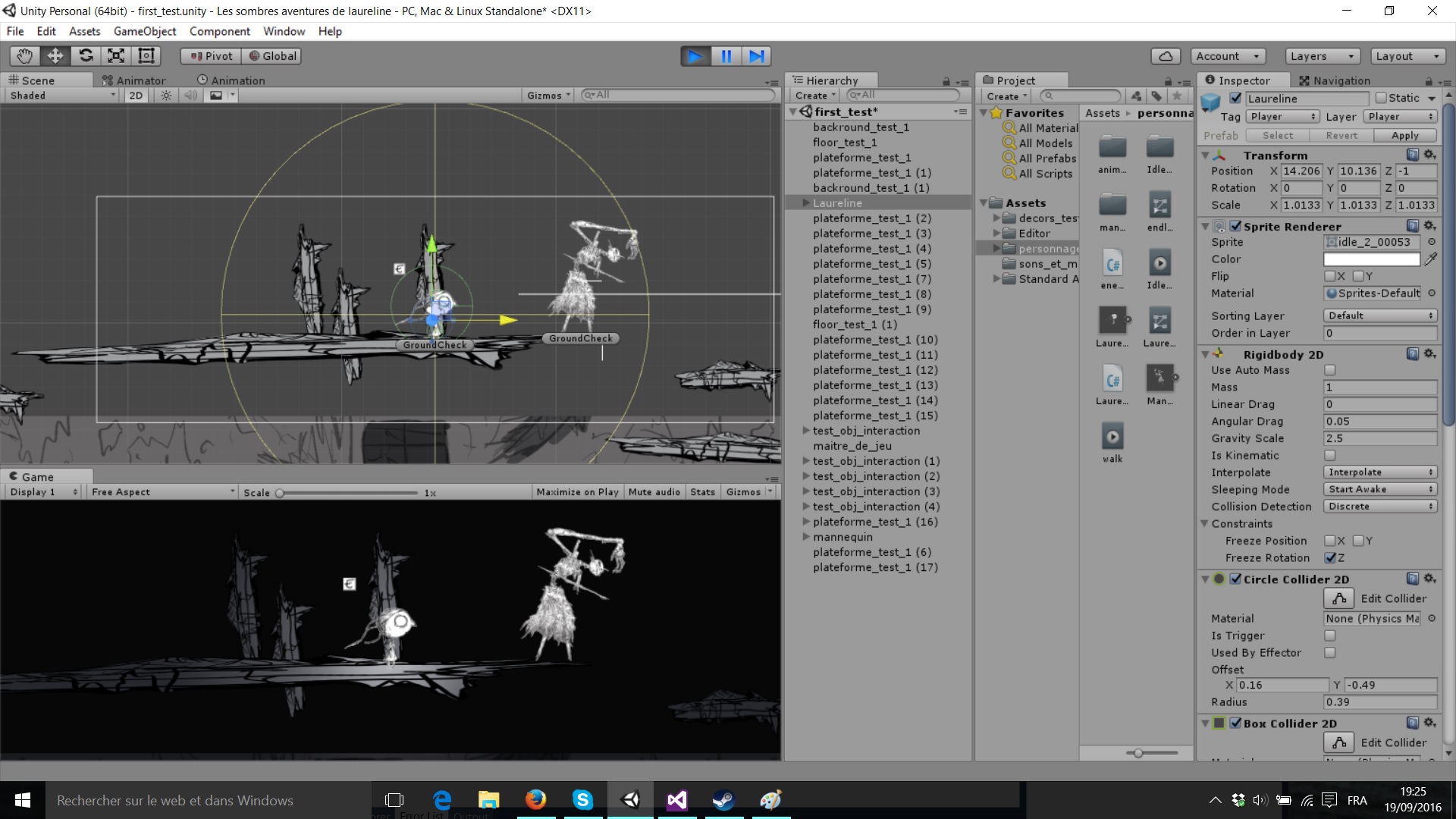
I know that this question came back a few times, and I apologize for asking it once more, but I’ve searched and didn’t find any solution yet, I wouldn’t be asking otherwise. é u è
(also quite the number of edits but the script failed to display correctly several times in a row).