I’m trying to create movement with my character, but instead of continously walking on pressing WASD my character takes a step forward and stops quickly. When I used Debug.Log, the console only registered twice per button press (once when pressed and once after letting go). I am using currently using version 2022.3.11f1 (editor).
I have been trying to get this to work but I just don’t know what I’m doing wrong. Thank you for your time!
Code for my player…
    private PlayerInputAction playerInputAction;
    private Rigidbody playerRigidbody;

    [SerializeField] private float speed = 10f;

    private void Awake()
    {
        playerRigidbody = GetComponent<Rigidbody>();
        playerInputAction = new PlayerInputAction();
    }

    public void OnMovement(InputValue inputValue)
    {
        Vector2 moveDirection = inputValue.Get<Vector2>();
        playerRigidbody.velocity = new Vector3(moveDirection.x, 0, moveDirection.y) * speed * Time.deltaTime;
    }
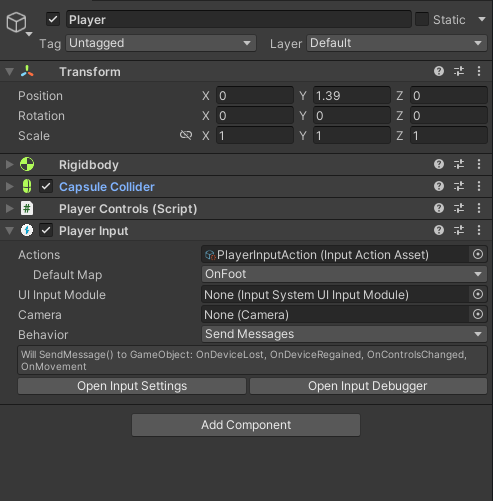
And he is an image of my inspector (for the player…
Thank you! I just tried this and it worked. I'm very thankful for your time and helpful advice.
– CytoCynic