Hello,
I wrote some code to move player around with arrow keys and using physics in 3d environment. Now I added code for jumping and i have a problem that i can’t solve alone. Note: I’m not a pro programmer, I’m more or less a newbie.
Scenarios:
- Player is stationary, Jump key is pressed once - player jumps once. OK
- Player is stationary, spamming jump key - huge jump !!! Not OK
- Moving player around with arrow keys and jumping (spamming or just normally pressing jump) - consistent jumps. OK
When player jumps, I cast a ray downwards and check if ray hits the ground layer. This way multiple jumps in the air are disabled. I do that in function AreWeBackOnGround().
I hope I provided enough information for you. If not, feel free to ask me questions. Cheers!
Here is the code:
using System.Collections;
using System.Collections.Generic;
using System.Diagnostics.CodeAnalysis;
using Unity.VisualScripting;
using UnityEngine;
using UnityEngine.UIElements;
using static Unity.VisualScripting.Member;


public class Mover : MonoBehaviour
{
    // Serialized Fields
    [SerializeField] float walkSpeed = 100f;
    [SerializeField] float runSpeed = 170f;
    [SerializeField] float rotationSpeed = 5f;
    [SerializeField] float acceleration = 3f;
    [SerializeField] float drag = 5f;
    [SerializeField] float jumpForce = 5000f;
    [SerializeField] float JumpFallMultiplier = 2.5f;
    [SerializeField] float groundCheckRadius = 0.2f;
    [SerializeField] LayerMask groundLayer;

    // Private Variables
    private float chosenSpeed;
    private float AnimatorSpeed; // Speed that is sent to Animator
    private float xInput;
    private float zInput;
    private float idleTime;
    private Quaternion previousRotation;
    private Quaternion desiredRotation = Quaternion.identity;
    private Rigidbody PlayerRigidBody;

    // Constants
    private Quaternion UpRotation = Quaternion.Euler(0f, 0f, 0f);
    private Quaternion DownRotation = Quaternion.Euler(0f, 180f, 0f);
    private Quaternion LeftRotation = Quaternion.Euler(0f, 270f, 0f);
    private Quaternion RightRotation = Quaternion.Euler(0f, 90f, 0f);

    // State Variables
    private int isJumping = 0;
    private bool IsPlayerMovingHorizontally = false;

    // References
    public Animator animator;

    bool jumpKeyIsPressed = false;
    void Start()
    {
        CheckIfThereIsRigidBody();
    }

    void Update()
    {
        GetInputKeys();
        ToggleBetweenRunAndWalkSpeed();

        animator.SetFloat("Speed", AnimatorSpeed);
        animator.SetFloat("idleTime", idleTime);
    }

    // All Physics stuff happens in fixed update
    void FixedUpdate()
    {
        MovePlayer();
        PlayerJump();
        RotatePlayer(); // Rotate according to user input
    }

    void GetInputKeys()
    {
        if (Input.GetKeyDown(KeyCode.Space))
        {
            jumpKeyIsPressed = true;
        }

        // Get horizontal/vertical input
        xInput = Input.GetAxis("Horizontal");
        zInput = Input.GetAxis("Vertical");

        DetermineDesiredRotationFromArrowKeys();

    }

    void ToggleBetweenRunAndWalkSpeed()
    {
        if (Input.GetKey(KeyCode.LeftShift))
        {
            chosenSpeed = walkSpeed;
            AnimatorSpeed = chosenSpeed;
        } else if (xInput == 0f && zInput == 0f) //if we are not moving
        {
             AnimatorSpeed = 0;

        } else
        {
            chosenSpeed = runSpeed;
            AnimatorSpeed = chosenSpeed;
        }
    }
    void MovePlayer()
    {
        //Check if any movement keys are pressed
        if (xInput != 0f || zInput != 0f)
        {
            ApplyHorizontalMovementForces();

            // Reset idleTime timer
            idleTime = 0;

            IsPlayerMovingHorizontally = true;
        }
        else //idle
        {
            IsPlayerMovingHorizontally = false;
            idleTime += Time.deltaTime;
        }
    }
    void PlayerJump()
    {
        if (isJumping == 1)
        {
            Debug.Log("We are still jumping");

            if (AreWeBackOnGround() && PlayerRigidBody.velocity.y < 0.1f)
            {
                //We are not jumping anymore
                isJumping = 0;
                Debug.Log("End of jump");
                animator.SetInteger("isJumping", isJumping);

                jumpKeyIsPressed = false; //reset jump key indicator

            } else
            {
                Debug.Log("End of jump? No, apply gravity.");

                // Apply constant downward force for gravity
                PlayerRigidBody.AddForce(Vector3.down * -Physics.gravity.y * JumpFallMultiplier, ForceMode.Acceleration);

                if (IsPlayerMovingHorizontally)
                {
                    Debug.Log("End of jump? No, apply gravity. moving on x or z axis? - apply additional gravity");

                    //Apply additional downward force
                    // Calculate current horizontal velocity magnitude
                    float horizontalVelocityMagnitude = PlayerRigidBody.velocity.magnitude;

                    // Adjust JumpFallMultiplier based on velocity (modify as needed)
                    float adjustedJumpFallMultiplier = JumpFallMultiplier + horizontalVelocityMagnitude * 0.6f;

                    // Apply gravity with adjusted multiplier
                    PlayerRigidBody.AddForce(Vector3.down * -Physics.gravity.y * adjustedJumpFallMultiplier, ForceMode.Acceleration);
                }
            }
        }
        else if (jumpKeyIsPressed)
        {
            if (IsPlayerMovingHorizontally)
            {
                // Aply much bigger force, if player is already moving in any direction (except y)
                PlayerRigidBody.AddForce((jumpForce / 0.9f) * Vector3.up, ForceMode.Impulse);
                Debug.Log("Pressed jump. Bigger force");

            }
            else
            {
                PlayerRigidBody.AddForce(Vector3.up * jumpForce, ForceMode.Impulse);
                Debug.Log("Pressed jump. Normal force");
            }

            isJumping = 1;
            animator.SetInteger("isJumping", isJumping);
            idleTime = 0;
        }
    }

    void ApplyHorizontalMovementForces()
    {
        // Calculate desired velocity based on input and move speed
        Vector3 desiredVelocity = new Vector3(xInput, 0, zInput).normalized * chosenSpeed;

        // Apply force towards desired velocity, taking into account acceleration and drag
        Vector3 force = (desiredVelocity - PlayerRigidBody.velocity) * acceleration - PlayerRigidBody.velocity * drag;
        PlayerRigidBody.AddForce(force, ForceMode.Acceleration);

        Debug.Log("Here we are at end of ApplyHorizontalMovementForces()");

    }

    bool AreWeBackOnGround()
    {
        // Cast a ray downwards from the player's center
        Vector3 rayOrigin = transform.position + Vector3.up * 0.1f; // Offset slightly above
        Ray ray = new Ray(rayOrigin, Vector3.down);

        Debug.Log("Here we are at AreWeBackOnGround");


        // Check if the ray hits the ground layer within the specified radius
        return Physics.Raycast(ray, groundCheckRadius, groundLayer);
    }

    void RotatePlayer()
    {
        // Store previous rotation for next frame
        previousRotation = transform.rotation;

        // Smoothly rotate towards the desired rotation over time
        transform.rotation = Quaternion.Slerp(transform.rotation, desiredRotation, Time.deltaTime * rotationSpeed);
    }

    void DetermineDesiredRotationFromArrowKeys()
    {
        // Check for single key presses
        if (Input.GetKey(KeyCode.RightArrow) && !Input.GetKey(KeyCode.UpArrow) && !Input.GetKey(KeyCode.DownArrow))
        {
            desiredRotation = RightRotation;
        }
        else if (Input.GetKey(KeyCode.LeftArrow) && !Input.GetKey(KeyCode.UpArrow) && !Input.GetKey(KeyCode.DownArrow))
        {
            desiredRotation = LeftRotation;
        }
        else if (Input.GetKey(KeyCode.UpArrow) && !Input.GetKey(KeyCode.RightArrow) && !Input.GetKey(KeyCode.LeftArrow))
        {
            desiredRotation = UpRotation;
        }
        else if (Input.GetKey(KeyCode.DownArrow) && !Input.GetKey(KeyCode.RightArrow) && !Input.GetKey(KeyCode.LeftArrow))
        {
            desiredRotation = DownRotation;
        }

        // Check for diagonal combinations
        else if (Input.GetKey(KeyCode.RightArrow) && Input.GetKey(KeyCode.UpArrow))
        {
            desiredRotation = Quaternion.Slerp(UpRotation, RightRotation, 0.5f);
        }
        else if (Input.GetKey(KeyCode.RightArrow) && Input.GetKey(KeyCode.DownArrow))
        {
            desiredRotation = Quaternion.Slerp(RightRotation, DownRotation, 0.5f);
        }
        else if (Input.GetKey(KeyCode.LeftArrow) && Input.GetKey(KeyCode.UpArrow))
        {
            desiredRotation = Quaternion.Slerp(UpRotation, LeftRotation, 0.5f);
        }
        else if (Input.GetKey(KeyCode.LeftArrow) && Input.GetKey(KeyCode.DownArrow))
        {
            desiredRotation = Quaternion.Slerp(LeftRotation, DownRotation, 0.5f);
        }
        else
        {
            desiredRotation = previousRotation;
        }
    }
    void CheckIfThereIsRigidBody()
    {
        PlayerRigidBody = GetComponent<Rigidbody>();
        if (PlayerRigidBody == null)
        {
            Debug.LogError("Mover script requires a Rigidbody component attached to the game object.");
            return;
        }
    }
}
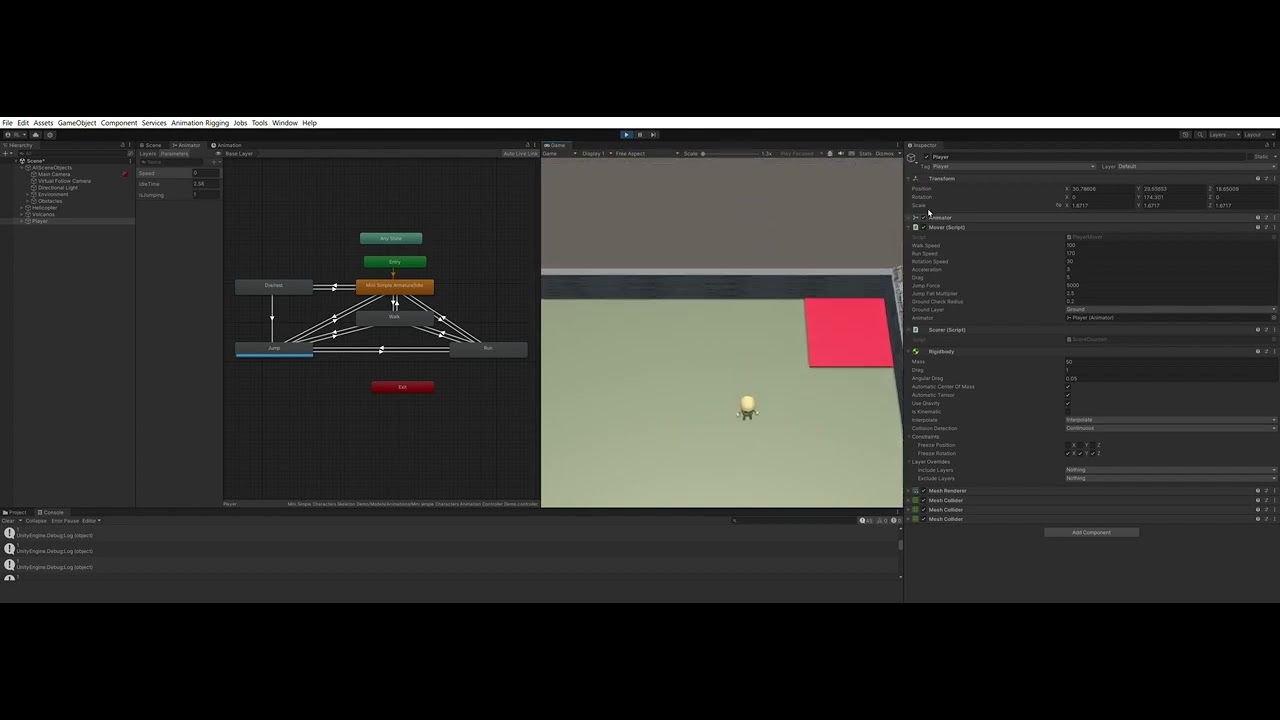
This is the video of the problem:
 I edited my code and updated it in my first post. Now I check for input keys in Update(). I created new bool variable. Now I set it to true in Update() (if jump key is pressed). Then I set it to False at the end of the jump routine in fixedUpdate().
