Hello everyone! We’ve just published a new version of Entities and other ECS-based packages compatible with Unity 2022.2 Tech Stream.
Getting started
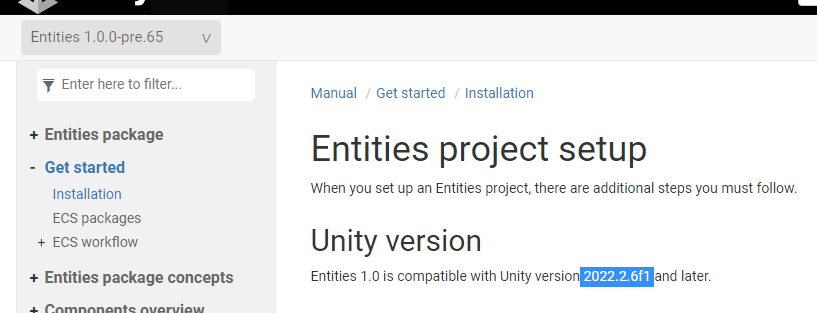
If you are just getting started, refer to our installation and setup guide in our documentation to help with project setup. We recommend using these packages with Unity 2022.2.10f1 and above. You can find the changelog for the latest editor version here.
We also have the following samples and documentation available for you to get started quickly:
Experimental Character Controller package : For users looking to quickly jump into building their game, the Experimental Character Controller package is available and compatible with the pre-release of ECS for Unity, including documentation and implementation samples.
DOTS Guide, ECS Samples, and Learn Content: Resources that are especially useful for new users to learn about fundamental concepts of data-oriented design.
ECS Network Racing: A multiplayer racing sample showcasing the capabilities of Netcode for Entities and how you can easily build a multiplayer game out of the box. This sample exemplifies an implementation of client/server architecture with client-side prediction, interpolation, and lag compensation.
Megacity: A sample showcasing how you can stream thousands of entities into the game scene at a stable 60 FPS, with thousands of active physics colliders and dynamic vehicles actively performing collision avoidance.
Please note that we’re in the midst of updating some of our samples to reflect the latest changes to the Transform System from this release.
Notable Highlights
Here are some of the notable highlights from this release. For a full list of changes in each package, refer to the changelogs in our documentation (linked below):
Simplified transform system with fewer components and systems, including WorldTransform and ParentTransform.
TransformUsageFlags are now available at bake-time, allowing users to use a minimal set of components and achieve further optimization.
Removed ENABLE_TRANSFORM_V1 and TransformAspect.
Refactored how additive scenes are handled within the Runtime Content Manager.
IJobEntity no longer gives a compile error if you have a reference type field. This improves iteration time and has the added benefit that you can now write managed code in an IJobEntity.
Added performance comparisons between different allocator types and comparisons between containers running across combinations of Mono, Job Safety Checks and Burst in the package documentation.
Improved performance of job safety checks in containers when code is not Burst compiled.
Physics Debug Display for enabled Collider Edges now draws correctly if the collider scale is modified during runtime.
Debug display systems no longer stall and instead execute their jobs asynchronously.
Debug draw of collider faces and AABBs now account for uniform scaling of the rigid body.
Rigidbody components that move in PlayMode will now correctly snap back to their original position when exiting PlayMode while the containing SubScene is open for editing.
Removed the “Component” suffix to all the public-facing Netcode components and buffers (Script AutoUpdater will automatically fix the API).
GhostComponent renamed GhostInstance (Script AutoUpdater will automatically fix the API).
SharedGhostTypeComponent renamed GhostTypePartition (Script AutoUpdater will automatically fix the API).
Fixed an issue with the source generator, validating incorrectly custom templates that use overrides.
Fixed an issue with the source generator throwing an exception while validating the required ASM dependencies and removed Unity.Networking.Transport dependency.
Fixed a rare exception in GhostColletion, when processing predicted ghost prefabs.
Fixed an issue in GhostUpdateSystem where the system tries to use an invalid interpolation tick.
Avoid throwing exceptions in the player build when the send queue is full.
Runtime authoring with ECS for Unity
We’ve also just published a Tech From the Trenches blog post diving into Data Modes, which helps you manage the duality of Authoring Data and Runtime Data while working with ECS for Unity. Do check it out and let us know what you think.
Sharing feedback
This forum is the best place to open discussions and ask questions.
If you encounter a bug, please use the Unity Bug Reporter in the Unity Editor, accessible via Help > Report a Bug. Include the name of the package (with version number) in the title to help our team triage things appropriately.
To learn more about what we are working on, you can refer to this post and our public roadmap where you can share feedback and submit ideas.
Thank you again to everyone who has continued to take the time to share feedback. We look forward to hearing from you!
Glad to hear you too! With serializing managed components in subscene we probably closer to migrate to 1.0.0 from 0.51 with Diplomacy is Not an Option Maybe passing custom context to SystemAPI also will be released soon for allowing usage in static context?
There is a few, first is fairly obvious. Burst doesn’t work. It’s managed and so it can’t be.
Now comes the interesting bits. So the JobSystem will throw an error your way at runtime if you have a managed field in a job. That’s a fact of the JobSystem. This doesn’t mean you can’t access managed data in a job. It just means you can’t have a field in a job. It also means we discourage it. We discourage it because we can’t make any safety guarantees. You could get the managed reference through statics. Or you could get it through a GCHandle (which could be stored as field). The guard rails are off so make you’re playing by the rules of race-conditions, false-sharing etc. There’s a lot of power in this, insert marvel quote here.
That’s the gotcha. Then there’s also the fact that most UnityEngine objects are protected for mainthread only and will explicitly complain at you.
We also want to encourage the use of burst. As an example say you wanted a job to figure out the closest GameObject to your GO laser turret. And shoot at the GO. The job doesn’t need to actually do the shooting. It just needed to find the closest object. And so if you had a store that stored that info then you could pass a Native collection to the job with a bunch of float3 points and an int indicating the pointer into that store. And so when you come out of the job you just lookup the int and get the GO. Now laser.Shoot(LaserTargetStore[resultOfJob]).
There’s also specific IJobEntity parts here.
IJobEntity does allow managed components as part of the Execute signature. When you do this, you say ‘I accept no longer being able to Schedule/ScheduleParallel this job.’ You will get a runtime error for trying. To make this work for UnityEngine.Transform and similar (due to the aforementioned UnityEngine restriction) we turn off the JobSystem for the job. But oh no! How could we do that? Well, for one you were the one to add a managed component and so you already expected to not be able to burst it. And so we don’t have to either. This means we can call the function directly. Also another power of the JobSystem is that it will pre-error. If you didn’t setup a TypeHandle it will yell at you at schedule time instead of when you’re trying to use it. However IJobEntity, all the handles are setup for you and so they already are known to be correctly setup. This leaves any container you pass in as the main source of error. This we sadly don’t detect, and so you’ll get errors at runtime when trying to use them, and not at scheduling time.
You might ask: Does “We turn off the JobSystem for any IJobEntity using managed components” then also mean my managed field in an IJobEntity will work when a managed component is present?
The answer is yes. It’s a byproduct of the solution. Use with care. It’s not likely to cause issues, but it’s definitely something that will make a newcomer ask “why does removing this unused component make the job fail”.
Thanks for your explanation. I think this piece of info should have a place on the Entities documentation, inside a warning text box. Please add this to the document if it’s not there yet.
Well, I don’t see any benefit about this feature, managed type in Job, at all. More like something we should avoid and should have some edge case support. It should be something that error from the compile time and require marking by specific attribute before error in runtime
public abstract class SystemGroupBase : ComponentSystemGroup
{
}

[UpdateInGroup(typeof(SystemGroupBase), OrderFirst = true)]
public partial class MySystem : SystemBase
{
}

public partial class MySystemGroup : SystemGroupBase
{
}
Edit:
This is what’s wrong in ComponentSystemGroup.ComputeSystemOrdering:
        internal static int ComputeSystemOrdering(int sysType, int ourTypeIndex)
        {
            if (ourTypeIndex == -1 || sysType == -1)
                return 1;

            var attrs = TypeManager.GetSystemAttributes(sysType, TypeManager.SystemAttributeKind.UpdateInGroup);
            for (int i=0; i<attrs.Length; i++)
            {
                var attr = attrs[i];

                //attr.TargetSystemTypeIndex == -1
                if (attr.TargetSystemTypeIndex == ourTypeIndex)
                {
                    if ((attr.Flags & TypeManager.SystemAttribute.kOrderFirstFlag) != 0)
                    {
                        return 0;
                    }

                    if ((attr.Flags & TypeManager.SystemAttribute.kOrderLastFlag) != 0)
                    {
                        return 2;
                    }
                }
            }

            return 1;
        }