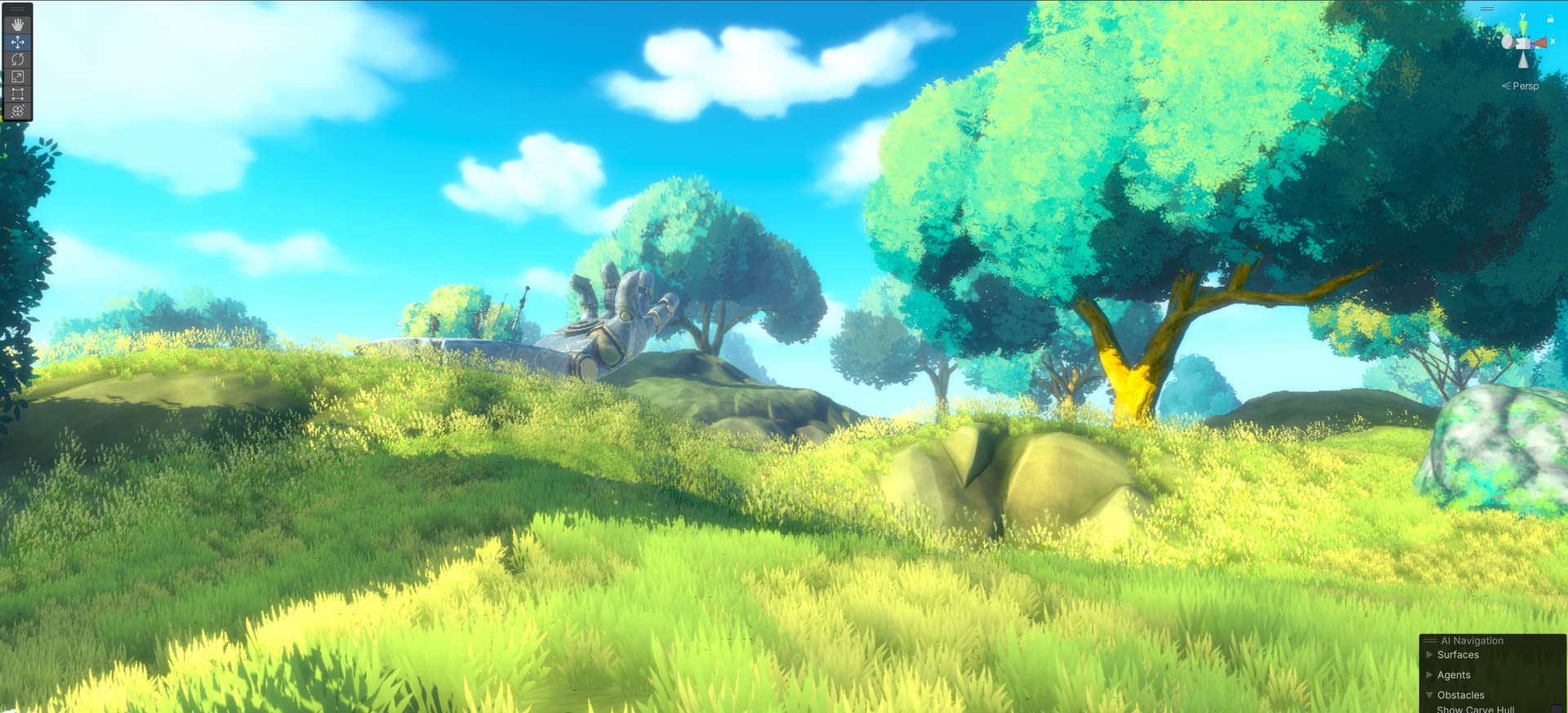
New Worldbuilding Update (Q3 2024) Info Revealed at Unite

This is some of the best Unity news I’ve heard in a while. Thanks Unity folks for tackling this much needed upgrade and proactively answering questions here.

This addresses a lot of my personal wishlist with the existing terrain:

  • :white_check_mark: Ability to blend objects
  • :white_check_mark: Shader graph integration
  • :white_check_mark: Improved performance
  • :x: Ability to paint grass and objects on both terrain and objects (e.g. cliffs and terrain meshes)
  • :grey_question: Improved artist friendly UI / toolbar for terrain tools EDIT: already much improved with overlays in Terrain Tools 5.1

I just wanted to echo the need for painting objects and grass on both the terrain and terrain meshes, like Unreal has. Hopefully this can be elevated from under consideration, as it’s much needed. Right now I’m struggling with a way to do this, and am looking at having to separately paint grass with Polybrush on top of the objects or develop custom tools. A real killer for iteration time, ease of modification, and probably some performance, having to switch between different systems of placement.

I may have missed it, but were there improvements to the UI for the terrain tools to make them more artist friendly to use? A toolbar like ProBuilder has?

On the release date note, it might be worth editing the original message to clarify that generational means Unity 7. For those that haven’t watched that video above about the generational release changes, there was mention that "“The time between generations, those major versions, will be longer. Generally, a minimum of two years”. That’s helpful to know for planning current projects. Though I’m hoping we’ll see it before then in the beta/preview stage.

@jwinn, thank you for the kind words and for the feedback as always!

It’s been really helpful to see the interest and need for scattering on meshes from all of you that have mentioned it on this thread. It’s clearly something we need to look into. Even if it doesn’t land in the initial release it’s something we can explore and make a priority for subsequent releases.

We haven’t devoted a ton of time or resources to overhauling the UI for Terrain and don’t intend to anytime soon. We did integrate the overlays system in the scene view as of 2023.1 (Terrain Tools 5.1) which is a bit closer to ProBuilder though.

And to your point on the Next Generational Release, there was purposefully no mention of a version number or release date so I will purposefully not commit to any more details here.

1 Like

We did integrate the overlays system in the scene view as of 2023.1 (Terrain Tools 5.1) which is a bit closer to ProBuilder though.

Oh, I had no idea that was released as I’m on LTS and hadn’t seen any announcement. That’s basically what I was looking for, thanks. For reference:

1 Like

@jwinn , awesome! Hope that helps!

Just saw Unity Roadmap 2024. New world building systems with non desutrctive tools, Entities under hood looks realy great.

I’m Inspired and wait for any unstable crashing alpha-version to start make open world on new system, not sticking / suffering migration from terrain or asset store analogues.

Subscribed and wait

Thank you for your job. Good day

Terrain work has been taking up a significant portion of my development time lately, so to say I’m looking forward to improvements is an understatement. There are important features for terrain work and then there are foundational features for terrain work, which is to say, features that are absolutely required for the terrain tool to be viable for nearly any project, and I mean nearly any project literally.

Foundational (necessary) Feature List:

Height Map Layering
Height maps must be able to be layered and blended in order to create natural and detailed landscapes. Hand authoring these features is a massive time sink and usually leads to inferior results, these features are the literal foundation of terrain design in most projects. This is where it starts and what everything is built from.

Procedural Texture Placement
Subsequently, textures need to have the same functionality. This takes what would be hours or days of work and editing by hand and achieves better results nearly instantaneously and with exponentially faster iteration times. The ability to retain hand painted features while swapping out procedurally placed textures should be included.

Procedural Item Scattering
I believe this one was confirmed above, but wanted to emphasize its importance. Scattering objects based on height specifications like angle and different mask features is vital, as is the need to randomize terrain object/item properties like (preferably per-vector) scale and rotation. This has been a necessity in modern game development for the better part of 20 years. BGS’s Oblivion from 2006 is one notable early example of this functionality.

Without these features listed above specifically, there would be little point in moving forward with any terrain updates, as barring these would necessitate either asset band-aids or more developers to simply move on (rather than over) to UE4/5.

Other extremely important but non-critical features would be:

Terrain Texture Blending on Terrain Objects
Terrain texture blending on rocks, trees, and buildings is essentially standard practice in the industry, and barring custom solutions that require significant development time to code and implement, this leaves the task up to artists, increases the project size, and increases overall design and project complexity.

Procedural Height Map Generation
If a developer is using third-party software to create premade height maps, or not creating procedural landscapes at runtime, then this would be less important, but it’s still not only very important but an emerging feature in more and more games, from indies to AAA titles, but very specifically the types of games that developers who use or would like to use Unity make.

Grass/Object Scattering on Terrain Objects
This is less important than previous features, but is an issue that developers have been dealing with for many years, and solutions are either entirely new workflows with highly questionable and buggy results, or simply less polished and attractive games. It needs a solution at some point, but other features should be higher priority.

I am currently using Map Magic to achieve some of these results, but this has required me to build essentially a very delicate house of cards that requires careful calibrating for each terrain, and with a workflow that does not entirely play nice with Unity, and I have had to build my own functions for things like blending height maps and aligning textures to those height map blends with masking out other height maps and painstakingly transforming texture positions and scales to align. Below is an example workflow for an extremely simple scene and what is required to achieve those very simple results, and trust me when I say that there is a lot more that goes into it outside of these nodes, and all because these are not Unity-native and integrated features:

And the very simple scene being barely held together by it all:

This is not unlike Unreal’s workflow with Material Graph for something like terrain/object blending, except that workflow is simpler and integrated into Unreal’s ecosystem and updated accordingly, and with the ability to expose variables in the Details (Inspector) window, like is possible with Shadergraph. But achieving basic terrain capabilities should not be this complicated nor rely on other developers to patch this basic functionality in, it needs to be standard to Unity.

I think it is extremely underestimated just how much the Terrain tool has held Unity back and held back development of virtually any project that features outdoor terrain of any kind, so I’m very cautiously optimistic that this is a positive development in finally getting these necessities.

World building is essentially what games are, easy and intuitive worldbuilding is probably the reason Unreal is in the position it is in, so please lets get this right and keep building on it? I know “bad habits die hard” and those habits are probably the result of people who don’t read these forums, but we need to see improvement and consistent delivery and not the slow silence that follows feature death and uncertainty.

I think cautious optimism is warranted, but there’s a lot of catching up to do.

4 Likes

Some great thoughts here, and some features to aspire to.

But there are so many ways to tackle these problems, and to ingrain their solution into the terrain tool itself would be to lock them in stone and make them harder to iterate on for the majority of developers.

You could have a brush that places foliage in a large area that maybe ignores sloped surfaces. This could be totally removed from the terrain system. Imagine painting moss geometry directly onto the roof of a house in the swamp. No crazy internal systems splat masks or unique terrain logic, just applies the meshes to that region with maybe some custom settings on the brush for assigning rotations based on surface normals, spread, size disparity, etc.

Though such a system would not be as cohesive and optimised out of the box, it would also be far more expandable and open to improvement long term, while also having potential use cases we don’t even realize yet. Then from there it follows that we could use improved internal mesh combine tools, or some sort of system that make large masses of static geo more performant akin to optimized terrain systems. By keeping these systems isolated from the terrain, Unity becomes a more dynamic engine that can explore all kinds of new games with new mechanics and we can get back to exploring radical and fun new directoins for gaming.

You bring up the unreal editor, which has INCREDIBLE terrain for FPS games, but what about an RTS? So much polish and tiny bits of polish in that system went into getting just the right blending from the perspective of an FPS, to create the perfect atmospheric perspective of standing on the ground.

The moment you zoom out and look from another angle you have a ton of features and tunings that become redundant and unnecessary, just getting in the way. This is the difference between Unreal and Unity. Unreal does that hyper polished FPS incredible shaders and post processing look FAR better than Unity for that cohesive high end FPS experience. But Unity is modular and expandable and allows you to push the envelope and do new things never done before. With unreal you can compete in the hyper competitive arena of fancy graphics, with Unity you can exlpore new experiences no one has even fathomed before.

Maybe I’m getting to flowery and romanticizing this too much. But all that aside, as you say, we need FOUNDATIONS first, and that is absolutely what they are doing now, and their approach shows restrained and a forward thinking mindset. I’m excited to see these Unity guys aren’t just checking things off a list so they can hit the next milestone. They are picturing an expansive end product and not letting the usual corporate milestones distort the technical and creative visions of what’s possible with these systems. Before we can dream too big about future functionality, the core groundwork needs to be laid and then evaluated weighing a multitude of pluses and minuses that can most accurately be predicted at a future date, not JUST in the vacuum of system needs but the current trajectory of the industry, of third party tools, of internal resources, etc.

It’s easy to get in the weeds of what prior engine had the best terrain tools and how the best terrain worked in the past or the one we personally like best, but we’ve only scratched the surface of how game engines are developed and how pipelines are developed. It’s so refreshing to see these guys focus on the big beats right now and not sweat the small stuff.

1 Like

Hey M R M, thanks for your feedback!

Height Map Layering ← already supported :grinning:

Procedural Texture Placement ← can you elaborate? Do you mean materials? Decals? Heightmap textures? We currently support procedural, textural and hand painted masks to control the placement of materials on the terrain

Procedural Item Scattering ← already supported as you mentioned :grinning:

Terrain Texture Blending on Terrain Objects ← Already supported. The terrain material system is built in shadergraph and is fully extendable with custom terrain functions accessible to other shadergraph materials to allow for things like material blending between the terrain and non-terrain objects :grinning:

Procedural Height Map Generation ← Already supported (in-editor authoring of procedural landscapes with a variety of noise layers) :grinning:

Grass/Object Scattering on Terrain Objects ← not currently fully supported (technically possible in a limited capacity but workflow isn’t solid) but it’s on the list of something we’d love to eventually do.

3 Likes

@M_R_M , I think @PeterRoe, our Lead Tech Artist covered the feedback well so I won’t reiterate but I did want to tag you to make sure you saw it. We believe we’re covering the foundations well but feedback is welcome as always. If if just to validate our assumptions. I will be logging your feedback in our backlog too by the way. I always appreciate seeing the feature requests and long term needs or problems that we can work to address.

The world you’re building looks stunning too. Well done! And glad you’re choosing Unity in spite of the lack of available tooling today.

@mitaywalle we greatly appreciate your patience, support, and kind words!

@IllTemperedTuna all great points and again, appreciate your support and feedback. You’re very much helping to validate the assumptions we’ve made towards the direction we’ve taken.

1 Like

I know unity’s world building surely already support many aspect of procedural generation system with noise layer. But I think the point is do we have more control on the logic of procedural aside from texture color? Even if there is no graph like unreal would there be some kind of function hook we can write in ECS or anything? Or even with the noise layer texture, how much freedom we have to inject our own data into the texture to override between the pipeline of procedural generation?

We will have the ability to code our own custom layer types for the layer system. So you’ll be able to do pretty much anything you could imagine with that kind of customization.

2 Likes

Hey buddy, do you think it’s ok as a product manager to spit out a wall of text for a visual, game related feature?
I mean maybe you used to work at the DMV or at a law firm but I’d appreciate if you showed some respect to the community with screenshots, diagrams etc…
Otherwise it looks like you’re yet another product manager cashing a check at Unity until you get the next job. Not a good look.

Example of how it’s done: Animation Status Update (Q3 2024) Unite Announcement

I’d like to gently remind and encourage everyone to be respectful while commenting on this forum, and familiarize themselves with the community guidelines

4 Likes

Done.

We’re limited to 20mb GIFs on here which is a bummer and doesn’t do justice to the incredible work done by folks like @PeterRoe so I do highly recommend checking out the section of our Roadmap Presentation on YouTube in full resolution!

I work very closely with the Product Manager for Animation and he really did an incredible job with his update and I was quite jealous of all the gifs he’d added! Glad to have a little more time after being at Unite to update this.

7 Likes

Traditionally height maps have had issues with textures stretching on steep terrain. Several different techniques can be used to address this. Are there any plans for the new terrain system to alleviate this issue?

Another common issue is at a distance seeing the repetition of tiled textures. It seems like some thought has gone towards helping to alleviate this. Can you talk a bit more about this?

Triplaner shaders are are awesome for mesh terrains and can also stop the stretching. This “Terrain vs Mesh” thread is an awesome resource regarding very quantifiable performance improvements by using mesh terrains certain ways. It especially delves into open world optimization in detail while being pretty concise considering the subject matter. Lots of really good objective questions, answers, findings, and battle tested strategies on the subject.

There’s also many existing solutions that address stretching on traditional terrains as another user mentioned.

2 Likes

@TheOtherMonarch , @ron_bohn,
Yes, we’ve got tri-planar projections on the long term roadmap as we agree it would help on the stretching that’s noticeable for steep inclines.

@TheOtherMonarch , I think there are many ways to alleviate noticeably tiling textures in the either the existing terrain system and in the new system but don’t think I can quickly cover that here and may not be the best person to provide details on that since it’s been many years since I was hands on in a game engine. @PeterRoe might be able to shed some light on how he addresses that at a high level?

The procedural rules for elevation, slope, and curvature for blending and masking approaches would help on more elevated geographic formations to start.

2 Likes

I’d like to build off of @PeterRoe’s previous post to remind and encourage everyone to be respectful while commenting on this forum, adhering to the community guidelines

Let’s aim for healthy discussion and not to shame anyone.

I know that it was mentioned that you would support virtual texturing. Will this include support for mega texturing where you can use huge nontiled textures?

@TheOtherMonarch

We support hex tiling in combination with height texture blending and various smart ways to generate mask for mixing them.

With that our artists seem to be able to get good results hiding most of the stretching and repeating of textures.

We do have some prototypes internally that solves the stretching a different way but not sure we’ll have time to make that part of V1.

I’m myself not convinced Triplanar can work in combination with virtual texturing unless the 2 additional textures are not part of the virtual texture. I guess than you could do it but you’ll need some interesting set of tools on how you are going to blend these extra ttxtures and where in the world.

For mega texture the answer is currently: no. Our workflow revolves around combining lots of small textures and materials.

Though I don’t see technically why we could not make a material layer that uses a giant texture. I’m not sure we’d want to go that way…

2 Likes