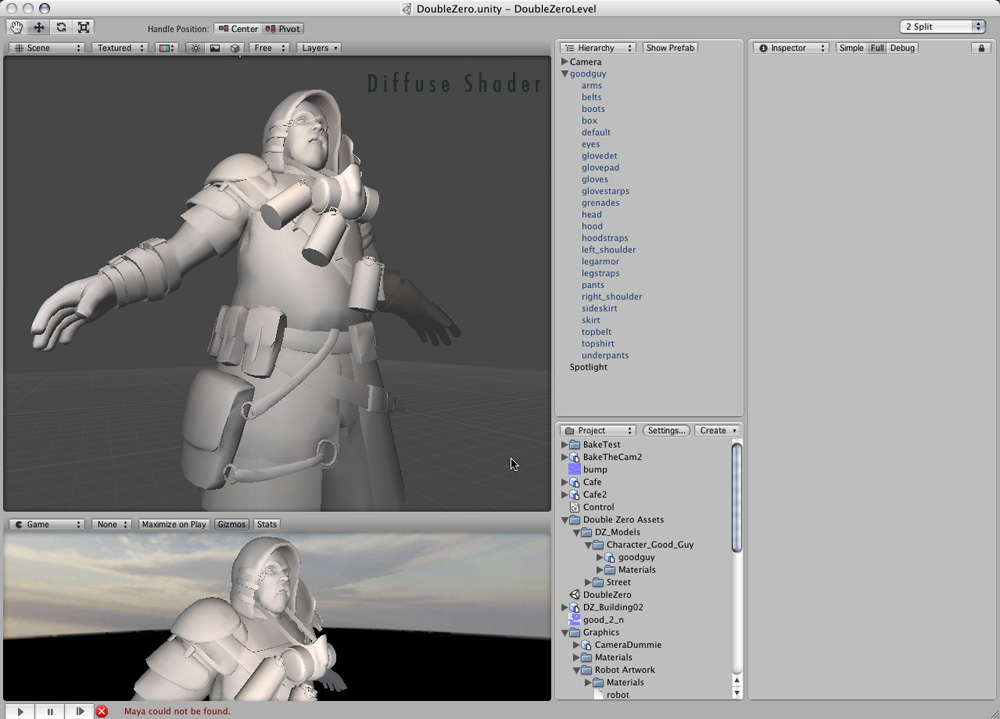
I just imported a character into my project and tried to apply a normal map to it. However, I usually don’t have problems with normal maps but this time I am at a loss…Have a look at the attached image. That surely doesn’t look right. Any pointers? I saw that some folks before me had similar issues…maybe a bug?
The funky thing is that as soon as I choose a bump shader I am getting these strange artifacts all over the place. See Image below. If choose something else "Diffuse…etc) I am getting now artifacts.
Do you mind posting a screenshot of your UV layout on one of the troubled meshes?
I’m trying to reproduce this problem (and looking at old spec bumped work of my own
to see if anything has recently changed with Unity) but everything works on my end so far.
Hi try and avoid overlapping UVs. If you have overlapping UVs because you use some sort of “symmetry modifier”, just take one side of the characters uvs and move it -1 in yourt uv editor. (same trick can be used when baking AOO maps)
How did you make your Normal maps?
Looks like some sort of problem with how Unity computes tangent space. Can you send the model’s FBX file and the normal map you’re using via Report Bug.app?
Has this problem been fixed in Unity 2.1 (was it a bug in Unity at all)?
I’m using Unity 2.1 and I’m getting some strange artifacts when using normal maps that don’t appear when I use a shader without a bump map. My mesh is generated procedurally with a Unity script, so I know that no external software is at fault. I use RecalculateNormals() as the last step of my mesh generation.
See the screenshot below. To the left is the entire texture slapped onto a plane - that works fine. To the right is several quads using the same texture and getting very strange colors.
Should I take some special steps when generating my mesh that I may have omitted, or should I just file a bug report?
No, I didn’t know about the need to generate tangents…
I’m generating them now, and it’s working mostly fine, at least for all rectangular tiles.
However, it seems that normal map lighting can’t handle skewed polygons? I.e. if a texture is made for a square but then applied to a rhombus/diamond shape or parallelogram, then the lighting will be wrong?
From the Script Reference:
So this would mean that the model break down when the U and V direction is the texture is not actually orthogonal?