The purpose of this thread is to help out those who are just getting into it, or a little bit lost. It’s not a contest to see who can post the most mathematically correct details or bang on about splitting vertices etc… That just confuses people and very few need to know all that until much later.
What are normals?
A normal is the direction of any polygon surface. Each polygon can only face in one direction at a given time.
Is this related to Polygon Smoothing?
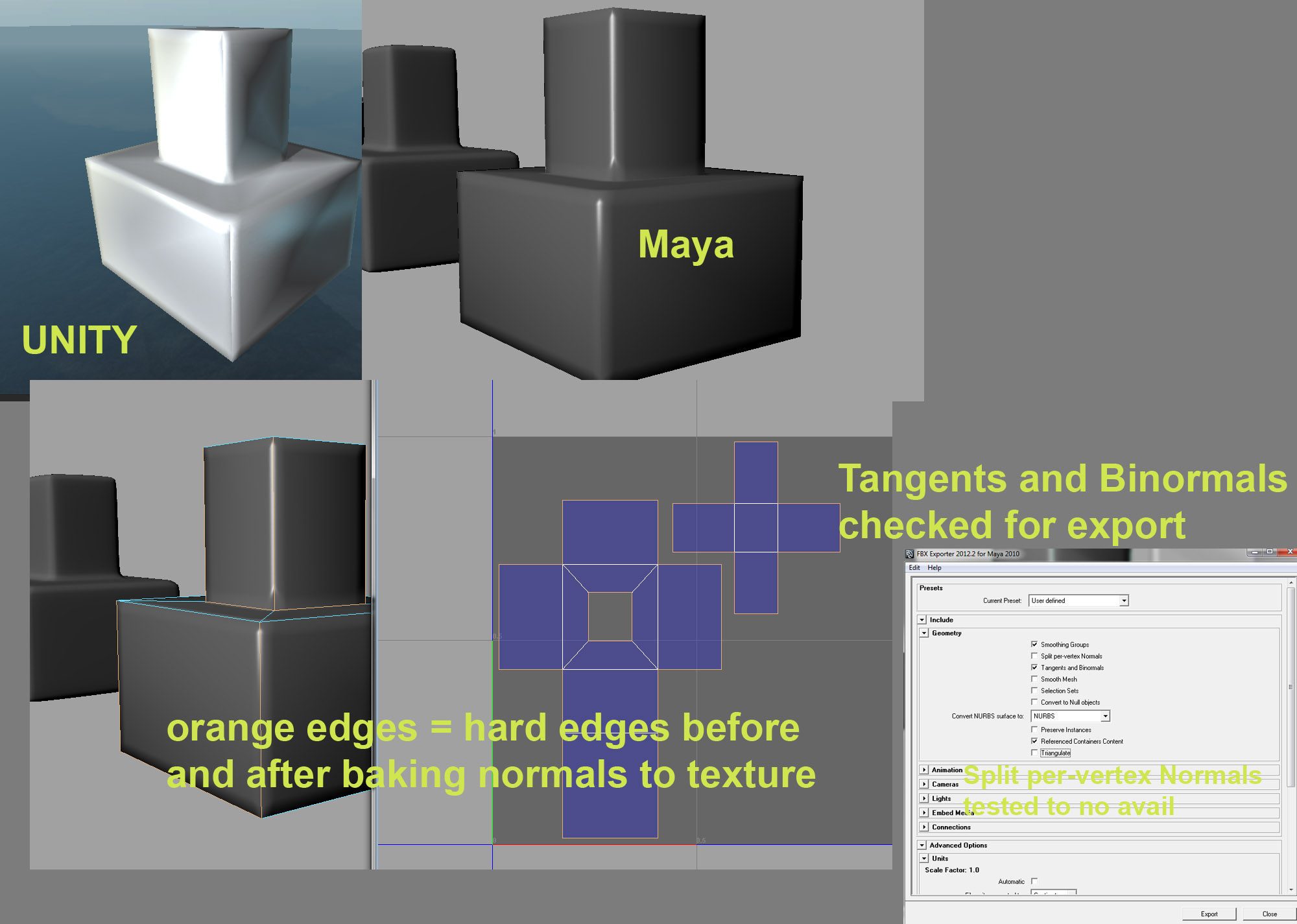
Yes, Smoothing Angles or Groups, is a ‘cheat’ method which is used to make a surface appear smoother. It does this by altering the normal directions of certain vertices to create an average direction between two adjoining polygons to give the impression of a smooth surface when lit. Because it’s a cheat method, the silhouette remains the same.
The angle of smoothing is the angle the smoothing will begin to occur between two connected polygons. The higher the smoothing angle, the more a surface is smoothed. For example, a smoothing angle of 45 degrees means only polygons that are at a 45 degree or more angle to connected polygons will be smoothed, while all others will remain the same.
So what are normal maps?
A normal map is a specially treated image that tricks a compatible 3D engine into believing a surface has more normal data than it actually does, and therefore giving the impression of greater detail, or smoother surfaces. A normal map simply makes the software believe a single polygon is made up from thousands of polygons, but without the processing cost of dealing with so many polys.
This is a tangent space normal map
This is a world/object space normal map
This is not a normal map
This is a bump/height/displacement map
So what’s the difference?
World Space and Object space normal maps are basically the same thing, depending on how they’re used in a game world. They aren’t currently used by Unity and only mentioned here to further confuse people.
Because they both use the full spectrum of colors they are: a) Better quality than Tangent Space and b) More limiting than Tangent Space.
World Space
This type is fixed within the world, which means they cannot move, rotate, tile or bend. Doing so will cause them to appear incorrectly. Because of this, world space normal maps are best reserved for static objects like buildings.
Object Space
These can move and rotate, but cannot tile or bend, or the same appearance issues will occur. They’re best used for Rigid dynamic objects.
Tangent Space
These can move, rotate, tile and bend without harming their appearance. These are used in Unity and most if not all other 3D engines available today.
Bump Map
Bump Maps are not as advanced as normal maps as they contain only height information (explained below), but can bend, rotate, tile, move with no adverse effects.
So how do they work?
Every color value in a normal map represents an angle, using 128 for the plus direction and 128 shades for the negative. Red, Green and Blue. This when all added together is what gives a normal map it’s rainbow appearance.
Generally the following is used (assuming Y +/- equals up/down)
Red = X +/-
Green = Y +/-
Blue = Z +/-
World and Object Space maps are generated with an understanding of their position and orientation, and what they consider up on their map, is an absolute up within the world, hence you can’t do much with them. Each pixel is capable of facing in any direction. The quality is usually deeper and richer. But unless they are handled specially, there’s little to be done with them.
Tangent Space maps are considered by the engine to always be facing ‘up’ from the surface of the polygon they’re used on (so you don’t get much change in color on the Blue channel), so whatever direction this type is facing, it still thinks its facing up. Which is why they can be rotated, moved, bent and so on. Their directions are relative not absolute, making them perfect for realtime use.
Take the image below. The black line is a cross section of a model. The yellow lines show the direction of the actual polygon surface normals. This is what the engine sees when it’s lighting a regular surface.
Now if we were to add a normal map to our model, the engine would see the following. The original base normal directions continue to be taken into account, but are now including the normal directions. Giving the impression of far more detail.
Ok, what about bump maps then?
Bump maps are how things used to be done. They are grayscale, with each value representing a specific height. Unlike normal maps they contain no directional information. This means each pixel of the bump map has no knowledge of actual light direction. For the purpose of games, and specifically Unity. They’re useful for generating the height of normal maps (see the next post), the height information for use in parallax and relief map shaders, generating the height information in terrain, and creating actual displacement geometry when used on high polygon objects.
Further Reading
Normal Maps at Polycount - from Farfarer