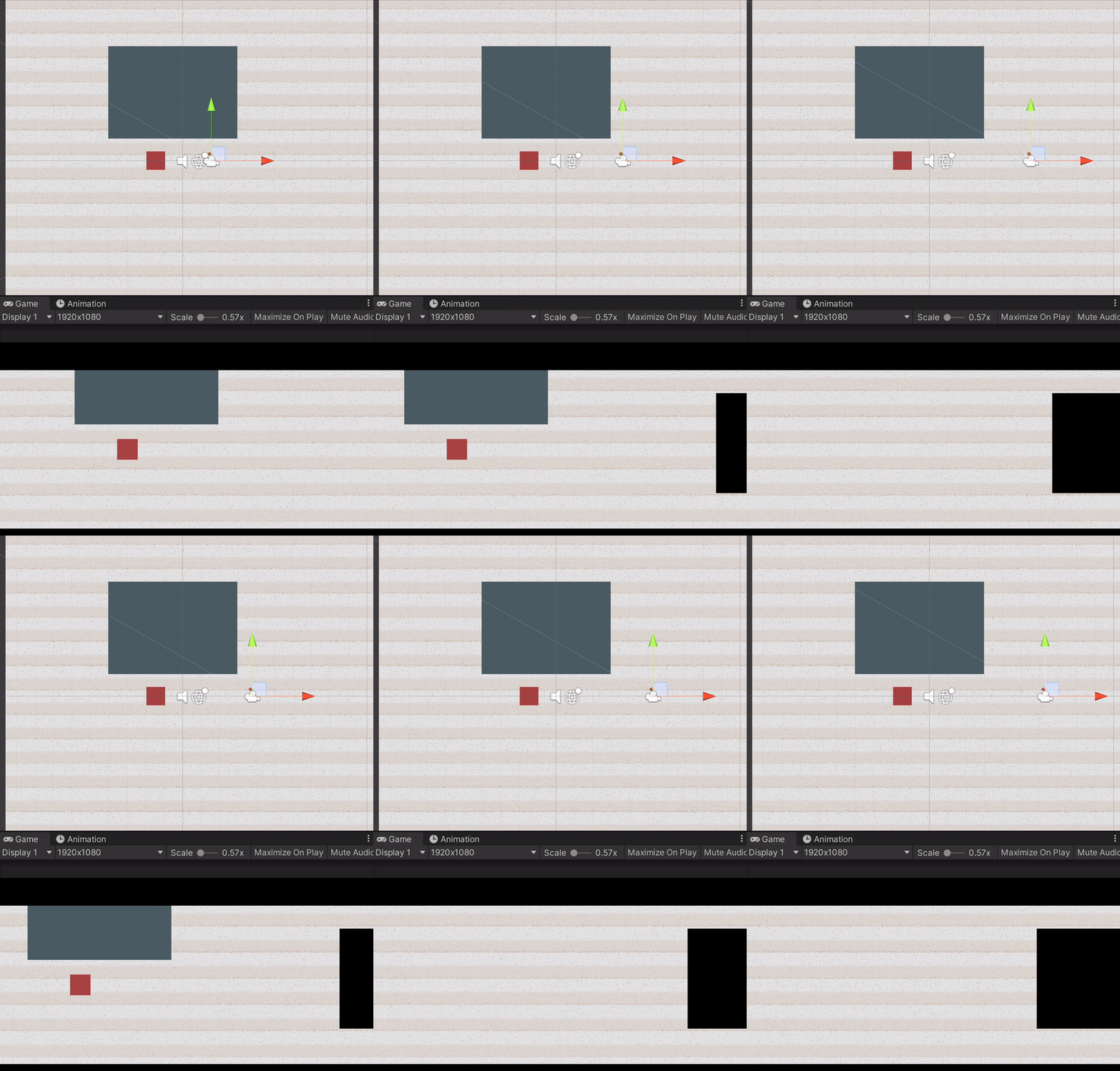
Hi, I’m currently creating a 2D game and this is the first time that I’m using 2D lights (2019.4.11f1 / LWRP 7.3.1). Everything went on smoothly at first, but at some point after adding a bunch of sprites, when I tried to scroll the camera (purely along X-axis) and check the effect, I found my objects showing and disappearing automatically even not in play mode, the objects disappear at a certain position in the game view no matter if it is the camera or themselves that moved:
(if the gif is broken, here is the link for copy and paste: https://static.wixstatic.com/media/a96325_11307d28920846b4a30847844bb8281f~mv2.gif)
Not sure if it’s relavant but here are my camera settings:
I thought for a while that it might be too many lit sprites so I tried to delete most of the sprites from the scene and replaced my original sprites with default squares and… apparently, it didn’t help, I’m not really experienced with Unity and have never met this kind of problem before, super confused right now and really hoping for some help/hints. Thanks a lot!!
You set the Camera to perspective. Are you sure it shouldn’t be orthographic since you’re making a 2D game? The objects look like they’re being culled by the 3 dimensional camera.
Camera might be too close, try to pull it back on the z-axis, so the z value is lower than all of your sprites.It’s at -10 by default and sprites are usually at 0.
You could try adjusting the clipping planes in the camera.
Hi, thanks for your reply!!!
Actually, I set the camera to perspective camera on purpose to get my ‘slightly-3D’ visual effect, and I’ve calculated the distances and positions beforehand to make sure all items go to the right place. I built the rough frame first and it all worked perfectly when there were only a couple of key sprites, and those objects that I mentioned in the thread used to move smoothly. Apart from more sprites added, nothing was changed since:face_with_spiral_eyes:.
I tried adjusting the clipping planes but nothing changed, I thought it might be light-related as I also saw the sprites sometimes flickering (became completely black for a sec or so), but those might not be related at all…
Does it work with an orthographic camera though or does the problem still persist? I remember some threads talking about how 2D lights don’t work with perspective cameras. It might’ve been fixed since, but you’re using an older version. I actually really don’t understand why you’re using 2019 and LWRP as that has been changed to URP for a long time now. Your camera component also looks way different from mine. Maybe your packages are just not compatible anymore?
Just tried the orthographic camera and indeed it won’t disappear anymore, guess I’ll need to look carefully into the camera. Actually, this is a school project and we are advised to use 2019:(, I did try some newer versions of the packages and also the latest LTS version with URP, but the target sorting layer for lights all functioned weirdly (or maybe I did it wrong??), maybe I should give it another try… thanks again!!
Well, I’d like to have a word with your instructor then, as I also teach unity and wouldn’t advise anyone to use the new Render Pipeline with an older version of Unity. 2D Lights are a pretty recent thing and the 2D Renderer has only just come out of experimental with the release of 2021.2. As I said, my guess is some compatibility issues with some of the packages, but I can’t say for sure.