using UnityEngine.EventSystems;

public class ClassName: MonoBehaviour, IPointerClickHandler
{
    public void OnPointerClick(PointerEventData ped){
         //whatever happens on click
    }
}
But i personally had no success with the click event even with all of the above perfect and working. I would rather use the pointerUp and/or pointerDown events instead. For one they work, and you have more control over the click with what happens on down and on up.
Yes it has all that, i have tried the up and down methods too but they don’t fire also. All i want to do it click and get the position in the environment. Yet it just won’t trigger the methods.
When i add a collider to my camera, it works - but thats not what i want, i want to hit the box collider on a different game object, basically my floor game object.
Oh its for a box collider. You are using the wrong thing. Maybe you wanted “OnMouseDown” instead. OnPointerClick/Down/Up is for canvas UI.
It’s under MonoBehaviour in the documentation. MonoBehaviour has other mouse related methods which you might want to know or use.
I thought OnPointerClick also works for world stuff too using the physics ray caster instead of the graphics ray caster? The documentation doesn’t mention it being UI specific?
If you want the event system to take care about 2D/3D objects, you’ll need the PhysicsRaycaster or Phyics2DRaycaster on your camera.
For the event listeners, either use the interfaces that you’ve already attempted to use or EventTriggers.
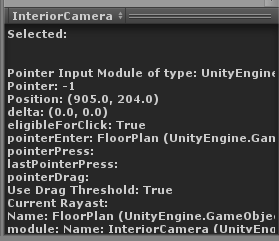
Yes a box collider which covers the entire floor layout - its much bigger than the camera view. So i’m definitely clicking within the box collider’s size. Imgur: The magic of the Internet
GameObject: GameManager ¬
                 Event System
                 Standalone Input Module
                 ClickClass (My own script which has the method posted in original post)

GameObject: Camera¬
                 Physics Raycaster

GameObject: Floor¬
                 Box Collider
I’ll assume OnPointerClick/Down/Up can work for non-UI objects, but I will stick with my previous statement that OnPointerClick simply does not work from my own personal experience using it. Use OnPointerDown and/or OnPointerUp instead.
When used in UI, the script with the pointer click/down/up methods needs it to be on the object as well, same with how a button detects clicks on itself and nothing else. onmousedown works the same way as well.
if you wanted a general thing, it would have required a physics raycast detecting the first object was hit by the ray, or using the PointEventData to check objects in the ray’s path, but that required sieving through the entire stack of objects, which requires knowing what you want prior to clicking.
You need to have the PointerDownHandler on the object you’re trying to click on, like Laparen suggests. You can also put it on any of its ancestors, at least if it works like the canvas ui and trickles up the hierarchy, but you can’t put it on the camera.
Maybe i should start a new thread but its mentioned here so…
I think a better method for some scenarios would be to have a mouse class that detects what the mouse is doing, hovering, pointing, etc., and then calls the objects under it as necessary.
Example 1, i hover over a UI or 3d object for long enough and it calls a label script that populates with the name of the object its over like a little tooltip.
Example 2: It is clicked and checks what is beneath it. Its a 3d object so it goes to a switch statement for them. Its a type of character so it does a get component and calls select on it. The character itself will know that its either an enemy so select() should give details or its of type payerControlled so it should give command options.
Do people agree this is a good pattern? If not can you link or briefly describe how you would do it?
If so would i just run a graphics and physics raycast every frame or is there a nicer way to do it?
The basic idea is good, and there are already different versions of input systems that are split up into modules and do this in a more advanced fashion. One of those does already come with Unity itself but does not allow as many features as others out there.
One of the most advanced open-source systems I’ve come across so far has been written for for the Microsoft’s Hololens.
The general idea is that you’d write a submodule for all desired input sources. The module forwards it’s specific input to a manager, which in turn dispatches the equivalents of input behaviour as a certain type of event, providing more information through event args to distinguish between the actual source of the event, just in case you need that (hand gesture, touch gesture, mouse input, keyboard, controller, speech recognition, …).
You’d only need to subscribe to that manager for PointerClick events for example. If you need to distinguish between the different potential sources you’re able to do that.
Or you’d subscribe to a particular submodule, that’s also fine.
Example: The manager raises an “PointerClick” event, e.g. when mouse is clicked, hand gesture for click (HoloLens: AirTap), or when a key has been clicked which has been configured to represent a “selection”, a single-tap for a touchscreen-device and so on and so forth.
You could even hook up all kinds of weird input sources that feed their particular input to the manager, which then dispatches it as certain event types.