Hi there. I’m not very familiar with the Renderer2D and the 2D workflow in general, but I’ll take some time to see what I can find.
By default, VFX instance will be properly sorted with the Custom Axis.
As you have found in this Topic, Per-particle sorting can be achieved inside the same system.
So, inside the same system, you should be able to sort your particles to fit your needs.
In your case, using the custom Mode allows you to sort the particle with their Y.position.
So you can still have sorting between your sprites and your VFX instance, but as for the sorting of VFX the VFX bounding center will be used. I’ve tested it and this works for the different transparency sort mode available in 2D renderer.
This means that you can use the position of your VFX or offset it’s bound center to sort with other sprites either on a custom axis (Y) :

Or using your Camera mode. In this case, as my camera is orthographic, so the sprites are ordered with the sorting distance of the renderer between the position and Camera along the Camera’s view direction:

instead of using the VFX instance position, I’m directly changing the bounding box center.
Now this is limited to VFX instance sorting and not Per-particle sorting. To get some more control, you can use the sorting layers.
In this example, the sorting layers override the Sorting along the Camera’s view direction. This can be used to create sorting layers and use the Sorting distance to sort inside those layers.
This is often used, and you can take a look at the Happy Harvest URP 2D demo that uses the sorting layers, and VFX Graph.
Asset Store Free sample demo
But, I’m guessing that what you require is per-particle sorting with other Sprites/particles and not only Per-VFX instance sorting.
This sorting workflow issue between Sprites and VFX Graph or Particle system is pretty common, and I’m not aware of an official or production tested solution. You can see another thread with the same sorting challenges.
Now, I’ve been experimenting a bit with @PaulDemeulenaere, and it turns out that you can leverage the use of the Depth Buffer. If you are not targeting the low-end mobile, turning on the Depth Buffer might allow you to try this approach:
The Idea is to use the regular Z-distance sorting and force all your Sprites/VFX/Particles to Write to Depth.
Here is an example of a Sprite lit Shader Graph with the option turn on.
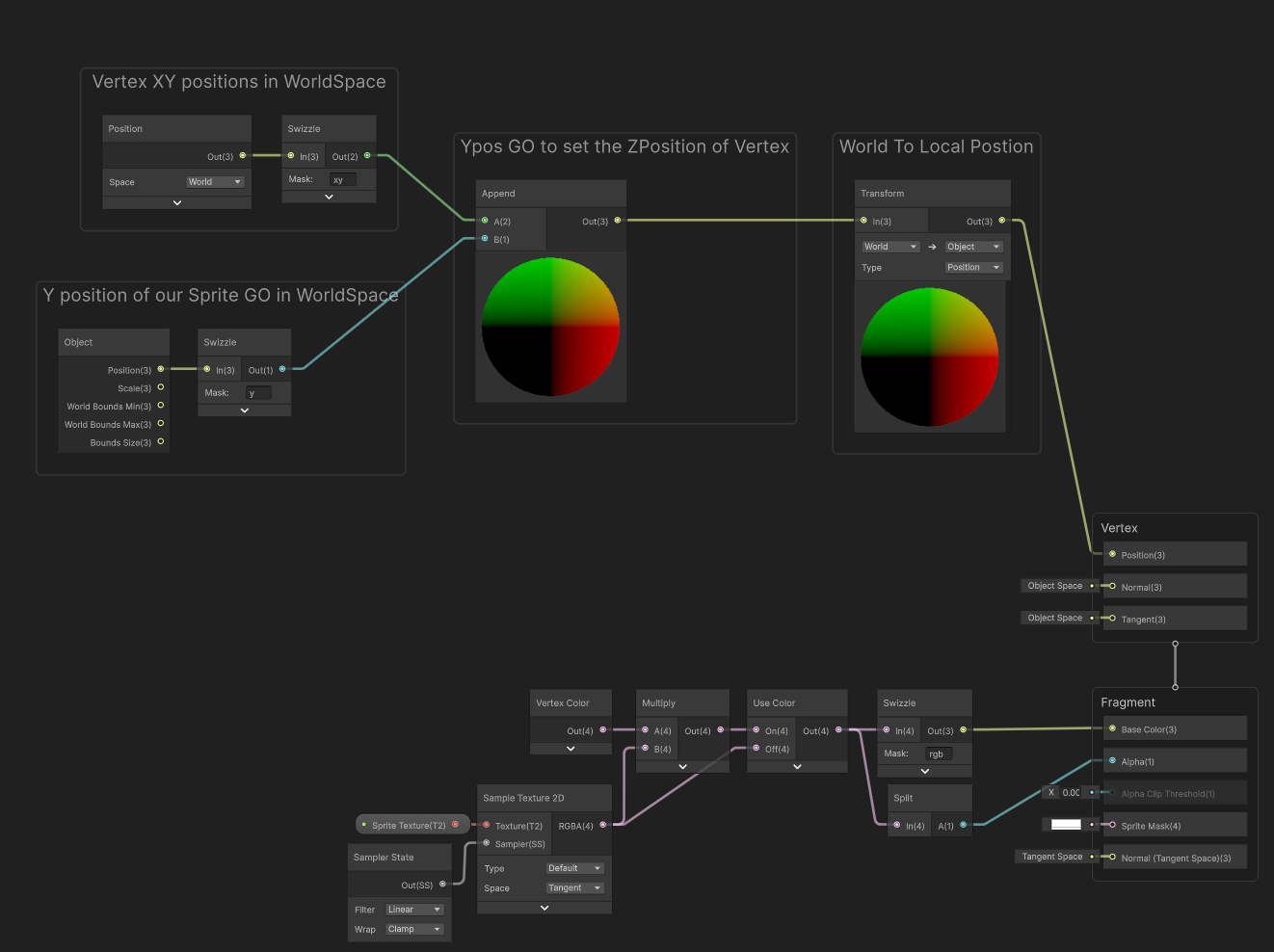
With this in place, we can now Offset our sprite on the Z-Axis in the Vertex Shader based on the Y.position of the Game Object.
This is what it looks like for a Sprite Shader Graph:

As you can see, as we changed the
Y-position of our Sprite, a
Z-offset is applied in the
Vertex Shader, properly sorting the Sprites based on their
Y.position.
Now, we can make the same in VFX Graph, but we don’t even need to make the Vertex Shader Part.
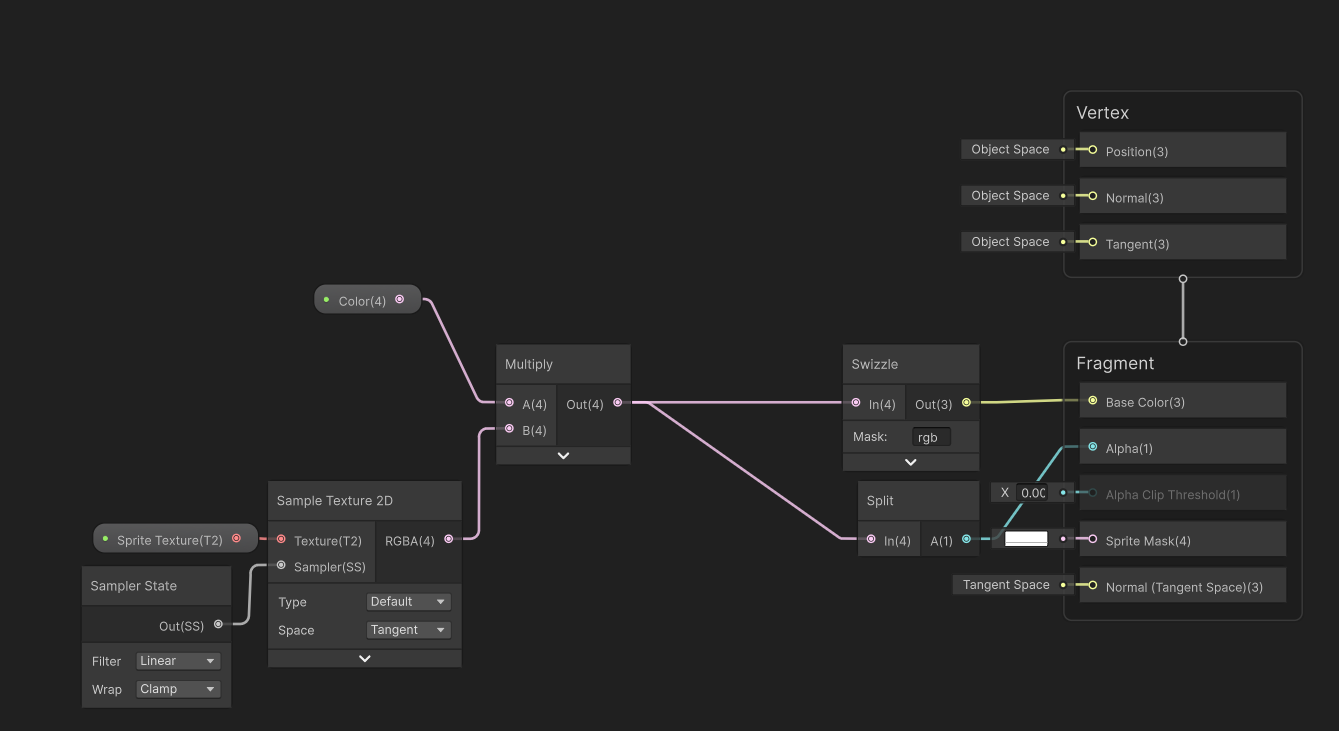
To be able to get a Lit Shader we can use a Shader Graph and like for the Sprite shader we must set the Depth Write to Force Enabled.
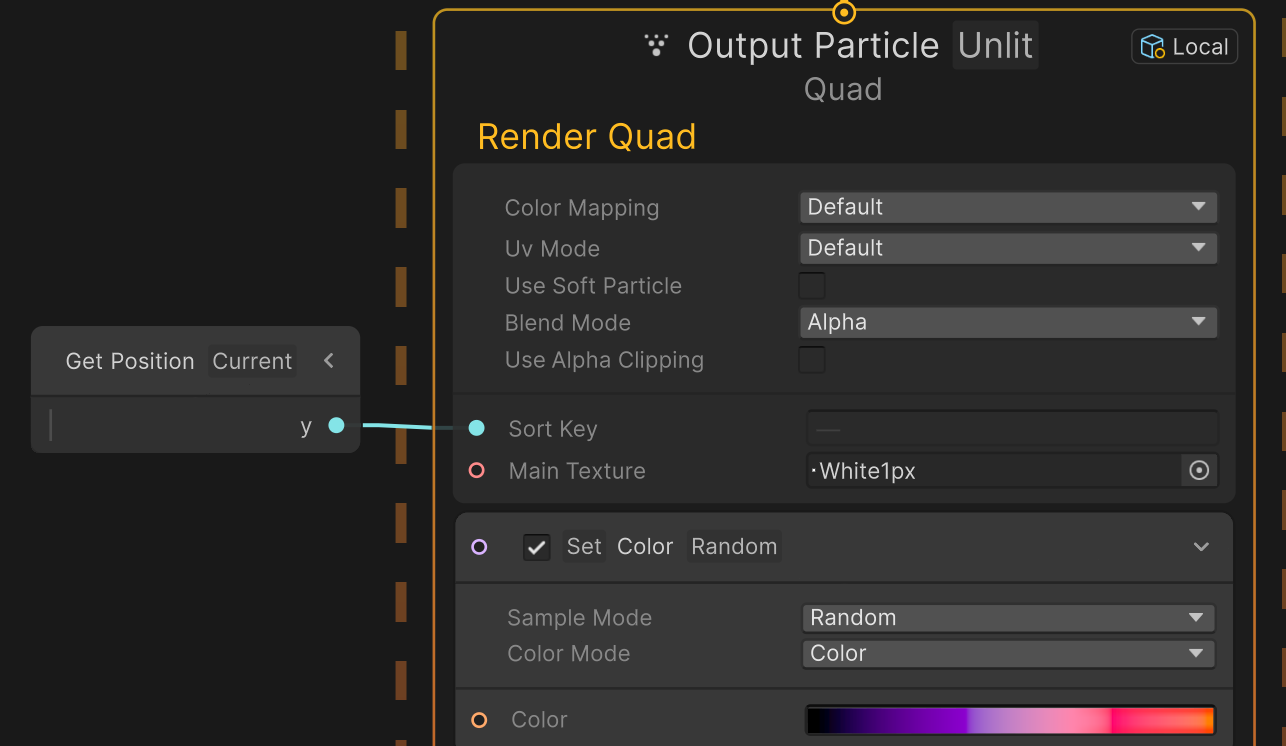
Now in VFX Graph, in the Output context, we can take the Current Particle position and use again the Y position to set the Z.position offset the Z value based on its height:
As you can see, each particle’s inside the VFX instance is now properly sorted based on their Y.position. And sorting works between VFX particles and Sprites:

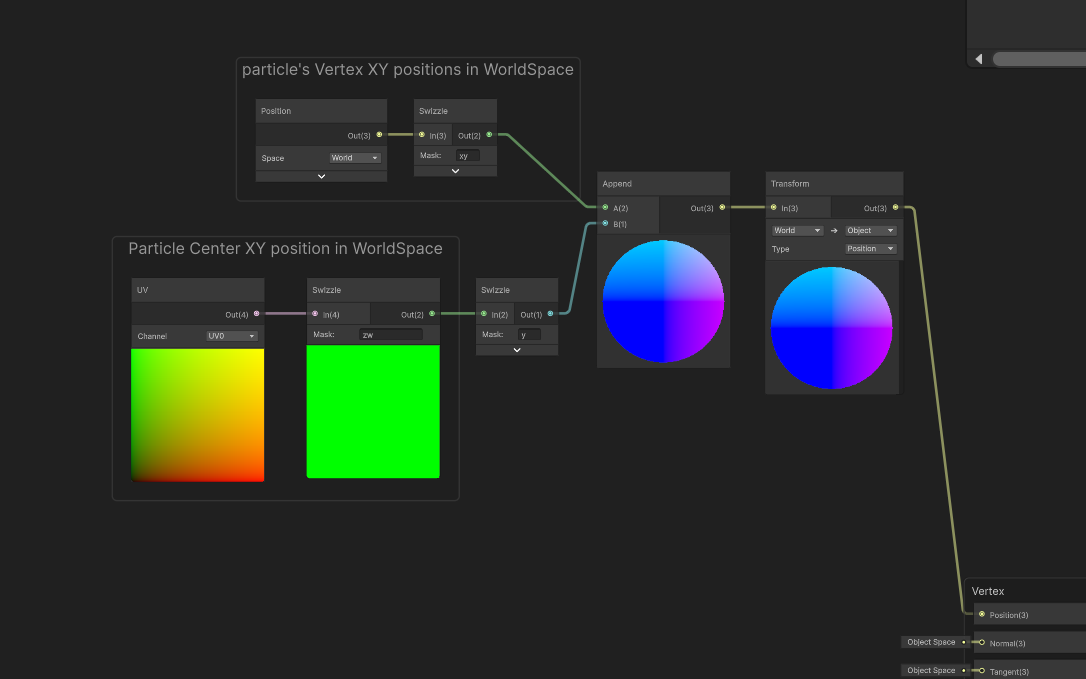
Now the same can be achieved with Shuriken particles so that there are properly sorted with VFX particles and Sprites. For this you need to have a custom Shader Graph that is pretty similar to the Sprite Shader Graph. First you Force the Depth Write. Then you need to get the Particle Center position by using the Custom Vertex Stream. In my case, They are bound to the UV0.zw channels (We are only interested in the Particle center's Y.position.
In this final animated sequence you can see Sprites, VFX and Shuriken particles all being lit and properly sorted together on their Y.axis:

This custom solution requires that all your Shader use the same Vertex offset, and it will have some impact on performances as it requires the Depth Buffer. Now it seems like it can be a nice solution for sorting workflow of Sprite/VFX/Particles in a 2D renderer project. But as said earlier, I never tested this solution in project, so they might be some implication that I didn’t see while making this experiment.
I hope that it will help you, and I wish you a great day  .
.