I encountered a problem while building an active ragdoll using the Unity Physics package, where most joints unexpectedly spin 360 degrees at the game start. To isolate the issue, I created a simple setup:
- Two rigid bodies. Body A has a joint connected to body B. Body B is kinematic (optionally).
- A
PhysicsJointconnecting them withBallAndSocketandMotorTwistconstraints. - The body B has a rotation of 90+ degrees on any axis.
- The body A has a non-zero rotation on another axis.
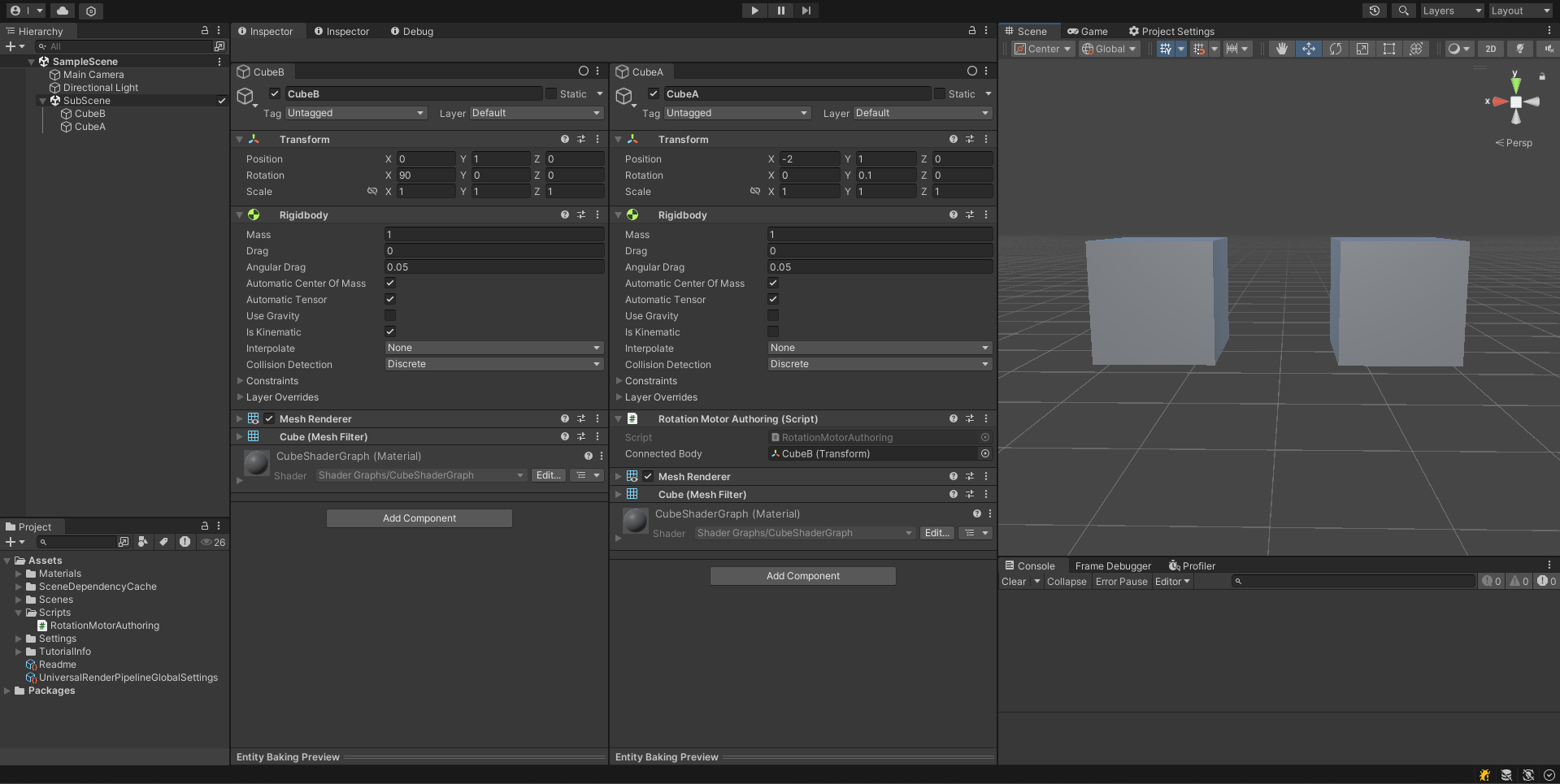

Result: The body A spins 360 degrees around BodyAFromJoint.Axis at the start of the game. This seems to be caused by interpolation between the initial body quaternion and its negative counterpart, resulting in the 360-degree spin. Why the body goes toward the negative quaternion and how to resolve this issue remains unclear to me. My Unity version is 2022.3.44f1. My Unity Physics package version is 1.2.4.
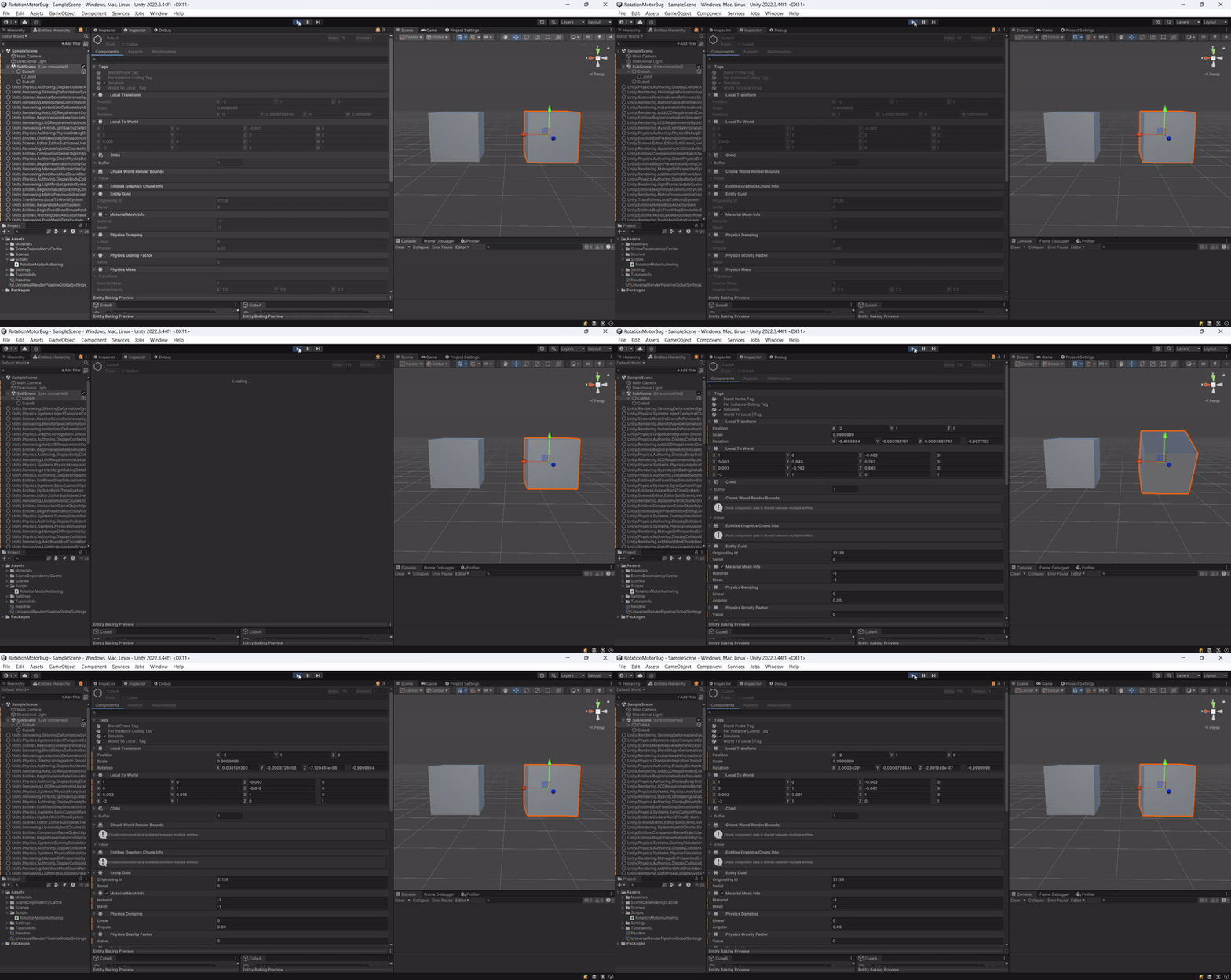
This bug makes it nearly impossible to create stable, complex joint structures like ragdolls.
Below is my joint authoring code, which follows the documentation for creating BodyFrames. I’ve confirmed through testing that the BodyFrames are correct, but the spin persists.
using Unity.Entities;
using Unity.Physics;
using UnityEngine;
using Unity.Mathematics;

public class RotationMotorAuthoring : MonoBehaviour {
    [SerializeField] Transform connectedBody;

    public class Baker : Baker<RotationMotorAuthoring> {
        public override void Bake(RotationMotorAuthoring authoring) {
            DependsOn(authoring.connectedBody);

            if (!authoring.connectedBody) return;

            Constraint ballAndSocket = Constraint.BallAndSocket(1f, 1f);
            Constraint motorTwist = Constraint.MotorTwist(0f, 0.1f, 1f, 1f);

            PhysicsJoint joint = CreateJoint(authoring);
            joint.SetConstraints(new() { motorTwist, ballAndSocket });

            Entity jointEntity = CreateJointEntity(authoring);
            AddComponent(jointEntity, joint);
        }

        public Entity CreateJointEntity(RotationMotorAuthoring authoring) {
            Entity entity = GetEntity(TransformUsageFlags.Dynamic);
            Entity connectedEntity = GetEntity(authoring.connectedBody.gameObject, TransformUsageFlags.Dynamic);
            Entity jointEntity = CreateAdditionalEntity(TransformUsageFlags.Dynamic, false, "Joint");

            PhysicsConstrainedBodyPair bodyPair = new(entity, connectedEntity, false);
            AddComponent(jointEntity, bodyPair);

            PhysicsWorldIndex physicsWorldIndex = default;
            AddSharedComponent(jointEntity, physicsWorldIndex);

            return jointEntity;
        }

        public PhysicsJoint CreateJoint(RotationMotorAuthoring authoring) {
            float3 position = float3.zero;
            float3 axis = new(1, 0, 0);
            float3 secondaryAxis = new(0, 1, 0);

            RigidTransform worldFromA = Unity.Physics.Math.DecomposeRigidBodyTransform(authoring.transform.localToWorldMatrix);
            RigidTransform worldFromB = Unity.Physics.Math.DecomposeRigidBodyTransform(authoring.connectedBody.localToWorldMatrix);

            RigidTransform bFromA = math.mul(math.inverse(worldFromB), worldFromA);
            float3 connectedPosition = math.transform(bFromA, position);
            float3 connectedAxis = math.normalize(math.mul(bFromA.rot, axis));
            float3 connectedSecondaryAxis1 = math.normalize(math.mul(bFromA.rot, secondaryAxis));
            float3 connectedThirdAxis = math.normalize(math.cross(connectedAxis, connectedSecondaryAxis1));
            float3 connectedSecondaryAxis = math.normalize(math.cross(connectedThirdAxis, connectedAxis));

            BodyFrame bodyAFromJoint = new() {
                Position = position,
                Axis = axis,
                PerpendicularAxis = secondaryAxis,
            };

            BodyFrame bodyBFromJoint = new() {
                Position = connectedPosition,
                Axis = connectedAxis,
                PerpendicularAxis = connectedSecondaryAxis,
            };


            PhysicsJoint physicsJoint = default;
            physicsJoint.BodyAFromJoint = bodyAFromJoint;
            physicsJoint.BodyBFromJoint = bodyBFromJoint;
            physicsJoint.JointType = JointType.Custom;

            return physicsJoint;
        }
    }
}
Here is the repository with a reproduction of this bug: