Is it possible to avoid my uielements being tinted in a darker color when entering play mode? I realize that this is a global Unity setting to tint all windows except for the game view, but I noticed that I really don’t want this in the case of a logging or debug inspector window. For example, the builtin console window also doesn’t tint. The darker color makes reading text a lot more difficult in play mode.
The tint can only be globally removed through Edit/Preferences/Colors/General/Playmode tint. According to my test, the builtin console window is also tinted, what is your current version?
1 Like
I’ve tested on Unity 2019.3.0 and 2019.3.1 with the following results:

In the gif, I toggle between edit and play mode. On the left we can see the Unity console. When entering play mode, the background is tinted slightly, but the text labels are still very much readable and bright. On the right is my custom console window which uses UIElements with mostly default styling. When entering play mode, the UIElements label text color is tinted much darker towards a gray that makes it harder to read. I would expect that by default the styling should be identical, but I also think that I prefer the Unity console window style, since it remains readable in play mode.
Could you try with a more aggressive tint, like pure red? It would make the difference more obvious. It seems to me that the text from the console on the left is also being tinted but it’s hard to tell precisely.
So I found that the tint is in fact applied to everything. However, I still feels like the Unity default console either changes the label color when entering play mode to a slightly more white color, or the new default text color is slightly too dark (on the right). It’s just that in edit mode both look pretty much the same and are readable, but with tint applied my window on the right has low contrast and is difficult to read.
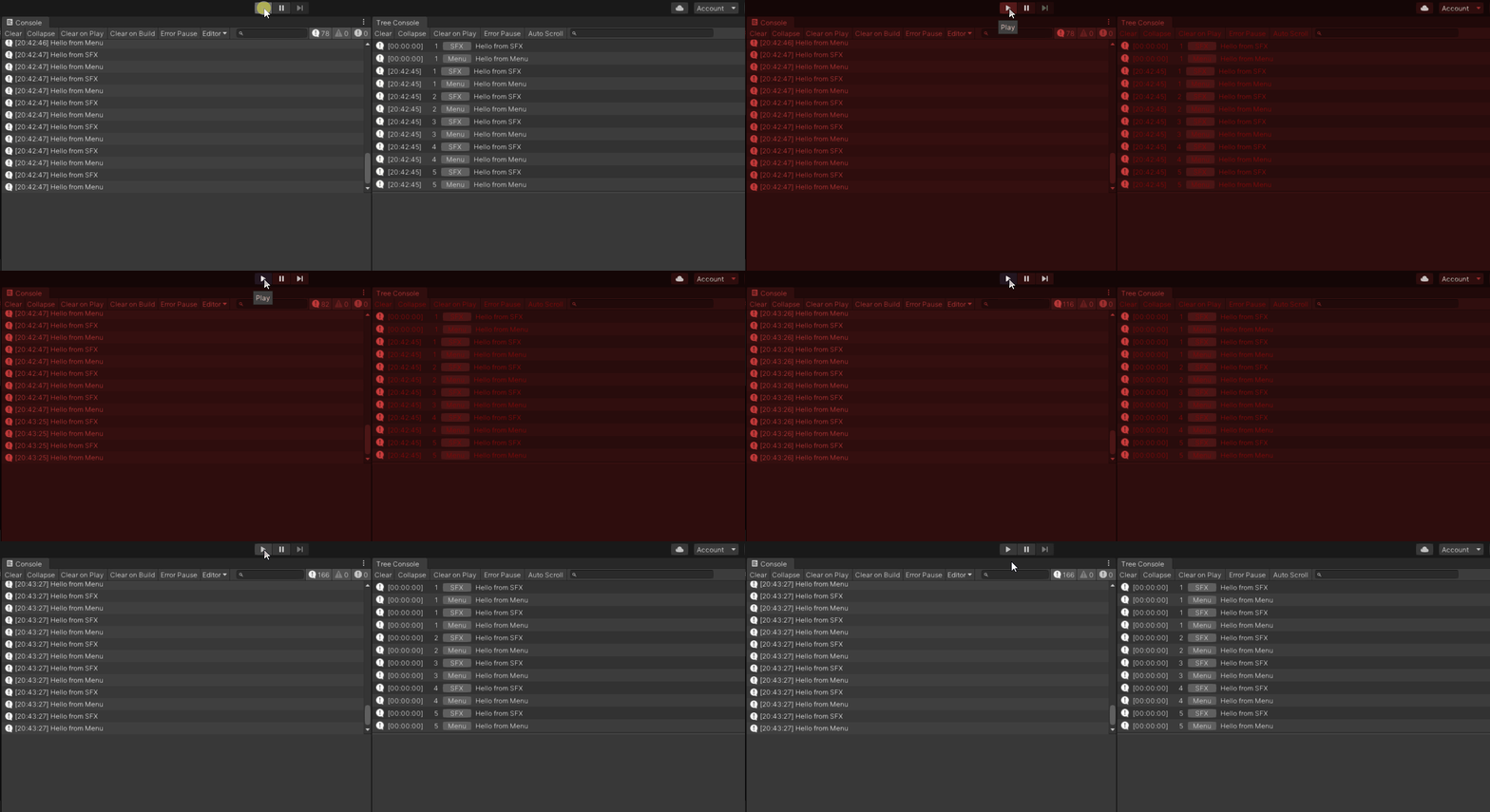
If I manually set the label style color to white, it’s much better in play mode, but in edit mode, labels shouldn’t be too bright.


But even white pure white it looks as if my UIElements labels on the right are slightly darker than the IMGUI labels on the left.
1 Like
Hi, sorry to resurrect this thread. Did you ever find a solution for this? It seems tint is applied twice or thrice to text in UITK, compared to IMGUI. I find it really uncomfortable sometimes. Thanks for posting about it.
There was no solution to exclude any window from the tint. I assume the tinting and low contrast is still the same, but I haven’t checked the newest Unity versions. Sorry! We just live with it.
1 Like
Looking at this picture you provided, the text and icons definitely look brighter on the right. I know that we have fixed similar issues in the past, but just in case, please submit a bug report with a small demo project and we’ll investigate.
I’ve submitted case 1310581. The issue is still visible in Unity 2020.2.1f1 and previous versions. In the report, I show that there’s a noticeable difference between the console window and custom windows in edit vs play mode like this:


I’d like for my editor windows to look like the builtin console window, because I want them to be readable in play mode and I believe this should be handled by the builtin styles, but apparently there are differences.
I had a quick look at your project and I identified two problems:
First, I tested in edit mode, and observed that the styles are actually different. In the console, the text is submitted with 210/255, while in your panel, it’s submitted with 196/255. So that would explain the difference in edit mode.
Then, I tested in play mode with a tint of 200/255. In the console, the text shows as 165/255, as expected (210200/255). However, in your window, it shows as 121/255, which is quite lower than the expected value of 154 (196200/255). So despite the different style value, there is indeed too much tint applied and fixing the style won’t be sufficient.
Thanks for submitting the case, we’ll investigate furthermore.
Edit: I found another tint-related bug report that is about to be fixed and backported down to 19.4. It might resolve this issue as well (the tint, not the styling issue). Stay tuned.
1 Like
Having similar issues. You say that the label is submitted with 196/255, that’s the default label color, is there a reason why this is not 210/255 then as default? Or is the console text color brighter than the default editor text color?
There’s a difference between the IMGUI text color which is --unity-theme-text-color-1: #D2D2D2;, and the UIToolkit text color, which is --unity-theme-text-color-2: #C4C4C4. It has probably simply been overlooked. I raised the issue to the devs in charge of the styling. This will be likely be fixed separately from the tint issue.
1 Like
You can avoid the dark tint by selecting white as “Playmode tint” in Edit/Preferences/Colors/General/Playmode tint
I personally prefere a light red such as #FFDADB