Hi guys, I’m currently trying to center a game object into an UI image, the thing is, I can’t figure out how to do it, I’ll try to explain with screen captures.
I have an image that acts as the container of the game object, not in the hierarchy though, and that container is not in the center of the screen but slightly more at the right. What I want is to place that game object in the center of the image.
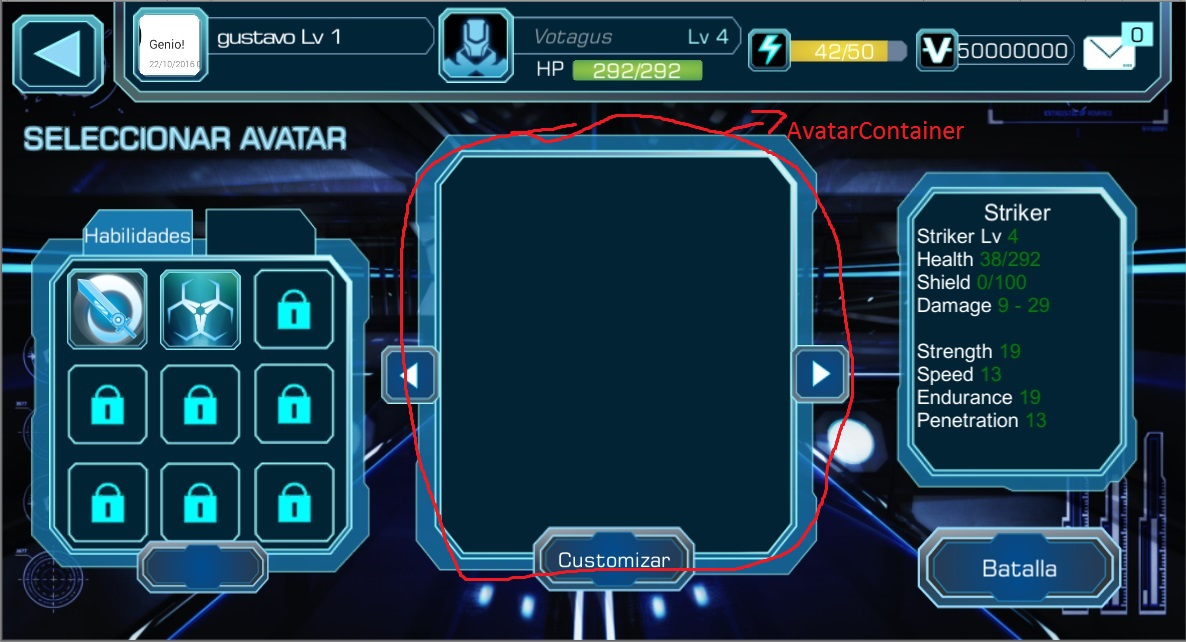
If I put the game object in the position of the rect transform of the image then it gets centered as you can see below.
var container = GameObject.FindGameObjectWithTag("AvatarContainer").GetComponent<RectTransform>();
gameobject.transform.position  = container.position;
But it does not matches from the camera view, it is even outside of the camera space. How can I get the correct position?
Thanks guys!
