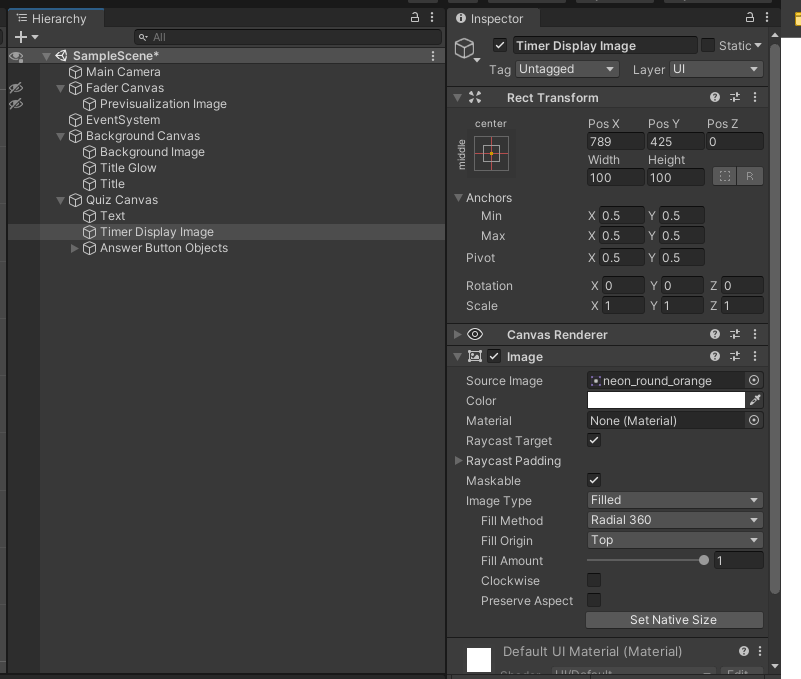
While trying to create an image based timer I encountered the following configuration warning

Is there a better way to reference the image? It’s a minor thing but, in my experience, minor issues often lead to worse problems.
Additional images
Don/t write crazy ninja code like that.
Declare a public UnityEngine.UI.Image field and drag it in.
Seriously.
Remember the first rule of GameObject.Find():
Do not use GameObject.Find();
More information: Regarding GameObject.Find · UnityTipsRedux
More information: Why cant i find the other objects?
In general, DO NOT use Find-like or GetComponent/AddComponent-like methods unless there truly is no other way, eg, dynamic runtime discovery of arbitrary objects. These mechanisms are for extremely-advanced use ONLY.
If something is built into your scene or prefab, make a script and drag the reference(s) in. That will let you experience the highest rate of The Unity Way™ success of accessing things in your game.
Keep in mind that using GetComponent() and its kin (in Children, in Parent, plural, etc) to try and tease out Components at runtime is definitely deep into super-duper-uber-crazy-Ninja advanced stuff.
This sort of coding is to be avoided at all costs unless you know exactly what you are doing.
If you run into an issue with any of these calls, start with the documentation to understand why.
There is a clear set of extremely-well-defined conditions required for each of these calls to work, as well as definitions of what will and will not be returned.
In the case of collections of Components, the order will NEVER be guaranteed, even if you happen to notice it is always in a particular order on your machine.
It is ALWAYS better to go The Unity Way™ and make dedicated public fields and drag in the references you want.
I agree with what Kurt said about avoiding GameObject.Find(). However, more to the point of the warning you are getting. My first instinct is that you have created (or imported) a Type somewhere named Image, and it is not UnityEngine.UI.Image. When I went to check in Visual Studio just now, as I typed the line of code in question, Visual Studio automatically added the following using directive.
using Microsoft.Unity.VisualStudio.Editor;
That namespace contains a type called Image, which is what it was trying to use by default. Make sure you don’t have a similar naming conflict somewhere and use one of the following.
using UnityEngine.UI;

gameObject.GetComponent<UnityEnging.UI.Image>();
for clarity this line of code is for null reference protection, as shown below.
using UnityEngine;
using UnityEngine.UIElements;

public class Timer : MonoBehaviour
{
    [SerializeField] Image timeDisplay = null;
    [SerializeField] Quiz quiz = null;

    const string timerDisplayImage = "Timer Display Image";
    float timeRemaining = 30f;
    float displayAnswerFor = 10f;
    bool isTimerStarted = false;
    bool waitingForAnswer = false;

    private void Start()
    {
        if (timeDisplay == null) timeDisplay = GameObject.Find(timerDisplayImage).GetComponent<Image>();
        if (quiz == null) quiz = FindObjectOfType<Quiz>();
    }
UnityEngine.UIElements.Image != UnityEngine.UI.Image
UnityEngine.UI.Image is a Component
UnityEngine.UIElements.Image is not
If you only have the using UnityEngine.UIElements directive, the compiler must assume you want to use UnityEngine.UIElements.Image, and it is appropriately warning you that it does not derive from Component.
Ah of course… silly syntax always getting in the way