[RELEASED] BakeAO - Easy Ambient Occlusion Baking

BakeAO is a plugin that lets you bake ambient occlusion (AO) textures within Unity in just a few clicks. Below is a quick breakdown of what BakeAO does, why it’s useful, and how you can try it out.

Why you should use ambient occlusion?

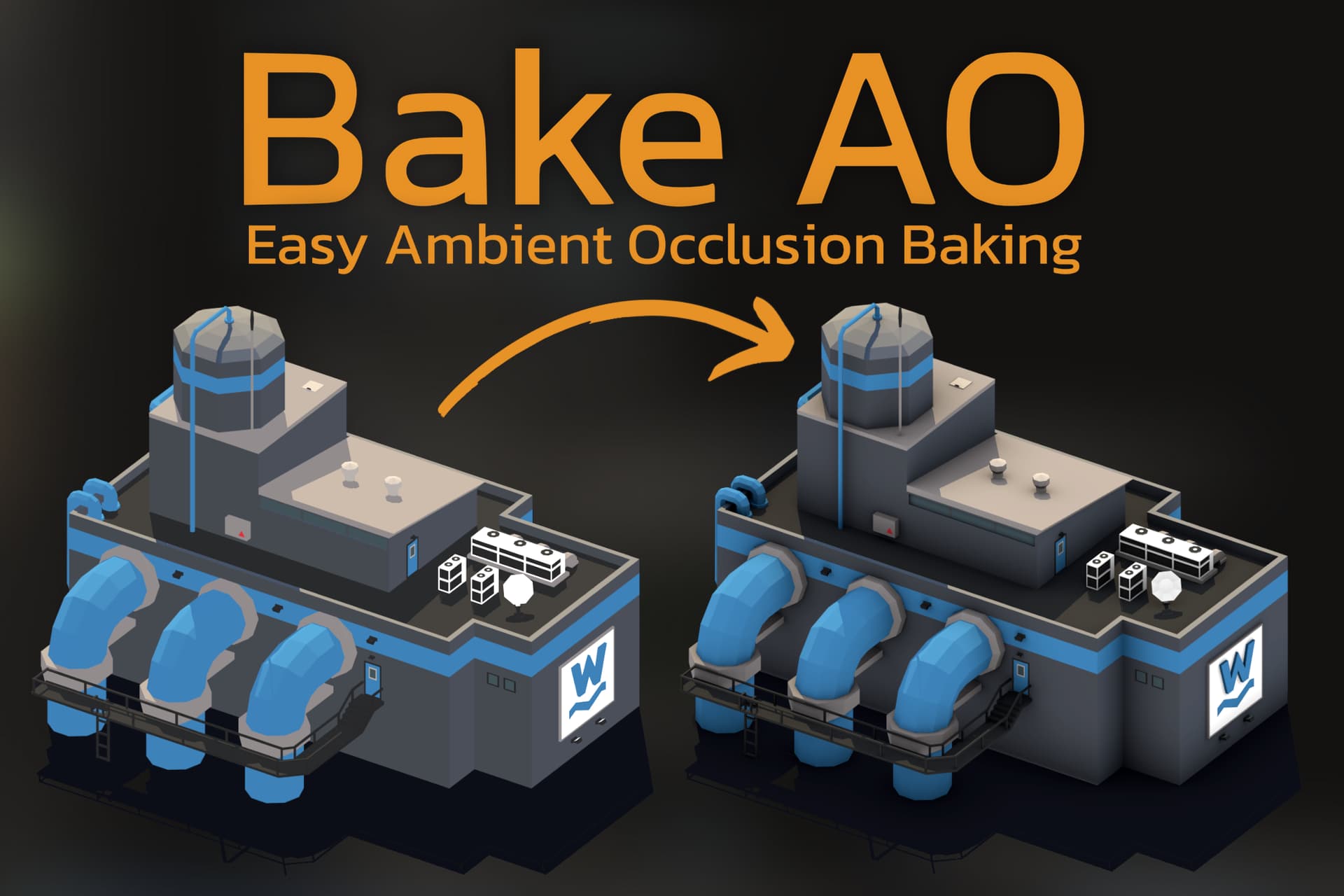
Ambient occlusion adds depth and realism to 3D models, making them look grounded and visually rich. With BakeAO, you can instantly see the difference AO makes in model quality: shadows in crevices, better light depth, and a more natural look overall. Check out the before-and-after examples to see the results.
What BakeAO does exactly?

BakeAO can generate AO texture for each model within Unity. This reduces the need for external software and streamlines your workflow. With BakeAO, you can:

  • Bake AO textures with minimal setup
  • Customize settings per model as needed
  • Work entirely within Unity for faster iteration

In the asset store page there is a short video showing how BakeAO works. You’ll see the process from setup to AO baking in just a few clicks.

Why bake AO instead of using postprocess?
Screen Space AO roughly estimates how AO should look, based on the data on the screen, using more GPU resources. Baked textures, on the other hand, always contain more realistic and accurate data that is cheaper to apply.

Compatibility

  • Unity Versions: Compatible with Unity 2021.3 and newer.
  • Render pipelines: Textures can be baked in each pipeline, but BakeAO component is supported only in built-in and URP.
  • Supported OS: Works on Windows and macOS.
  • Limitations: See Known issues, limitations and work in progress section of the documentation
  • Project adjustments: Requires to use provided shaders or to modify custom shaders. Required modifications are explained in See Custom Shaders section of the documentation

Short history of the plugin

I’m a big fan of “coding adventures,” and over three years ago, I prototyped ambient occlusion baking in Unity during one of these “late-night” experiments. After that, it got lost in my folder of shame unfinished projects.

Over a year ago, I stumbled across it again and was amazed that it actually worked. That’s when I realized it could be something useful for other developers and that it deserved a full release. Since then, I’ve put around 500 hours of my free time into it, mostly getting sidetracked by other “coding adventures” polishing the baking algorithm and refining the UX.

My goal from the start was to create an asset that is easy to use, provides great value, and offers a learning opportunity for developers. I’m not a fan of hidden code, so BakeAO’s source code is fully accessible; there are no obfuscated elements or DLLs and everything is written using the Unity API.

BakeAO is my first personal project of this scale, and I’m excited to finally ship it. I won’t stop here, as I plan to continue improving the plugin over time. I hope it helps you create better-looking games.

Launch Offer, -50% SALE

BakeAO is 50% off for the first two weeks. If you’re interested, grab it now and try it out at a reduced price!

Quick beg for reviews

If you find this asset useful, please remember to leave the review. If you find the asset to be unhelpful, please don’t leave a review. I mean, ask me for a support first.

Links

Asset Store
Documentation

5 Likes

There is a minor issue with the plugin. If the problem is present in your project, you will see that some of the imported files were placed into your project “Scripts” folder instead of the ProceduralPixels/BakeAO. The issue is caused by a “Scripts” folder GUID from BakeAO that conflicts with the “Scripts” folder GUID in projects that originated from the “3D Sample Scene (URP)” Template.

The simplest workaround for this is changing the GUID of your project’s conflicting folder. Open the .meta file of the folder and change one GUID digit to a different one before importing BakeAO.

I submitted the update, and it is awaiting approval, so the issue will be fixed in an official release in a couple of days.

There is also another issue that will be fixed with the next update:, that the Baking Wizard and Active Tasks window UI is broken when in Windows operating system Display scale is set do a different value than 100%.

Happy baking!

1 Like

All reported issues were fixed today with an official 1.0.1 update! :partying_face:
changelog:

1.0.1
Fixed GUID conflict that could cause errors in the project after importing the asset.
Fixed issues with BakingWizard UI when Windows Display scaling was set to a different value than 100%.

And I prepared some image comparisons for you :slight_smile:


2 Likes

I expect the next update to be released around the end of November/beginning of December. New features that you can expect:

  • Option to bake texture for only a specific submesh.
  • Bones will be included when baking SkinnedMeshRenderers
  • Add the Baking Priority setting to the Active Tasks window (some users pointed out that it is intuitive to use Preferences/BakeAO)
  • Add an option to auto-attach the BakeAO component when using the baking wizard.
  • Make the “bake and replace existing texture” option more visible (UX redesign), and implement that in Baking Wizard and multi-selection of BakeAO components.
  • Default AO texture color in non-baked areas will be white (it will make it easier when combining textures using other software/plugins)

Thanks to all the users for their valuable feedback. Right now, I’m fully focused on stability and quality-of-life improvements.

You have this in the description on asset page:

Note: Bake AO is not a scene lightmapper, it can’t be used to bake lightmaps for a whole scene. It’s a tool for creating ambient occlusion textures for models in the project, MeshRenderers and SkinnedMeshRenderers. You can later use baked textures in materials or through the BakeAO component.

But there is no information on the difference between
ambient occlusion and lightmaps.

I guess this will be helpful in the buying journey of your asset.

1 Like

Update 1.1.0!

Skinned Meshes are now baked in the actual pose on the scene!

Changelog:

  • Added option to bake AO only for a specified submesh (needs to be enabled in Preferences/BakeAO)
  • Added support for bones when baking for SkinnedMeshRendeder. Skinned meshes are now baked for their exact pose in the scene.
  • Added option to auto-attach BakeAO component when baking from the Baking Wizard window.
  • Changed non-baked areas in BakeAO texture to white.
  • Redesigned UX of the “bake and replace existing texture” feature.
  • Added the Baking Priority option to the Active Tasks window.


Work in progress

In the next update, I will add a node for Amplify Shader Editor that will make Bake AO integration easier:

1 Like

You’re right. I will rephrase it in the next update. Thanks for the suggestion!

1 Like

This looks really interesting. Can you explain what the advantage is of using this over traditional lightmap baking and lightmaps?

Sure! It is a form of lightmap baking in some way, but it only bakes an ambient occlusion with no indirect lighting. I will try to provide the pros and cons below:

Pros when comparing to the built-in lightmapping:

  • It is more flexible than traditional lightmap baking because you can bake the AO texture just for a single object. AO texture is baked for each object separately (but a single texture can be shared ex., by all prefab instances)
  • You wait for a single object to bake instead of the whole scene, which can save a lot of time.
  • Bake AO saves the parameters within each texture, so you can reuse those, tweak, and rebake the texture at any time. It also supports built-in presets, so you can utilize saved parameter presets.
  • It is more feasible when the scene is non-static. For example, you can bake AO texture for each building in your strategy game (ex., for prefab), and those buildings will look better not only in the static environment.
  • AO textures can be utilized creatively in custom shaders. For example, layering a dirt texture in the model crevices, where the texture is darker.
  • Bake AO gives more control over the final look of each object, as the baking parameters can be adjusted for each object to achieve a more stylized look.
  • It is more useful when you want to increase the depth and clarity of particular models in your game, not full scenes. However, I have a few users of this plugin that bake textures only for parts of the large world in their games (because most of the world is a terrain that does not require baking)
  • It is also worth noting that it does not produce screen-related visual artifacts (at screen edges and false darkening of flat elements), which is common when using screen-space AO.
  • Bake AO can improve the visuals of skinned meshes.

Cons:

  • AO baked for one object doesn’t make it cast AO for its surroundings. So, for example, objects with baked AO will not cast any AO onto the terrain, but the terrain will be occluding the baked objects.
  • No indirect light bounces are baked, only AO.
  • There are more textures in memory, and you need to manage the textures more carefully (pick the lowest possible resolution that still looks good on the model to avoid excessive memory usage). This is also true for traditional lightmapping, but still worth mentioning.
  • Bake AO breaks batching in URP, which can decrease rendering performance in certain scenarios (I’m actively working to improve that. I will fix that in the next update in the upcoming two weeks)
  • Shaders used with Bake AO need to be modified to support all features, including baking for UV1 and applying AO to diffuse color (documentation covers how to do those modifications)
  • Bake AO doesn’t support cutout transparency yet, so AO baked for vegetation (and cast by vegetation) can look wrong.

If you have more questions, I’m happy to help!

Thanks. I’m working in VR, and any baking that can be done is welcome to keep the game light. So always on the lookout for solutions.