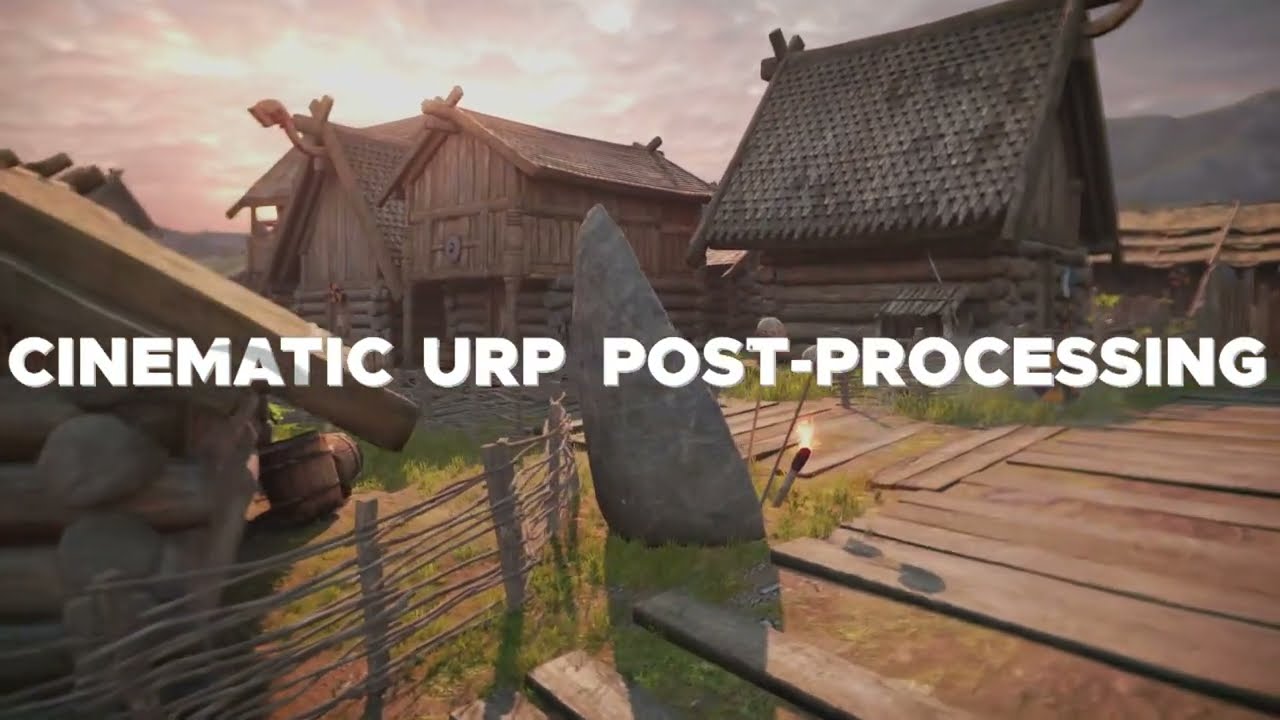
Very excited to share a project I’ve been working on since 2020. Cinematic URP Post-Processing is a new postprocessing stack I’ve developed, to be the go-to solution for high-end post-processing in URP. As of today, it is now live in the Unity Asset Store, I welcome all feedback in this thread. Previously, I have worked on PRISM, which has been used in released Unity games on every major platform over the course of the last 4+ years since its release and continued updates.
What Is It?
Cinematic URP Post-Processing is designed from the ground-up to achieve beautiful, fast, AAA-quality post-processing for games built with Unity using the Universal Render Pipeline. Currently supporting, over 20 cinematic effects, such as Petzval Distortion, which closely mimics the famous “Helios-44” lens’ distortion pattern, and allows for a ‘Cat-Eye’ bokeh effect, not currently offered by any other asset.
Why make it?
Unlike other post-processing assets, Cinematic URP Post-Processing is optimized specifically for the Universal Render Pipeline resulting in improved performance compared to equivalent effects ported from older rendering pipelines.
Why is it better than x?
CUPP is meant to be an asset for those who want their game to look different - without the telltale signs of Unity’s builtin SRP effects, while maintaining a high level of performance.
Effects:
Color Temperature & Corrections
PRISM’s Color Correction performs LAB-space operations on the scene colour, retaining maximum color data for a result that works perfectly in HDR and Linear colour spaces. Designed based off modern RAW photo editing algorithms.
Color Tint
Exposure Compensation
Color Vibrance
Contrast
LAB Chromacity
Sloped Brightness
Shadows, Midtones & Highlights (SMH) Adjustment
Dual Color Correction LUTs
HDR Bloom (With Stability Buffer)
Simulates light scattering within a lens. In a real-world lens, this can occur because a lenses’ coating has been scratched, or internal surfaces of the lens are dispersing the light.
Vignette
Lens Fringing & Distortions
Simulates imperfections of a photographic lens. Chromatic aberration (ie. when wavelengths of light do not perfectly converge on the sensor), Barrel distortion (wide angle, pincushion distortion), Petzval distortion (ie. like that found in certain lens designs, like the Helios-44).
Barrel Distortion
Petzval Distortion
Chromatic Aberrations
Filmic Noise
Dither
Tonemapping
Gamma Adjustment
Depth of Field with GPU-Autofocus
An effect simulating out-of-focus areas caused by light from the camera lens not converging on the focal plane of the sensor.
Double-pass Sharpen
A photographic sharpening effect, based off real-world sharpening algorithms used in photo editors. Increases perceptual contrast in the image.
Directional Localized Anti-Aliasing (DLAA)
An effect used in many AAA games, DLAA is a classic Full-Screen Anti-Aliasing effect (antialiasing reduces the jagged appearance of thin lines) that performs well when rendered prior to the post-FX stack. The effect closely mimics the sort of AA filter found on a camera sensor, which is why it is used at the start of the PRISM stack, instead of after all other post-processing is complete. It is designed to work with other AA effects, including Unity’s builtin.
As of today, Unity has approved CUPP’s first major update. Very excited for this one, and the wealth of great changes it brings. The focus of the update is on mobile performance & compatibility, and the introduction of a new CUPP effect, Screen-Space Atmospheric Scattering(Sunshafts). understatedvalidalaskanmalamute
Full patchnotes below: Added Screen-Space Atmospheric Scattering (Sunshafts) effect
-Sunshafts works on all platforms that support depth textures
-CUPP’s Sunshafts use a custom-built, 16-tap native resolution implementation, that achieves a full-screen sunshaft for only 16 texture samples. Through the use of interleaved gradient noise to jitter the texture samples, and a custom de-stepping blur as the final pass, the effect is able to achieve perfectly stable, pixel-perfect shafts that respect the scene depth, while being performant enough to run on mobile devices.
Mobile Optimizations and fixes
-Fixed compilation error on Android builds using Vulkan or GLES3
-Fixed bloom spread value not affecting mobile bloom
-Now, the recommended setup for Bloom when targeting any mobile device is to disable Bloom Stability, High Quality Bloom, and Lens dirt. This will ensure CUPP’s custom, mobile-optimized and tested bloom will be active
Bugfixes and improvements:
-Fixed a bug where some settings of Bloom would cause the bloom effect to not enable at all
-Decreased compile time by ~60%
-Removed unnecessary shader keywords
-Bloom spread value is now a float, not an integer
-Fixed a shader reference issue that could result in a compile error upon importing
It is compatible with Nintendo Switch, all URP platforms are officially supported by CUPP.
Regarding performance vs. Unity’s inbuilt effects, I’ll put together a table in the next ~week that shows some detailed performance stats. One thing to note is that CUPP offers a number of different effects (Petzval distortion, DLAA, Sunshafts, Sharpen, Secondary LUT) that aren’t available in the default stack, so a 1:1 comparison isn’t really possible. Are there any effects in particular you would be focused on for a comparison performance-wise?
A new update for CUPP is now live! Included in this update is a highly optimized full-screen blur effect, perfect for mobile and great for making something like a pause menu blur. As well as that, CUPP’s DoF has been heavily optimized with a new mobile-friendly option for it, sunshafts performance has improved (and noise). As always, check the patchnotes on the Asset Store for the full details.
Apologies for the delay, but I have just finished it!
For those interested, you can find it here - https://docs.google.com/spreadsheets/d/1r1znz5NU5IZT5Ies5CsO2hrVlyjHcj6bzjAiwNu-xh8/edit#gid=0 - I’ll keep it public and continue to update the numbers with new effects as they get added to CUPP. These are the raw numbers recorded from a built Unity executable on Windows, run on DX11 with my AMD Fury X GPU. I have kept in everything, even the numbers which may not look favourable for some effects (ie. DoF) because I am using this public document as my own internal performance tracker between versions now, so I need the numbers to be real.
Some scenarios where CUPP was faster than Unity built-in in my initial test:
CUPP was faster than Unity’s bloom (181fps vs 179fps)
CUPP’s DLAA was faster than Unity’s builtin FXAA (208fps vs 199fps)
CUPP’s new fullscreen blur was faster than Unity’s Gaussian DoF equivalent (194fps vs 184fps)
Now, I would like to give a bit of a disclaimer in that this is far from a scientific test, so far conducted just on my machine.
Also, you may notice some irregularities, ie. Unity’s Color Correction running 2% faster than no effects at all. That is because in URP, any time you use Post-Processing, Unity forces their final pass (which is a LUT + Tonemap) onto you - even if it does nothing. If you make the tweak to the SRP and remove that, then I can pretty much guarantee that CUPP’s LUT implementation will be faster than Unity’s.
I was a little bit underwhelmed and couldn’t see much difference against the base URP effect stack.
Turning on sunrays turned my camera renderer black (2021.1.11).
The major use was Sharpen, since URP doesn’t have it, but I can get standalone sharpen assets.
The cost is not the issue, I’d rather pay $100 for an awesome post-processing stack than $10 for something I won’t use (I have a high bar for the assets I’ll add to a commercial project).
However compared to Beautify 2, the asset was pretty easy to setup, it just needs more features and development, and a higher price.
Thanks for the report, that Sunshafts issue has been fixed and will be in the next update.
Definitely understand, having worked on commercial projects myself, that the bar for assets to make final builds can be quite high, so feedback from developers like yourself is crucial to improving the asset. Are there any particular features you felt were needed for it to make the cut in your use case(s)?
Hello there!
I downloaded CUPP and am having a weird issue: when the Sunshafts rendering feature is added, my UI has a weird planar reflection effect. Kinda cool, but not what I’m going for. If I remove that one, it goes back to normal.
Any ideas? Is this a bug?
Also, I want to mimic a real, physical camera as best as possible, and CUPP seems like a great way to do that. But, I was wondering, is there a way to create the effect of exposure/ISO using the asset? Similar to what HDRP does.
Thanks!
Hi! I’ll DM you the version of CUPP with that Sunshafts fix - it’s currently waiting asset store approval.
Regarding exposure/ISO, absolutely. CUPP has an exposure slider, and this can be coupled with noise to emulate a certain exposure. Now, while it is technically possible to do your own auto-exposure algorithm, that isn’t built into CUPP as a checkbox at the moment - if that’s a feature that you’re after, I can look to prioritize it for the next update, let me know!
Cool, thanks so much!
I’m not too well versed in cameras, but am fascinated by the idea of replicating one in Unity.
I don’t care too much for auto-exposure, I really just want to mimic setting the ISO of a camera.
Would you be able to add a single slider for ISO that does the automatic coupling of exposure and noise with the correct ratio? (If there is one!)
Thanks so much, amazing job with this!
Makes total sense! I can do that, I think I might actually implement it as a callable function via code as well, in case anyone wants to setup their own ISO runtime effects. It will be an implementation based on my own experience as a Nikon full-frame shooter, since of course every real-life camera & sensor have their own individual processing & ISO/noise.
Here’s a script that shows you how to do it, it’s fairly simple as CUPP uses standard Unity Post-Processing volume semantics. Just pick what you want to change and go for it:
using System.Collections;
using System.Collections.Generic;
using UnityEngine;
using UnityEngine.Rendering;
using UnityEngine.Rendering.Universal;
using UnityEngine.Rendering.Universal.PostProcessing;
using PRISM.Utils;

namespace PRISM.Utils {


    public enum PostProcessPropertyToChangeType { Exposure = 1, ColorTemp = 2, Nothing = 3 };

    public class CUPPRuntimePropertyAdjuster : MonoBehaviour
    {
        private PRISMEffects targetCUPPEffectsToChange;
        private float t = 0f;
        private float lerpSpeed = 1f;

        private float originalExposure = 1f;
        private float originalColorTemp = 1f;

        public PostProcessPropertyToChangeType propertyToChange = PostProcessPropertyToChangeType.Exposure;

        private void Start()
        {
            Volume volume = gameObject.GetComponent<Volume>();
            PRISMEffects tmp;
            if (volume.profile.TryGet<PRISMEffects>(out tmp))
            {
                targetCUPPEffectsToChange = tmp;
            }
        }

        // Update is called once per frame
        void Update()
        {
            t += Time.deltaTime * lerpSpeed;

            if(t > 1f)
            {
                lerpSpeed = -1f;
            }

            if(t <= 0f)
            {
                lerpSpeed = 1f;
            }

            if(propertyToChange == PostProcessPropertyToChangeType.ColorTemp)
            {
                targetCUPPEffectsToChange.colorTemperature.value = originalColorTemp * t;
            } else if(propertyToChange == PostProcessPropertyToChangeType.Exposure)
            {
                targetCUPPEffectsToChange.exposure.value = originalExposure * t;
            } else //Nothing
            {
                targetCUPPEffectsToChange.colorTemperature.value = originalColorTemp;
                targetCUPPEffectsToChange.exposure.value = originalExposure;
            }
        }
    }
}
Sorry to be asking so many questions, but since Importing the asset, I’ve noticed other issues with the UI. I think the main problem is that the entire canvas is receiving the post effects in addition to the scene. My UI canvas is set to Overlay, and I am getting tonemapping and bloom changes to on-screen UI elements, which isn’t ideal.
Maybe some projects might need it, but it’s getting really frustrating for mine. Is this intentional? A bug?
Thanks so much for your continued help!
No worries! That definitely shouldn’t happen - CUPP doesn’t do anything different to Unity’s builtin processing in that regard, and I can’t reproduce it - two things to check;
Are you sure your UI is not set to Camera?
What layer is your Post-Process profile on?
Here is an example (using the current Asset Store version of CUPP) of what should/does happen (UI not affected by Post-Processing unless it’s rendered via Camera):
cornysmartdobermanpinscher