[Released] GPU Instancer Pro


Asset Store Page | Watch Trailer

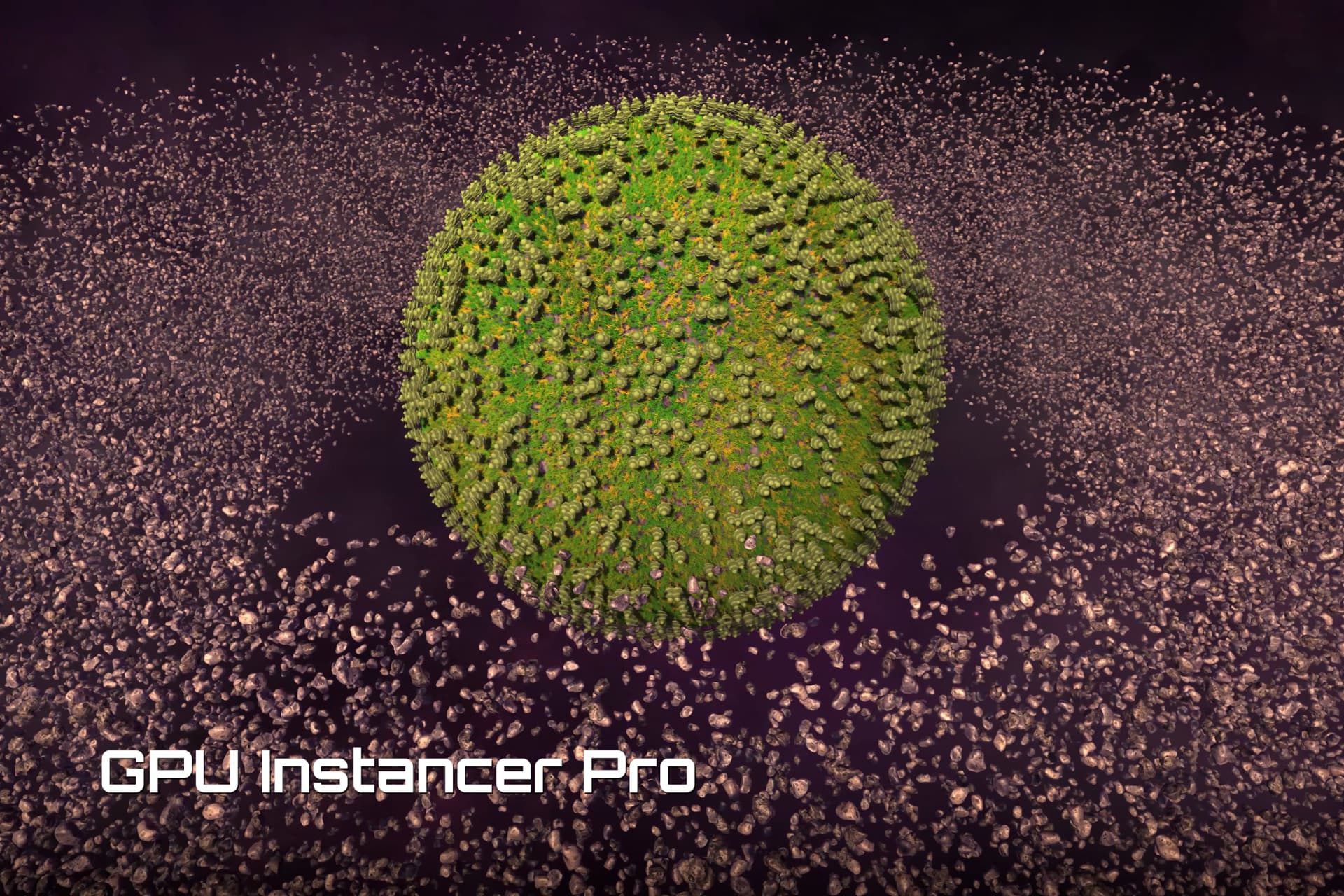
Using GPU instancing and Compute Shaders, GPU Instancer Pro helps users efficiently manage and render many objects by reducing draw calls and improving performance.

Support | Documentation | F.A.Q.

Extension Packs
GPU Instancer Pro - Crowd Animations

GPU Instancer Pro allows developers to easily integrate and manage large numbers of objects, such as trees, grass, rocks, and other prefabs, with minimal performance impact. It provides user-friendly tools for using Indirect GPU Instancing without needing to master Compute Shaders and GPU infrastructure. Supporting Unity terrain details, trees, and prefabs, it offers advanced features for optimizing culling, adjusting LOD settings, and customizing rendering parameters. For optimal performance, GPU Instancer Pro uses Indirect GPU Instancing with Unity’s RenderMeshIndirect method and Compute Shaders.

GPU Instancer Pro includes several modules designed to improve rendering efficiency and streamline the workflow:

Core Module

This foundational module includes essential functions such as rendering, culling, LOD management, billboard creation, and debugging tools. Although it doesn’t have a Manager class, developers can use GPU Instancer Pro’s rendering system through the API to create custom renderers. Features include:

  • GPU-based Distance, Frustum, and Occlusion culling.
  • LOD calculation performed on the GPU and Cross-fading support.
  • Customizable shadow LOD and culling settings for each prototype.
  • Built-in support for multiple cameras.
  • Billboard generation capability.
  • Easy to use API methods for rendering instances with a Matrix4x4 array.
  • Statistical insights such as visible LOD and vertex counts.
  • Ability to batch draw calls from multiple sources.

Terrain Module

The Terrain Module includes tools to render terrain details and trees with GPU Instancer Pro. It features the Detail Manager and Tree Manager, providing the following capabilities:

  • Native support for multiple terrains with minimal draw calls.
  • Unlimited rendering distance for details and trees.
  • Support for ‘Coverage’ and ‘Instance Count’ Detail Scatter Mode options.
  • Distance-based Detail Density Reduction capability.
  • Terrain details LOD support.
  • Performant add/remove functionality at runtime for terrain details and trees.
  • Customizable texture based terrain detail density.

Prefab Module

Equipped with the Prefab Manager, this module provides an intuitive interface for rendering and managing numerous prefab instances in scenes. Key features include:

  • Automatic addition and removal of prefab instances for instanced rendering.
  • Automatic runtime update of transform data in GPU memory.
  • Material variation tools with built-in shader generator.
  • Ability to batch draw calls with other Prefab and Tree Managers using the same prefabs.

For more Information:
Best Practices
Minimum Requirements
Known Limitations

4 Likes

“Dumb” question:

why should I upgrade from the base GPU Instancer?

2 Likes

The Pro version is redesigned to work better with new Unity versions and includes various new features and improvements. See What is new in GPU Instancer Pro? for details.

For example, native multi-terrain and multi-camera support were highly demanded features now available in the Pro version. However, it is a separate asset, and you do not need to switch to the Pro version if you are not interested in the new features.

2 Likes

We basically only use GPUI to render prefabs (grass and trees but not places as terrain details).
Are we going to benefit from GPUI Pro?

Also if our shaders support GPUI they are already ready to work with GPUI Pro?

The system is completely redesigned, so you can consider the Pro version as a new asset rather than an upgrade. However, the Pro version maintains similar workflows with Prefab, Detail, and Tree managers, so it won’t be like learning an entirely new system.

Regarding shaders, the new system uses different files, so the include paths will change. Otherwise, the procedural setup for shaders remains the same (see the Shader Setup Guide for more information). Like the non-pro version, it also comes with a shader converter, so it can automatically convert existing shaders for GPU instancing. For shader graph users, the workflow remains the same; instead of the GPU Instancer Setup node, you can use the GPU Instancer Pro Setup node.

Besides new capabilities, there are also improvements in nearly every part of the system. For instance, there are various culling performance enhancements and better draw call batching, along with optimizations for GPU data transfer and CPU calculations.

In short, I believe everyone can benefit from the Pro version. However, depending on the project, the overall performance might not change if the project is bound by other processes.

1 Like

Hi Gurhan,

Just purchased and imported the pro version. Something seems to be amiss, however. I can’t get any of the demo scenes to work properly. Importing the demos was a bit tricky on its own, it would keep defaulting to built-in RP materials even when I chose URP. I ended up manually importing the packages.

Now I have the infinite terrain scene open and there is no terrain details are trees in sight.
RuntimeTreeModification scene renders no trees either at first. When I move the box with WASD, some trees pop into existence and then fall off the terrain (seemingly with gravity applied to them).
NoGameObjectUpdates demo scene displays mostly a black box, with nothing rendered in it. Although the instance count UI is porting some 27K instances, and that number fluctuates as I change the settings in the inspector.

For reference I am on Unity 2022.3.11f1 and URP 14.0.9 Have I somehow missed an important setup step?

It is likely due to Unity bugs in older versions of 2022.3. Could you upgrade to the latest version of 2022.3 (currently 2022.3.38f1) and let me know if the issues persist?

GPU Instancer Pro uses new Compute Shader features in 2022.3, and earlier Unity versions had some bugs. From your description, it seems the Compute Shader files aren’t functioning correctly.

1 Like

I’m afraid that does not solve the issue. When I manually convert the materials I can at least see the terrain (without any trees or details). When I try to Import Demos using the demo importer asset, choosing URP as my render pipeline, the terrain goes back to pink. It looks like perhaps the package does not point to the correct material for the pipeline.

Going to the package folder and manually importing the DemosURPOverwrite fixes the terrain material, but still no trees or materials.

Do I perhaps need to change something on the URP Pipeline Asset? Or add a renderer feature?

Please try re-importing the GPU Instancer Pro packages in the Packages folder by right-clicking and selecting Reimport.

After re-importing, check the Console window for any error logs. If there are any, please copy the messages and send them to me.

If this doesn’t help, please contact support email with screenshots of the issues. It would also be very helpful if you could include a repro project or a description of how to recreate the issue in a new project.

This is what I get after reimport:


Importer(ComputeShaderImporter) generated inconsistent result for asset(guid:e4717950674d14c4abbdc8867e92cef1) "Packages/com.gurbu.gpui-pro/Runtime/Compute/Resources/GPUITextureUtilityCS.compute"

Importer(ComputeShaderImporter) generated inconsistent result for asset(guid:ebc77d011f746d84c9a87a2c8053c639) "Packages/com.gurbu.gpui-pro/Runtime/Compute/Resources/GPUIGraphicsBufferUtilityCS.compute"

Importer(ComputeShaderImporter) generated inconsistent result for asset(guid:6d57df09d94660e4eab30adc46bc61fa) "Packages/com.gurbu.gpui-pro.terrain/Runtime/Compute/Resources/GPUITerrainDetailCaptureCS.compute"

Importer(ComputeShaderImporter) generated inconsistent result for asset(guid:fcdf58d26d015b940aa7b52dd0107242) "Packages/com.gurbu.gpui-pro/Runtime/Compute/Resources/GPUITransformModificationsCS.compute"

Importer(ShaderImporter) generated inconsistent result for asset(guid:8478781d80234fa29651593b02782b9d) "Packages/com.gurbu.gpui-pro/Runtime/Shaders/TreeProxy_GPUIPro.shader"

Importer(ComputeShaderImporter) generated inconsistent result for asset(guid:9ac57cb3c13b41d4aa10566486cf664a) "Packages/com.gurbu.gpui-pro.terrain/Runtime/Compute/Resources/GPUITerrainTreeGeneratorCS.compute"

Importer(ComputeShaderImporter) generated inconsistent result for asset(guid:37134dfc88d8122449aaf2e231b546f4) "Packages/com.gurbu.gpui-pro/Runtime/Compute/Resources/GPUICameraVisibilityCS.compute"

Importer(ShaderImporter) generated inconsistent result for asset(guid:887459d38f193014481bf3a830c0495f) "Packages/com.gurbu.gpui-pro/Runtime/Shaders/ShadowsOnly_GPUIPro.shader"

Importer(ShaderImporter) generated inconsistent result for asset(guid:a055b6a43c40f35438382783447dc88c) "Packages/com.gurbu.gpui-pro/Runtime/Shaders/Nature/SoftOcclusion/TreeSoftOcclusionBark_GPUIPro.shader"

Importer(ComputeShaderImporter) generated inconsistent result for asset(guid:98018fc3302158a4ea7064d17adf0805) "Packages/com.gurbu.gpui-pro/Runtime/Compute/Resources/GPUIBillboardCS.compute"

Importer(ShaderImporter) generated inconsistent result for asset(guid:ab6b91bddd3938547b24750a055293be) "Packages/com.gurbu.gpui-pro/Runtime/Shaders/Nature/SoftOcclusion/TreeSoftOcclusionLeaves_GPUIPro.shader"

Importer(ComputeShaderImporter) generated inconsistent result for asset(guid:57e89e9e5b84e8941a4831596d3090f3) "Packages/com.gurbu.gpui-pro/Runtime/Compute/Resources/GPUITextureReduceCS.compute"

Importer(ShaderImporter) generated inconsistent result for asset(guid:e35296b33655a8f4bb3c71489862ea10) "Packages/com.gurbu.gpui-pro/Runtime/Shaders/Normal-VertexLit_GPUIPro.shader"

Importer(ShaderImporter) generated inconsistent result for asset(guid:303b28effad14e94871a6cfad2db6615) "Packages/com.gurbu.gpui-pro/Runtime/Shaders/GPUIPro-ErrorShader.shader"

Importer(ComputeShaderImporter) generated inconsistent result for asset(guid:6c4328fada28e2547a4722692bb95239) "Packages/com.gurbu.gpui-pro.terrain/Runtime/Compute/Resources/GPUIVegetationGeneratorCS.compute"

Importer(ComputeShaderImporter) generated inconsistent result for asset(guid:a02f7fce3f785da49a113e8c3d48d946) "Packages/com.gurbu.gpui-pro/Runtime/Compute/Resources/GPUIHiZTextureCopyCS.compute"

Importer(ComputeShaderImporter) generated inconsistent result for asset(guid:97b6b04fd65702943b2296ec66659f2b) "Packages/com.gurbu.gpui-pro/Runtime/Compute/Resources/GPUIBufferToTextureCS.compute"

Importer(ComputeShaderImporter) generated inconsistent result for asset(guid:df061f8757ee503428da06bfac9052e9) "Packages/com.gurbu.gpui-pro/Runtime/Compute/Resources/GPUICommandBufferUtilityCS.compute"

Importer(ComputeShaderImporter) generated inconsistent result for asset(guid:9c0047c4ee0f2a34680333018002a591) "Packages/com.gurbu.gpui-pro.terrain/Runtime/Compute/Resources/GPUITerrainDetailDensityModifierCS.compute"```

There seems to be an issue with the compute shader and some shader file imports. It might be because they were first imported in an older Unity version.

Removing all the GPUI Pro files and then re-importing it might solve the issue:

1- Please first Remove the 3 packages from the Package Manager. (Core- Prefab Module - Terrain Module)

2- Then delete the Assets/GPUInstancerPro folder.

3- Close and reopen Unity editor.

4- Open Package Manager and find GPU Instancer Pro. First Update or Re-Download and then select Import.

I have The Vegetation Engine (The Visual Engine now) - GPUI used to work with TVE. Does this work with it as it is ?

1 Like

Some leftovers …

2 Likes

When I create a Tree Profile I can’t edit it …

I have fixed the bug:

In GPUIProfileEditor.cs (line 30) changed to !isEnabled.

2 Likes

Is there a way to use the baked Detail Textures on a mesh terrain to control placement and scale? ( not a unity terrain )

Is this Pro version compatible with the Crowd Animations extension pack?

No there will be a new version ( separate asset )

2 Likes

Shaders that worked with GPUI should also work with the Pro version. I did a quick test with TVE a couple of days ago, and it seemed to work fine with the GPUI Pro shader converter. However, I’m not familiar with all the shader features, so I can’t guarantee that every feature will function correctly.

Thank you for the feedback. I have removed the unnecessary using statement.

Regarding the profile editing: There is a hidden isDefaultProfile property for profile scriptable objects. This property prevents users from accidentally editing default profiles, which might affect all other managers. The issue was that new profiles were being created as copies of the original, with isDefaultProfile set to true. This has been fixed in version 0.9.1. However, any profiles you created before the update will still have isDefaultProfile set to true, so you may need to create new profiles after updating.

1 Like

The terrain detail and tree rendering system is designed as a framework that can be customized by extending the GPUITerrain abstract class. I plan to add an example and documentation on creating your own GPUITerrain classes later (most likely before the 1.0 release). Essentially, you need to implement methods that provide a heightmap texture, detail density textures, and a tree instance collection.

However, I am not currently planning to implement editor tools for painting details or trees on mesh terrains. I do plan to provide the API for users interested in creating such a tool.