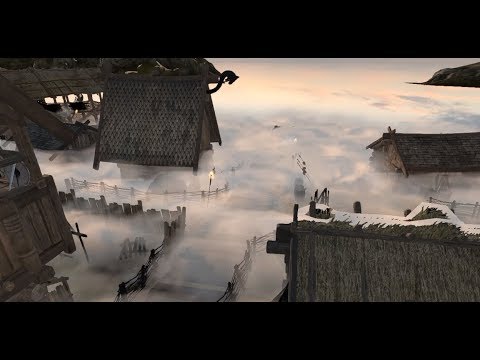
Dear Reddit users, which subthread should I use to make a similar post? Can I add a link to the asset? Should I go in-depth with every tiny detail, or keep it more entertaining in an overview manner?
As I commented on the product page on the Asset Store, I find True Clouds very interesting for generating and animating smoke - in my use case, for steam locomotives and steamboats. Even the top train simulators have very dull smoke - most are using animated alpha billboards. I have tried to find a solution on the Asset Store for a very long time - but with no luck. Have also implemented a number of solutions myself - but they have all failed either because they did not look good enough or because of performance issues - or both. Lit normal mapped animated billboards, metaballs, voxels, sliced layered textures with clever post-processing, ray marching cubes, dx11 volumetric stuff, etc.
BUT - this solution actually works! On ALL devices - very nice
However, I have one problem - when you zoom out - away from the trains, only the fluffy parts remain. It looks like the fluffy “border” area have the same size no matter how far away. Would it be possible to scale the necessary values by distance from camera?
So that a smoke-trail would still keep its overall shape even if it is far away from camera. Right now, it all blurs out and disappears… Any ideas?
I have thought about automatically reducing blur size depending on the distance to the pixel. But it would mean that at some distance blur size might become less than the downsampled pixel size, leading to horrible aliasing.
Despite of that, I believe that it’s worth trying out, I’ll send you a development build once something reasonable is achieved.
If you can’t wait, there is something you could try out now:
Since you have a top-down game, you can decrease BlurRadius as the camera goes up and increase it as the camera goes down.
I would not mind a 1.4x performance drop … seriously that is not a problem. If it is an option, it would not affect anyone but those who enable it…
I agree. There are quite a few cloud solutions already. Yours is very good for what it does - but this would broaden the audience to any kind of rocket propelled weapons (1st person, 3rd person, rts), flight sims (smoke trails), race cars (just look at the smoke trails in the demo video for one of the most popular racing solutions on the asset store) and basically anything where high quality smoke and trails are important
There obviously are clouds at different distances and they keep their overall shape, as desired.
You can notice though, some artifacts:
Despite of that, it looks promising. I will keep the work to see what can be done to address those artifacts.
I obviously don’t want to make an overly complex asset or to get a performance hit even if some feature is not used. So It will take some time before this feature reaches a point where I’m satisfied with it.
I see the artifacts - BUT - for the use case I describe they will be hard to notice. Smoke and trails are usually very fast moving (a smoke “blob” will typically complete its full animation cycle and disappear in 1 to 2 seconds).
For those who are following on this one: I have some pretty good progress, almost no artifacts are visible. Although this result will require some tweaking of values in the editor.
Hi! No, “True Clouds” currently don’t support rendering from inside the cloud. There is a research planned on that topic but can’t promise any results.
Yes, it does support transparent objects, but only if they are in front of the clouds (transparent objects hidden behind the clouds are still rendered).
Cutout objects are fully supported: both in front and behind the clouds.
There is a workaround for fly through, which may or may not be acceptable depending on your gameplay.
You could disable clouds rendering on entering cloud’s trigger and enable a dense fog.