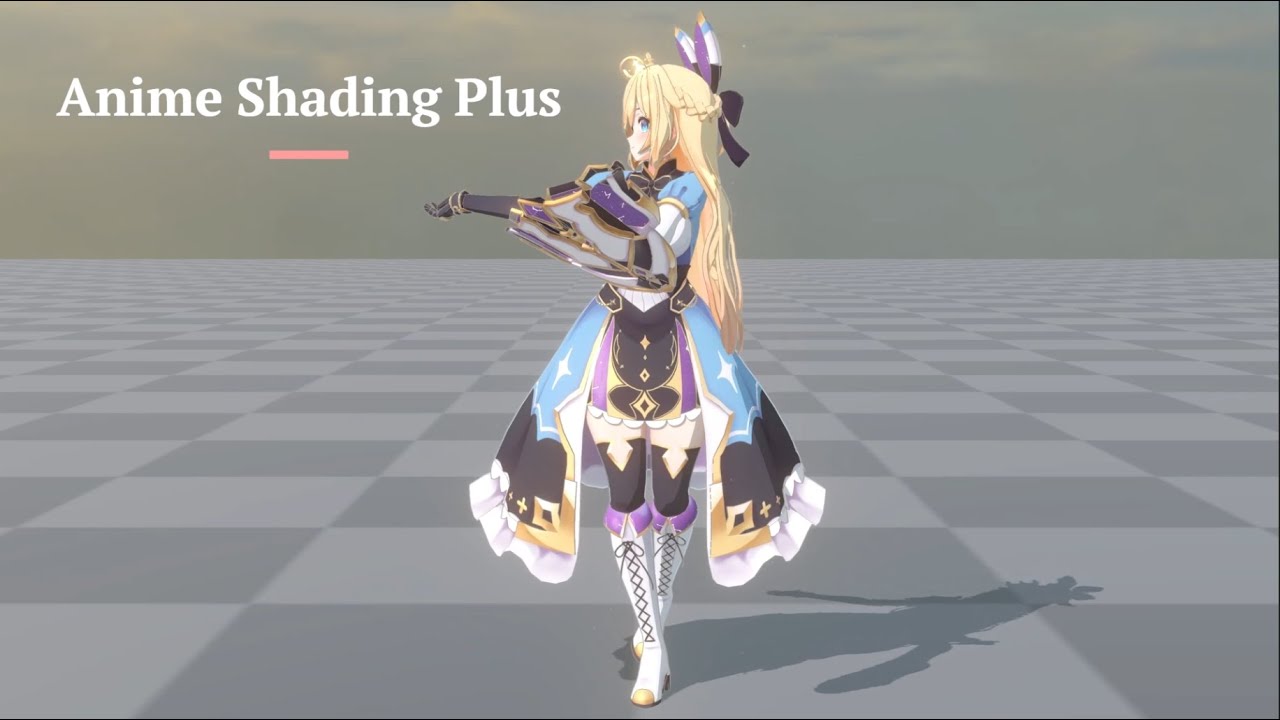
Hello everyone, I’m thrlled to say that [Anime Shading Plus] - a URP shader made for render high quality anime style character is now released on Asset Store!


Why Anime Shading Plus
Toon shaders are one of the most widely used shader types in Unity, and there are countless discussion and articles about toon shader on the Internet. However, over the years, I feel that there is no plugin that meets all of the following conditions at the same time:
- Shader dedicated to rendering JRPG, anime-style characters
- ShadowMap specially drawn for cel-shaded characters to prevent ugly self shadowing.
- Good inner and outer outline effects (Screen Space Outline and Mesh-based Outline for characters)
- Post-processing effects for JRPG, anime-style characters (e.g. Tonemapping)
- Special handling of multiple light sources and ambient lighting (indirect light sources) for cel-shaded characters
- Option to mix standard PBR and toon shading.
- Additional tools to improve workflow such as face shadow map baking tool and smoothed normal baking tool for mesh-based outline.
However, I believe that each of these feature is essential to achieving high-quality JRPG-like, anime-style character rendering. Therefore, I decided to integrate the above functions into a single plugin on the URP pipeline of Unity.
I believe that this plugin has the stability/performance/completeness to be a production-ready product for PC platforms. At the same time, it can also be used as a based shader to extend upon, for projects that require anime style characters.
Feature Highlights
0. Detailed documentation/guide/property references
- Documentation is one of the most important aspect of this plugin, In the document I explain all the features and how each feature should setup, how to work with provided tools/conponents. As well as 2 shading guides that help you render anime style character with this plugin and provided shader.
- More detail explain of shader performance and how to improve performance in Unity in the document as well.
- The document also has info about how each custom passes was construct(E.g - how each custom RT’s channels is used in the shader).
1. A shader that is specifically designed to render anime-style characters.
- The shader includes a variety of features, such as cartoon lighting, stylized PBR lighting parameters, rim light, MatCap reflection, subsurface scattering, and FOV correction…and may more.
- ASP also provides a baking tool for SDF-based face shadow maps, which are commonly used to render anime character faces in games.
- A shader specifically for rendering anime character eyes.

2. Character-Only Shadow Maps and Depth-Offset Shadows
To solve the problem of low-quality self-shadowing on characters in toon rendering, ASP supports rendering characters separately to a separated shadow map. This means that two shadow maps are used in the scene: one built-in Unity shadow map that does not include characters, and another shadow map that only includes characters.
To increase character detail, ASP also supports specifying Renderers to render shadows based on offseted depth buffer


3. Tone Mapping Shader Designed For Anime Characters
Traditional full-screen tone mapping can reduce saturation, which is not ideal for anime characters. To address this, ASP provides a tone mapping that can adjust the strength of the effect based on the pixels occupied by the characters on the screen. This allows anime characters to retain their origin colors even in a PBR environemt scene that required tone mapping.

4. Screen Space and Mesh-based Outlines
ASP provides comprehensive outlining features for characters, both in screen-space and model-space. Screen-space outlines can be drawn based on multiple factors such as depth/normal/color…etc. The screen space outline has it’s own FXAA as well. ASP also provide extra control over the outline via vertex color and fading effect based on distance to the camera.
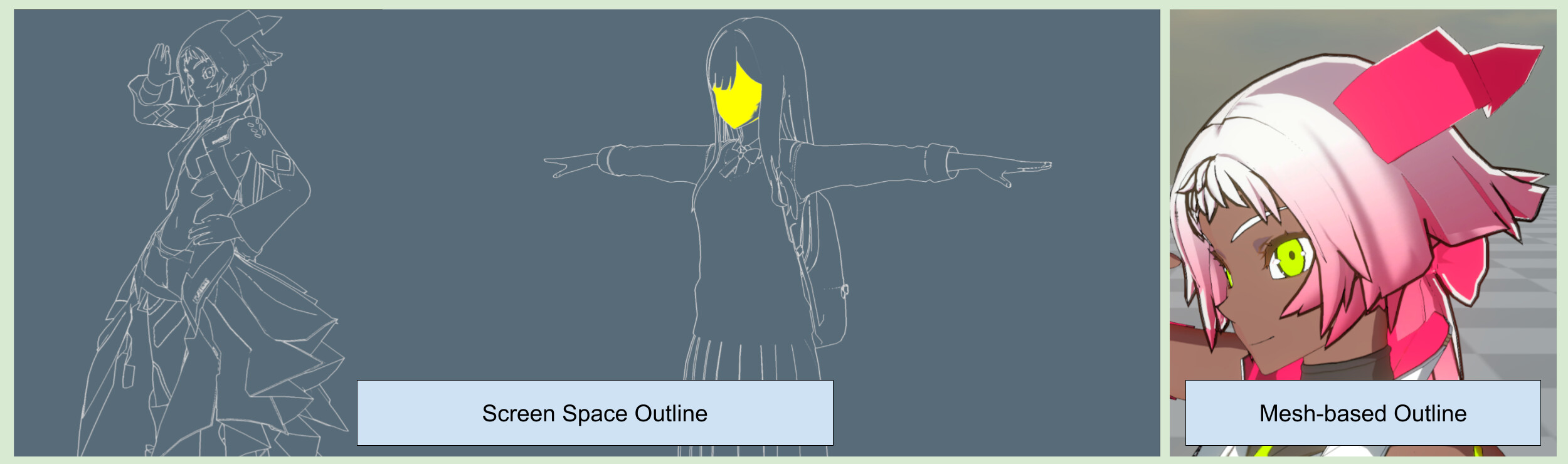
ASP also provides tools for baking smooth normals for model-space outlines.
5. Cel-Shaded Multi-Light and Ambient Light (Indirect Light) Handling
To render high quality cel-shaded characters, ASP provides an option to flatten the non-indirect light from ambient light and additional lighting result. This can eliminate the 3D-ish feel of the characters and achieve a rendering result that is closer to the 2D, cel-shaded style.

Target User & Platform
- This plugin is designed for developers who need to render anime characters in Unity. It is recommended that users have the ability to independently operate third-party DCC such as adjust the vertex color or UV of the model.
- Studios/teams that need this type of Shader (or use it as a base for their own needs) for 3D character projects with a target style of Japanese cartoon rendering.
- Developers who want to learn how to write Custom Shaders/Passes in Unity’s URP pipeline.
- This is a URP only shader.
- PC/Mac/iOS are the primary target platforms. This plugin has not been optimized for Android/Low-end devices (It is theoretically possible. please see the performane page in the document for details).
- VR/XR is not yet supported because I have not done any testing on Stereo Rendering/Foveat Rendering. Future updates may add support for VR.
- Consoles (PS5/PS4/Xbox/Switch) have not been tested. If you want to use the provided shader/script on console, make sure you have the resource to resolve potential issue. Otherwise do not buy it.
Before You Buy
Please read the Environment and Limitations page carefully before you buy this plugin.
Docuemnt/User Manual (English)
Document/User Manual (Chinese, 中文)