There seems to be an issue with the ScrollView, that when adding an element that (seemingly) is outside of view, the scrollview isn’t updated to the “actual size” of all the elements inside it.
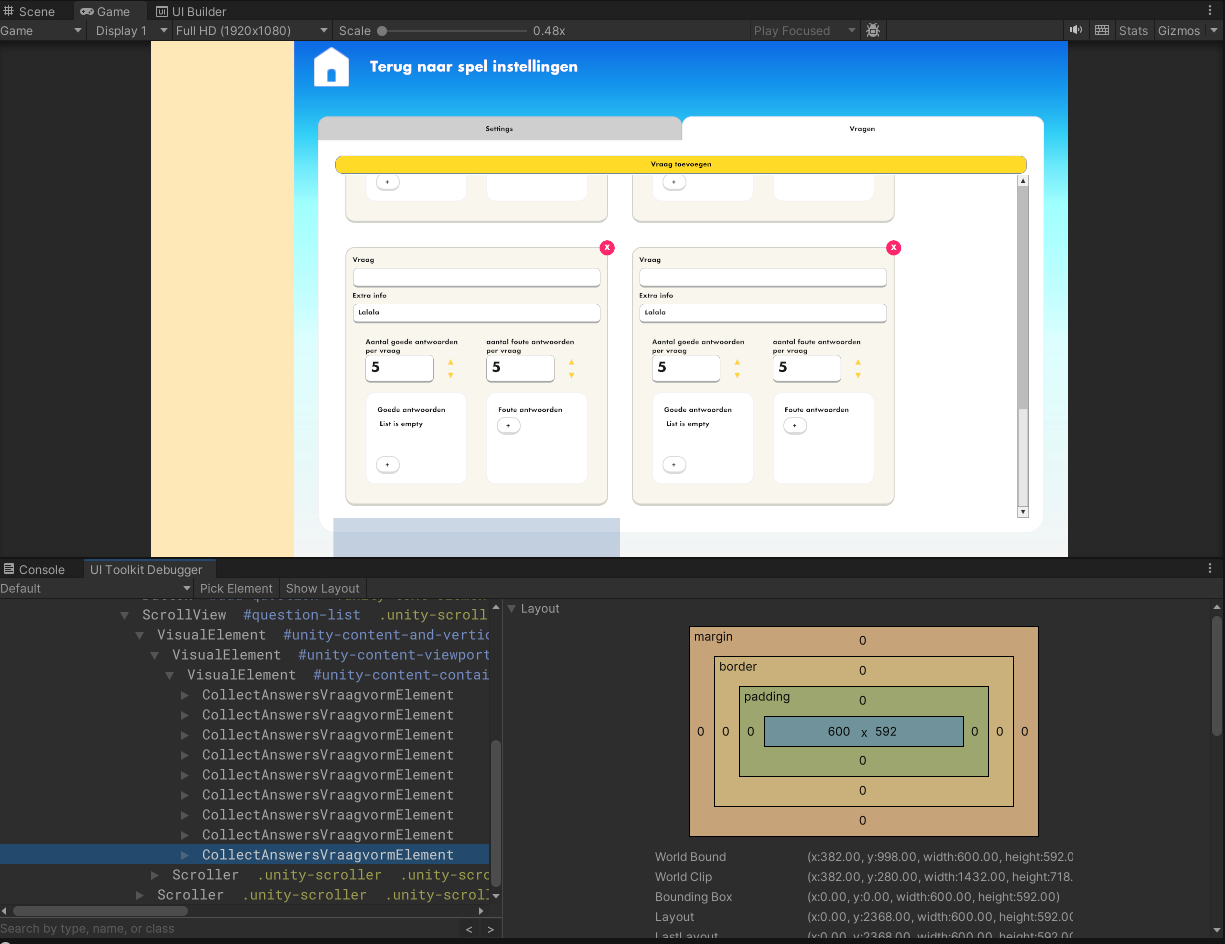
As you can see in the image above, I added a (custom control) element to the scrollview and it gets added as expected. However, the scroll view isn’t updated (I guess? I can see the bounding box growing in size though) and I can’t scroll to that item.
When I switch tabs, it gets fixed (switches the display properties between the 2 screens) , but I don’t want to let the user switch all the time obviously.
Items get added with the ScrollView.Add() method.
I tried to call the MarkDirtyRepaint on both the scrollview and the parent, but that didn’t help.
I’ve seen a couple of other (old) threads mentioning this issue, without a proper or working solution.
Any idea why this is happening and how I can fix this?