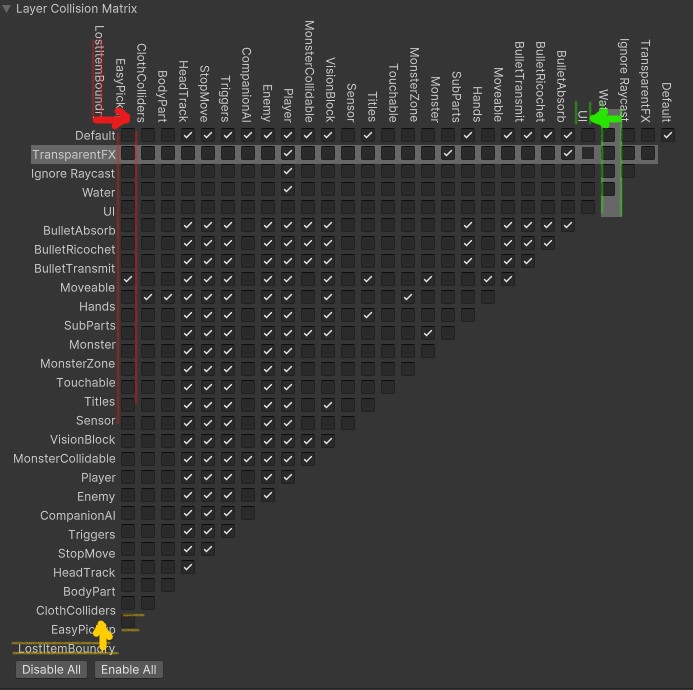
If I open a fresh project in Unity 6000.0.24f1, and add a bunch of Layers to the Physics Settings, The Positions of the Text and Highlight gets messed up, (especially the lower and left corner):

This is a bug related to UI Scaling. A temp workaround is going to “Editor Preferences → UI Scaling” and setting it to 100 or 200% while setting up layer collision. Then it should line up. (Unity 6000.0.26f1 LTS)
Eventually solved this by simply upgrading the Unity version/project to 6000.0.26f1.
The latest editor offered was 6000.0.27f1 LTS, but the installer seems broken.
The project took over 6 hours to reimport. I swear it gets slower with every new version. Another day wasted. Hopefully posting this will help somebody else out there with the same problem.


Hello friend. I’m in UFPS 1.7 and trying to get the crouch less the 0.5 of the height. About 1/3 of the character height with is 3 meters. Please help

Developers rejoice! It has been fixed in 6000.0.49f1.