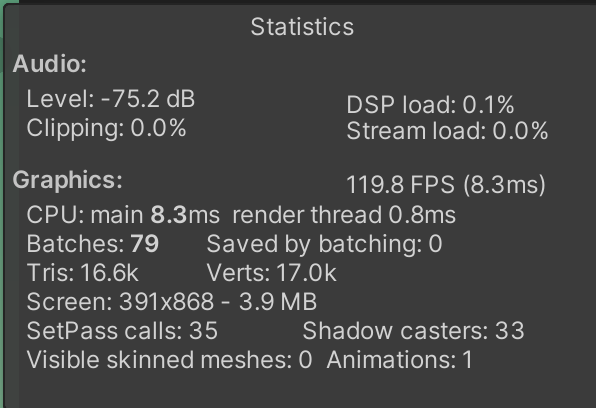
So I’m trying to load this scene during a Loading Scene:
On my low end Android device it takes around 9 seconds to load the scene. How can I find out what causes this delay?
Because when I add to this time the duration of the Unity Splash screen and an additional 2 second black screen I get added for unknown reasons, I get a total loading time of 18-19 seconds which is simply too much.
If I Load this main scene directly from the very startup of the app, the total Loading time is about 11 seconds only (8 seconds faster!!!) but the problem is that 7 out of these 11 seconds is a black screen that makes the game seem to be completely crashed/freezed (the other 4 seconds are for the Unity Splash screen).
On iOS testing on a iPhone SE I get much faster loading time of approximately 5-6 seconds only. On a iPhone 11 Pro it loads instantly.
Now you might think the problem is my Android device, but I compared this to a colleague who uses Playmaker to make his games (like I do) and his games load at my Android device within 4-5 seconds. I also tested a complete empty Unity project and it loads instantly.
Any help is appreciated, I am trying to resolve this for the last 2 months and it literally drives me nuts.
The reference way to investigate performance issues is to attach the profiler (Window → Analysis → Profiler).
Another tried and true way to do things is to start wholesale ripping chunks out of that scene to find out what is taking so long. It doesn’t even matter if the scene is runnable; just find out what’s taking it so long to load.
This latter approach is often fastest, but it presupposes you are using proper source control at all times, which means you can instantly and trivially reset all investigatory damage you inflict on your project when you are done experimenting.
If you are NOT using source control, you should IMMEDIATELY begin doing so, assuming that you value your hard-earned work.
Personally I use git because it is free and there are tons of tutorials out there to help you set it up.
As far as configuring Unity to play nice with git, keep this in mind:
Here’s how I use git in one of my games, Jetpack Kurt:
Using fine-grained source control as you work to refine your engineering:
Share/Sharing source code between projects:
Setting up the right .gitignore file:
Generally setting Unity up (includes above .gitignore concepts):
Well the first thing to do is try and establish a baseline: make a nearly-blank empty scene and rebuild with that as your first scene. However fast that loads on your low-end phone is going to be your best possible result.
If you are only 1 second slower with your own game, there’s little you can do. But if an empty scene loads fast, you have some room to do more investigating.
It’s less useful for one-off things like this, as in it would be faster to pare things down in a binary fashion to isolate what is the offending system.
It’s hard to tell without profiling, so you really should do that, profile on device with build. But my best guess is that you have heavy initialization. Right after load (covered by splash screen). If you can thin it out, run your initialization in multiple frames, that can help, or stick an animated loading screen on it and sit it out. You can only do so much on low end devices, where memory, memory bandwidth, CPU, SD card bandwidth are all super low… But profile first, make sure you know what is happening and then you can either try to optimize things or hide it behind the loading screen.
The loading scene I use is pretty much an empty scene with a logo and the logic to load the main scene async. So I just go straight into it, have a 0.1 second delay and then load.
I read everywhere that this is the fastest way and in many places they say that this way even the black screen is gone. Not in my case though as described above. Still a 1-2 second black screen and the scene itself takes much more time to load. Isn’t that against all logic?
Loading the main scene directly is faster in total duration but with a longer black screen.
If i only take the time for the empty scene to load it’s about 5 seconds. I would be happy with that if I could bring it down to this for sure but that doesn’t get me to the main scene doesn’t it?
I tried to check the profiler but can’t see anything really either. Or not that I would understand.
I guess at that point I even would hire someone who can help me because I really don’t know where to take it from here.
Ps: I also now moved some of the initialization into the loading scene. Like GameAnalytics, Easy Mobile Pro or Dotween. That didn’t change anything though. The main scene still takes the same time to load.
Have you got some large sound files in your project or other assets that are flagged to be preloaded? I’ve found that this can cause a delay with a blank screen before the initial scene loads.
Not sure how I can flag Assets for this but no. No audio files in the project. And textures I only have one atlas for the UI elements.
What I think is weird is that my colleagues’ games do have zero black screen while mine does have with or without that loading screen. His games only use one main scene and the game still loads immediately.
So yes, my problem is probably that black screen in the first place. If I can resolve that one I might resolve the loading time for the scene as well.
What are the reasons to get a black/blank screen at all?
So I took my project completely a part (deleting everything I can individually and testing if I can reduce the loading time) but nothing works really. The only way I can get a scene show fast is when I use an empty Loading Scene (without Playmaker) and only a logo on a Canvas and use the async loading through a c# script I found online:
using System.Collections;
using System.Collections.Generic;
using UnityEngine;
using UnityEngine.SceneManagement;

public class LoadSceneAsync : MonoBehaviour
{
    private AsyncOperation _asyncOp;

    // Start is called before the first frame update
    void Start()
    {
        StartCoroutine(AsynchronousLoad(1));
    }

    private IEnumerator AsynchronousLoad(int scene)
    {
        yield return new WaitForSeconds(0.1f);

        Application.backgroundLoadingPriority = ThreadPriority.High;

        _asyncOp = SceneManager.LoadSceneAsync(scene);
        _asyncOp.allowSceneActivation = false;
        while (!_asyncOp.isDone)
        {
            if (Mathf.Approximately(_asyncOp.progress, 0.9f))
            {
                _asyncOp.allowSceneActivation = true;
            }
            yield return null;
        }

        Application.backgroundLoadingPriority = ThreadPriority.BelowNormal;

        yield return new WaitForEndOfFrame();
        yield return null;
    }
}
Doing that, the first scene opens immediately after Unity Splash screen. Meaning, the black screen is gone for good. With no other setup I have achieved that. So not sure if Playmaker is (at least part of it) the culprit. Because it seems as soon as I have a direct reference to the main scene, even with a dontDestroyOnLoad for a gameobject, that black screen is back.
The real problem I have though is that the async loading of the main scene takes ages if done like that. Meaning the black screen is still the fastest way to load the game. And that sucks.
Seems the part that takes the most time is when the loading progress gets to 0.9. I guess this is when the scene gets activated?
Anyways, would it help if I posted here the logcat so anyone can take a look? I highly would appreciate this. Or I also can hire someone to help me debug this if someone is up to it. Just let me know.
I recently started porting a project to version 2021.2 (currently on 2021.2.10) and came here wondering if I had missed something because I too noticed a longer than normal 5-6 second black screen before my initial scene appears. I wonder if anyone else is noticing this with 2021.2.
I tried setting my initial scene to be a basic scene with just a Camera and Directional Light and setting it to be the only scene in the build and it’s about 5 seconds of a black screen after the Unity Logo splash animation before I see the scene appear.
Update: I realized this delay was only happening when using SRP (HDRP or URP) as the render pipeline. When I switched to using the Standard pipeline, the delay went away.
Have a same situation with URP - testing on old Samsung a520(2017), when loading game 3-4 second, then goes logo and after that 9-10 second black screen and only then menu scene loads, (sound initializes a bit faster - 2 sec before menu shows up)
In my case the problem was loading of a 45mb ambient track for my android game. Right click on properties of the track, changing Load type to Streaming and quality to 50% solved it for me!
I have similar problem. And it seems related to URP, DOTS World, and other packages loading before scene loaded. cause my project is using DOTS, I can’t switch to Standard pipeline.
I’ve watched profiler and found out that first 1 frame took 58 sec.
Can I put loading scene before DOTS default world and other package loading?
(loading scene has only MonoBehaviour for loading and UI using UIToolKit, therefore it doesn’t need ECS package at the loading scene).
I left you zip file of my first 1 frames profile picture.
TypeManager is part of ECS that wasn’t a thing when this thread started consider making new one but TypeManager is part of it from what I see, never used it, and it’s eating big chunk of that initialization time.