Note, ThermalFusion is actually right.
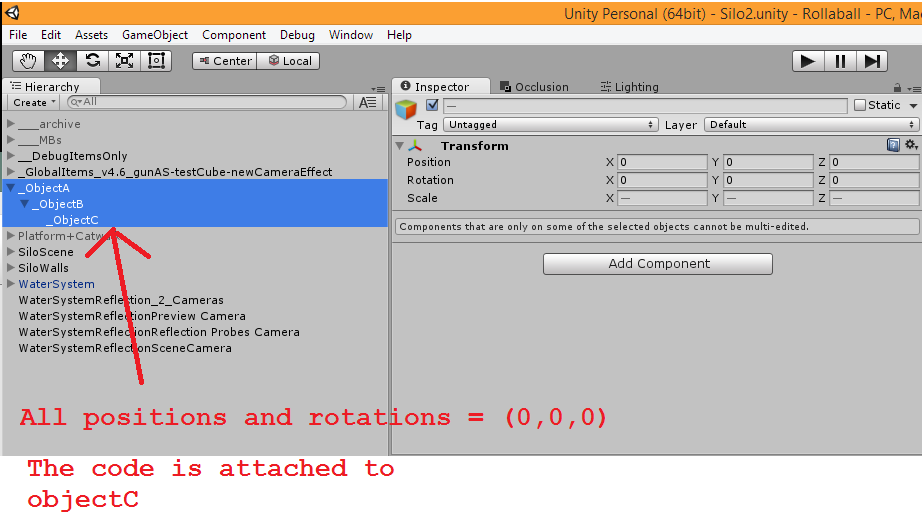
The problem with setting some global scale when its the child of something is that… what axes are the scales representing? Is it the global x, or the local x? The lossyScale that spits out from unity is the scale as it would be on each ‘local’ axis. But a ‘globalScale’ isn’t very intuitive at conveying that idea. If you flip something 90 degrees around the z, and than globally scale it in the y by 2, would you expect it to grow up/down or left/right. scaling up/down would be ‘global’ in description, but lossyScale represents the ‘left/right’. Because ‘lossyScale’ represents the local scale with all its parents scales applied. Not its scale in global space!
It’s all a bit wishy washy.
It’s why Unity calls it lossyScale. You lose information. So to set it back you have to invent information.
BUT, yes, I agree there can be uses for this. Such as the situation you describe.
Note though, changing of the transform parent is actually an expensive call. You’re restructuring the hierarchy.
You can do this arithmetically instead.
Here you can see I do it in my ‘Trans’ struct:
        public void SetToGlobal(Transform trans, bool bSetScale)
        {
            if (bSetScale)
            {
                trans.position = Position;
                trans.rotation = Rotation;
                trans.localScale = Vector3.one;
                //this simulates what it would be like to set lossyScale considering the way unity treats it
                var m = trans.worldToLocalMatrix;
                m.SetColumn(3, new Vector4(0f, 0f, 0f, 1f));
                trans.localScale = m.MultiplyPoint(Scale);
            }
            else
            {
                trans.position = Position;
                trans.rotation = Rotation;
            }
        }

        public void SetToGlobal(Transform trans, bool bSetScale, bool bSetScaleOnGlobalAxes)
        {
            if (bSetScale)
            {
                trans.position = Position;
                trans.rotation = Rotation;
                trans.localScale = Vector3.one;
                var m = trans.worldToLocalMatrix;
                if(bSetScaleOnGlobalAxes)
                {
                    m.SetColumn(0, new Vector4(m.GetColumn(0).magnitude, 0f));
                    m.SetColumn(1, new Vector4(0f, m.GetColumn(1).magnitude));
                    m.SetColumn(2, new Vector4(0f, 0f, m.GetColumn(2).magnitude));
                }
                m.SetColumn(3, new Vector4(0f, 0f, 0f, 1f));
                trans.localScale = m.MultiplyPoint(Scale);
            }
            else
            {
                trans.position = Position;
                trans.rotation = Rotation;
            }
        }
See though that I have 2 parameters controlling it. This conveys the ambiguity of setting a global scale.
1 parameter is for if we’ll set it at all (usually you wouldn’t, cause its not directly supported, and the idea is rather odd).
Another parameter defines if we are going to set it on the global axes or the local axes.
The local axes version is the cheapest (no magnitude calls). And since you really shouldn’t be setting global scales unless you all of its parents have NO rotation… it works as it assumes no rotation.
So go with that mathematical algorithm.