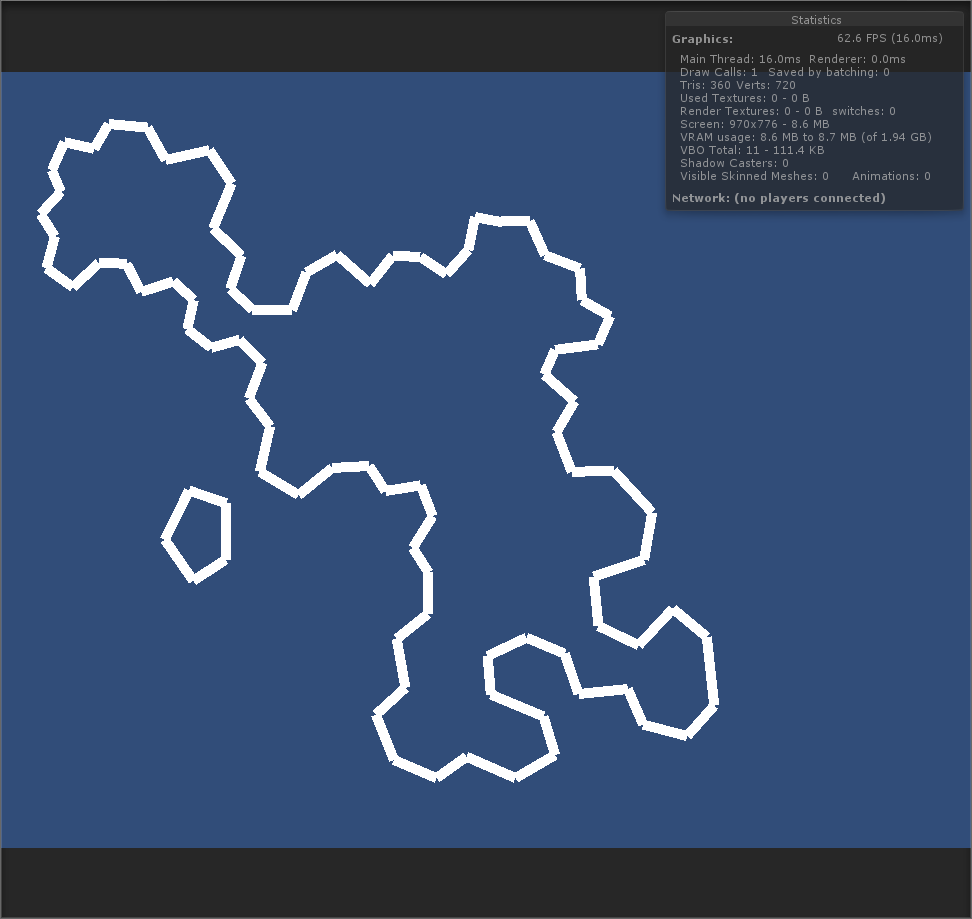
Possibly. But I’m grabbing the list based off of a lookup table of polygons that share an edge. One side ocean and one side land. Rewriting it to accommodate this would be problematic. Which is why I want to take this list of edges and sort them so they make one continuous line.
Are you sure you have no start to start or end to end connected lines? This could be why your sorting doesn’t work.
I’d do it something like this:
Put all segments in a pool
Grab a first random segment from it and start a new group of lines.
Go through your pool comparing each segments start and end against the last end in your current group.
If a match is found, remove it from the pool and add it to the curren group. Also reverse segment if needed so the matched vertex is not at the last end.
Repeat until no more matches are found, or if you’re back at the start.
If you still have segments left, make a new group and repeat.
I was hoping there was something elegant that I was missing.
Definitely getting there though. I’ve gotten everything written out except starting a new group when there is no connecting line. At the moment I’m just skipping that tidbit and moving onto the next segment. Which is why the line continues to the outlaying islands. Also need to pay attention to winding. The thin lines are supposed to be the ocean side.
Awesome! Looks good. I’m interested in how you tackle the ocean side problem. If you allow lakes you need to grab that info from the source data. As Otherwise you would have to assume water is on the outside of the generated polygons, which is inverted for lakes, so impossible to know unless you have more data than the segments.