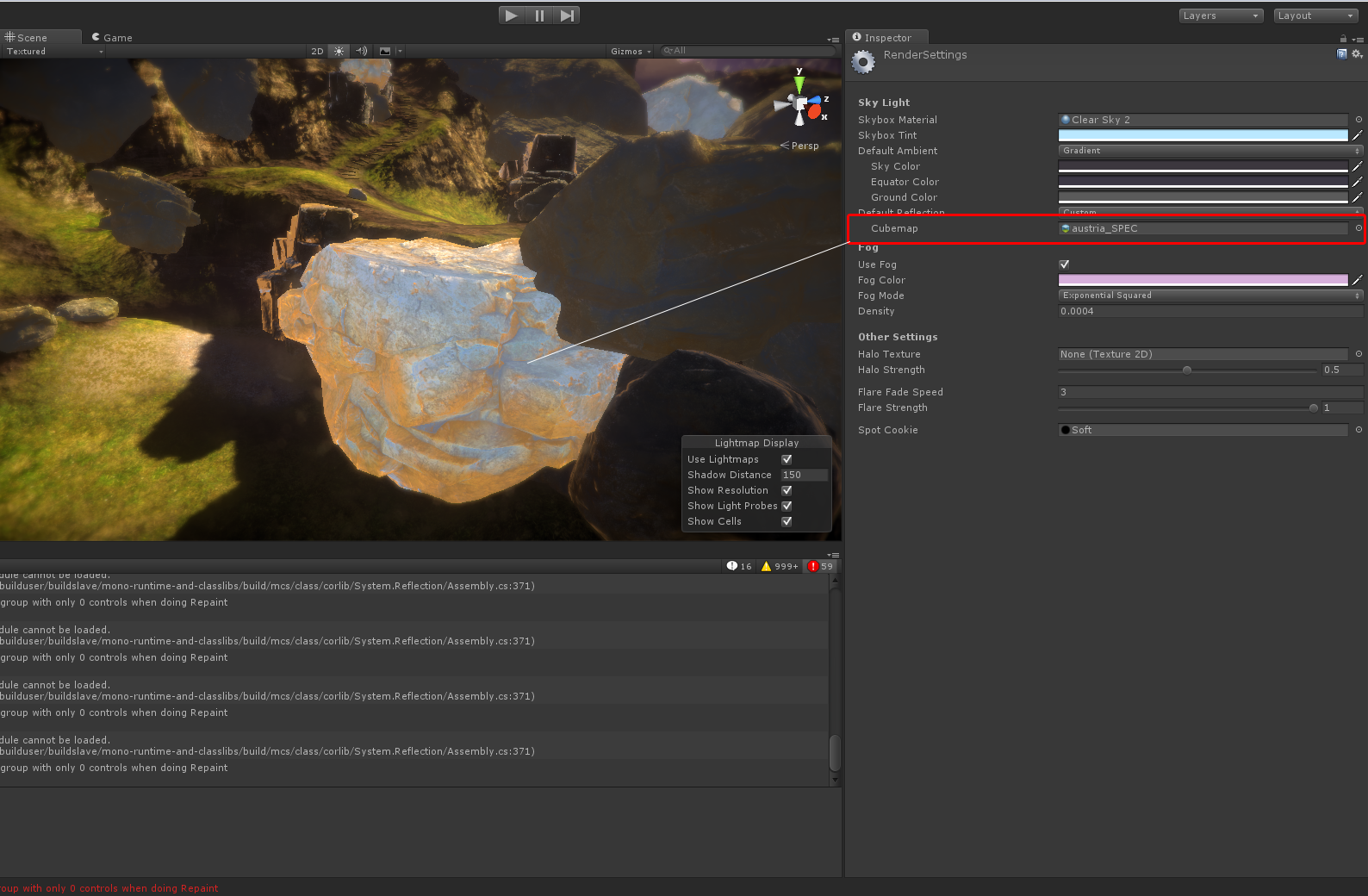
I’m confused about specular with the standard shader. If I enable default reflection in the rendersettings I get a “fresnel” effect on all my objects. I can curtail this by reducing the specular color and limiting smoothness. When I add a specular map however, it doesn’t seem to matter how dark the spec map is, it gets full blown fresnel.
The smoothness slider is gone and as is the spec color; I’m assuming because the map should naturally be able to cover what those parameters do anyways but a black texture is not giving me the same result as a black specular color. Anyone encoutnered this or have any suggestions on how I’m going about this?
If you assigned a specular map, you automatically assign a smoothness map as the specular map’s alpha channel. So, if you want only rough materials, make the alpha channel of your spec map black.
Thanks that clears up a lot. There’s still quite a bit of issues if a cubemap is set for default reflectivity though. The shader seems to ignore the specmap and make the object “glow”; any thoughts on that?
Your specular looks like it’s too high (which makes the material look like metal). Set it to like a 4% grayscale fill.
You also should read up on Physically Based Shading, particularly the articles on the Marmoset website.
Here’s a couple of key concepts:
Everything is shiny.
Everything has fresnel.
If the diffuse is bright, the specular is not. Conversely, if the specular is bright, the diffuse is not. (diffuse and specular added together should never be more than 1.0)
Okay but how do I control the fresnel? Here’s what I get when I put very dark specular map instead; notice that everything that would normally be shaded has a strong fresnel effect.
So those “lit” parts, is that cubemap reflection? If that’s the case you need to re-work your specular maps.
EDIT: And by “rework” I mean pretty much just flood fill 4% grayscale. That’s at least a good starting point for almost any non-metal surface, and almost all variation should be in the smoothness rather than the specular color.
When I flood it that dark then I get no specular pretty much at all. If I make the roughness anything but near black I get the crazy fresnel effect as shown above.
Try placing a reflection probe right in front of that rock. Maybe it’s the bluish color that makes it look so weird, and if it starts reflecting the actual environment around it, it will look better?
There’s this chart from the Marmoset website: http://www.marmoset.co/wp-content/uploads/materialref02.png
Try setting your spec and gloss values to something close to the Rock values in that image.
In your case, fill the specular/gloss map with RGBA(62,62,62,48), and post a screenshot.