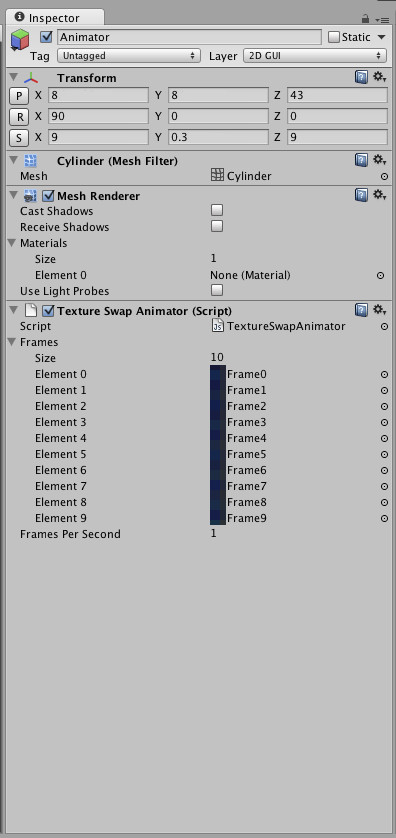
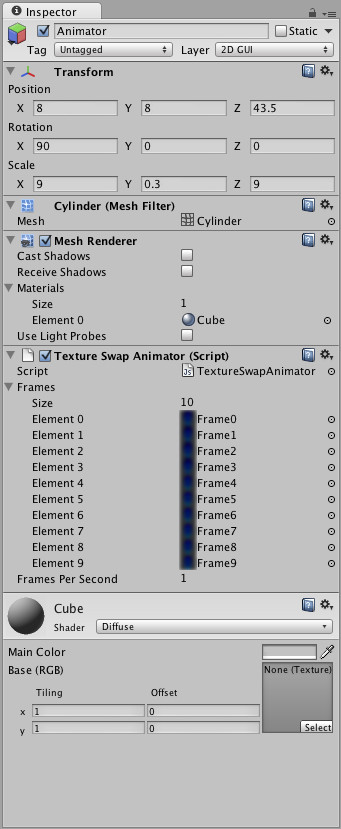
Hello to all. I have tried to use the Texture Swap Animator from Wiki, (see here) and it was working ok, both on Unity play, or on testing device.
Suddently the script stoped exucuting. I have tried it on a new scene, on a new GameObject, still no good at all.
What is more, whatever script I have tried in Unity3d (free) for texture swapping as animation, that is posted in the forum, I still get no response at all.
Is this a Unity bug, or something else is happening?
Has anyone came uppon the same problem, and what might be a woriking solution?
Need to have a texture animated in my project.
Thank you all in advance for your answers.
EDIT1
I have tried to add a debug.log as Dantus suggested and I get the message at console that "“Update was executed.14.39214
UnityEngine.Debug:Log(Object)
TextureSwapAnimator:Update() (at Assets/Standard Assets/Scripts/General Scripts/TextureSwapAnimator.js”.
I believe that there is nothing wrong with the script as I get the same message at my new project with a testing scene, where the texture animation is visible on Unity’s play.
I have tried to make a prefab, out of the GameObject that the script is working o.k. at my new project testing scene.
Then I have this prefab inserted to my initial project in order to get it animating. I thought that a prefab, would be a solution to my problem, but unfotunately, I get no visual of the texture animation on GameObject, on play.
Any clues, what might be the case, here, are very much wellcomed. Otherways, I would have to make the project from scratch and through out of the window a 2 months work!
EDIT 2
I have also tried to move the GameObject that has the Texture Swap Animation script attached, from my initial project, that does not animate on Unity play, to my new testing project as a prefab. Guess what, it animates o.k. on Unity play!
According to these behaviour, I believe there must be a big “BUG” at Unity engine, otherwise why the same prefab, and script plays o.k. in one project and does not plays at the other?
What might be a working arround to this bug? Any thoughts, someone? Please respond.
EDIT 3
Well, here is what I have came up with, after I have tried many things to make the script work again on GameObject texture.
I have added a script that gives user the option to guit app or stay in, with the fuctions “application.quit” and “application.pause”
The coding is as following:
#pragma strict

var count : int = 0;
function Update () {
if (Input.GetKeyDown(KeyCode.Escape)) {
    Time.timeScale = 0;
    count = 1;
            }
}
function OnApplicationPause()
{
Time.timeScale = 0;
count = 1;
}

function OnGUI()
{
if(count == 1)
    {
       GUI.Box(new Rect(0,0,Screen.width,Screen.height),"Exit");
       GUI.Label(new Rect(Screen.width*1/4,Screen.height*2/6,Screen.width*2/4,Screen.height*1/6), "Are you sure you want to exit the game?");
    if(GUI.Button(Rect(Screen.width/4,Screen.height*3/8,Screen.width/2,Screen.height/8),"Yes"))
          {
         Application.Quit();
          }
          if(GUI.Button(Rect(Screen.width/4,Screen.height*4/8,Screen.width/2,Screen.height/8),"Keep Playing"))
          {
          count = 0;
          Time.timeScale = 1;
          }
    }
}
So far, I had not enabled this “exit” script. Upon enable it in Inspector and hit play in Unity, I also got the “Texture Swap Animator” script running o.k. This is happening after I hit “keep playing” as an option on the “exit” script.
I believe, the “Texture Swap Animator” script is getting somehow in a “pause” state, because a conflict and therefore is activated once the “keep playing” button is clicked in the “exit” script, which is canceling any “pause” state in app.
Does this outcome, ring a bell to someone, to make the “Texture Swap Animator” work again flawlessly?
Waiting for your answers.
EDIT 4
As @ThermalFusion and @Dante suggested, the “Time.timeScale” variable is a trigger to whether the “TextureSwapAnimator.js” script runs on a GameObject or not. Strange thing is that this script used to run before I have added the coding of “Time.timeScale” in my other js script that I do a call to run the “TextureSwapAnimator.js” script.
I have mocked around the “1” and “0” switches in the “Time.timeScale” variable, and I have texture animation as functionality, but I have lost the functionality of the “Exit” script!
Here is the “Exit” script modifications I’ve made:
#pragma strict

var count : int = 1;                                          // changed from 0 to 1
function Update () {
if (Input.GetKeyDown(KeyCode.Escape)) {
    Time.timeScale = 1;                                  //changed from 0 to 1
    count = 0;                                                 //changed from 1 to 0
            }
}
function OnApplicationPause()
{
Time.timeScale = 0;
count = 0;                                                   //changed from 1 to 0
}

function OnGUI()
{
if(count == 0) // changed from 1 to 0
    {
       GUI.Box(new Rect(0,0,Screen.width,Screen.height),"Exit");
       GUI.Label(new  Rect(Screen.width*1/4,Screen.height*2/6,Screen.width*2/4,Screen.height*1/6),  "Are you sure you want to exit the game?");
    if(GUI.Button(Rect(Screen.width/4,Screen.height*3/8,Screen.width/2,Screen.height/8),"Yes"))
          {
         Application.Quit();
          }
          if(GUI.Button(Rect(Screen.width/4,Screen.height*4/8,Screen.width/2,Screen.height/8),"Keep Playing"))
          {
          count = 1;                                     //changed from 0 to 1
          Time.timeScale = 1;
          }
    }
}
Now after all these editing, what do you thing is the problem with this coding? A bug in Unity3d, a conflict in scripting or what else?
Waiting for your thoughts and answers. Thank you all for your time and efford.