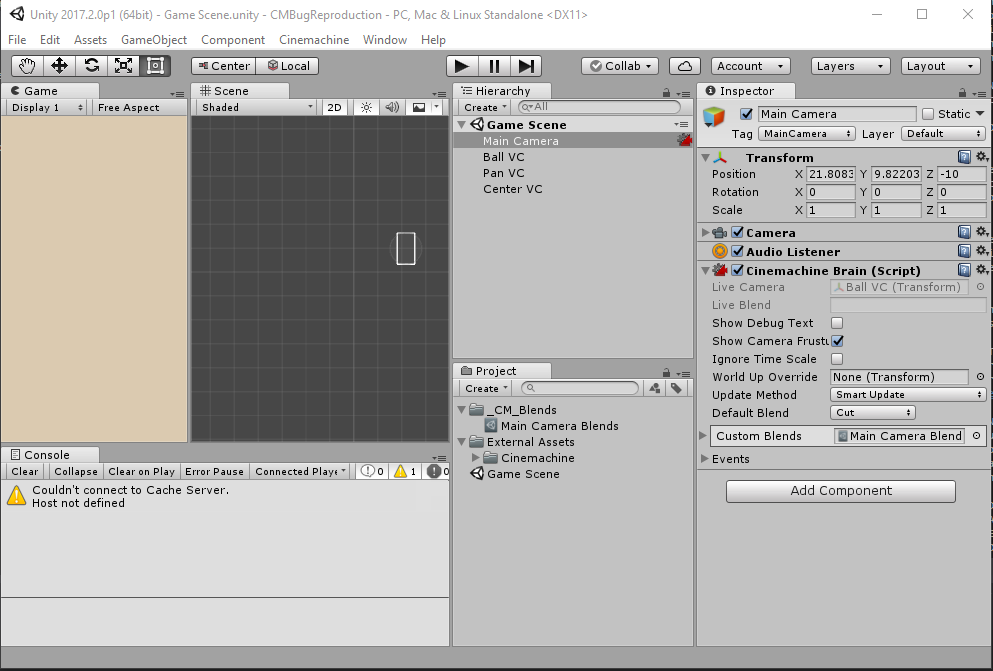
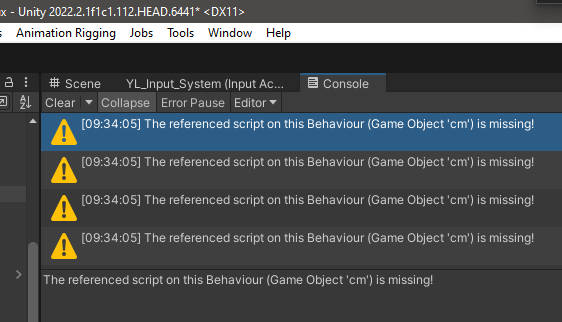
We’ve got 3 Cinemachine Virtual Cameras in our scene and for some reason when we load Unity or enter play mode, we see these:
As far as I can tell everything seems to be working fine still.
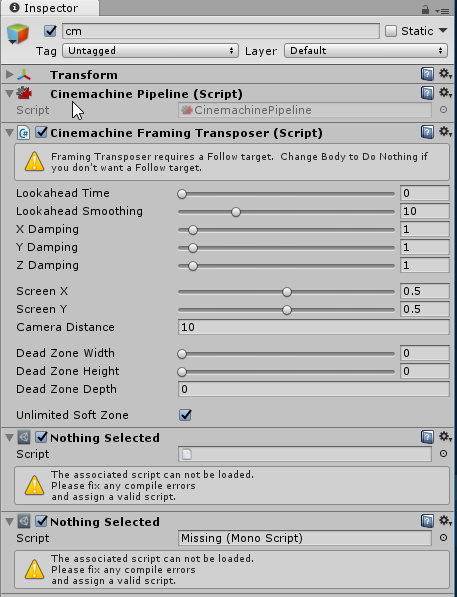
There are hidden ‘cm’ GameObjects as child of each Virtual Camera, and if I unhide them and delete them, the warnings go away, but Cinemachine no longer works.
@arvzg_1 Hi and thanks for this post. I’ve seen this crop up from time to time but have not been able to reproduce reliably. Are you getting this consistently? Would you be willing to share your project with me so that I can diagnose?
Ah so if you remove the CM Virtual Camera component from Ball VC, the hidden cm GameObject reveals itself. There are indeed 2 missing scripts in that GameObject:
Not happening for me. I opened with a different version of unity. Try deleting your Library directory, then re-opening the project. My guess is that the messages will disappear.
Well in making this stripped down project, I copied Assets and Project Settings to another folder and reopened the project (essentially deleting Library folder), and the Warnings are still there.
So… obligatory obvious question: You did open the Game Scene and test in there right? It’s specifically Ball VC/cm that’s the problem
I just tested it in 2017.2.0f3 and it happens on that as well. The ‘cm’ GameObject already has 2 missing script references in the scene (even before you do anything)
Missing Script Reference errors are generally about meta file IDs changing. You must have a cache somewhere. What happens if you delete the vcams and re-create them?
I don’t know what those orphan scripts are. They are harmless, but I would like to find out where they came from. Did this scene start out with earlier versions of CM and then get upgraded? If so, what is the history, version-wise?
How very strange indeed that you’re not getting any console warnings despite the missing references.
Nope, we always used the latest Cinemachine from the start, and have never upgraded the version since.
We have switched Unity versions once, coming from 2017.2.0f3 originally, and upgrading to 2017.2.0p1, however this problem didn’t start happening immediately after upgrading and only started happening much later
Actually yes, I did add Post Processing Stack from the asset store at one point, but removed it completely from the project shortly after. Not sure if I ever saved the scene with post processing in it though.