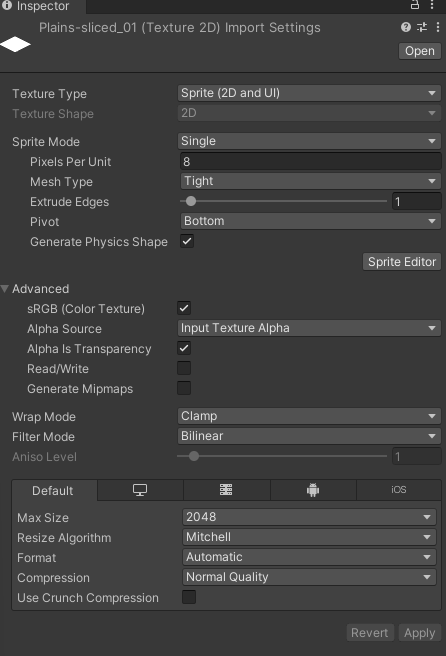
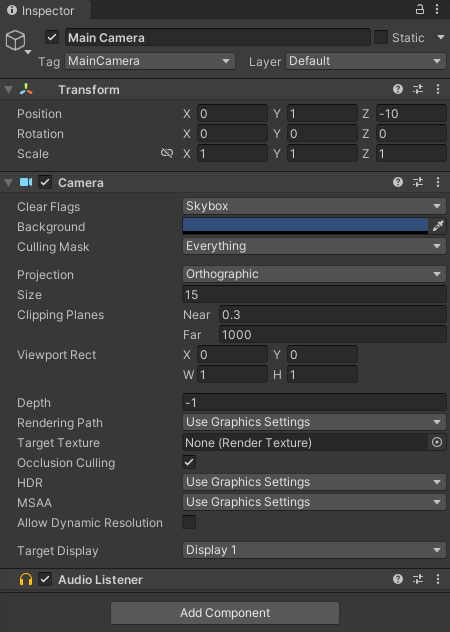
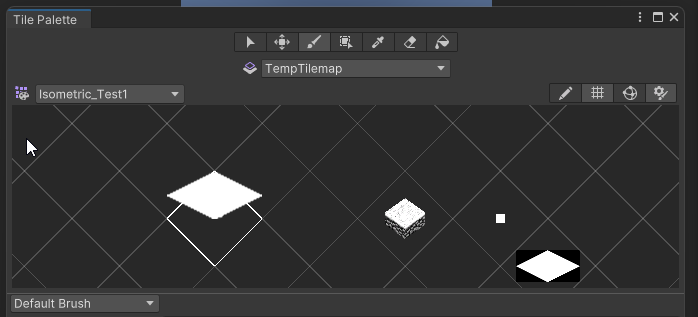
Hi folks, new to Tilemaps - I’ve played around a bit with them before and thought I had a good handle on it until I tried to get out some tutorials on how Isometric view works… (checked like 5 out - 2 run code that Unity presents errors when running - could fix this but want something a little more plug and play. So I tried out 3 others, all of which create:
- A Grid
- A Temporary TileMap
- A MainTilemap
They skip the Camera and Pallett setup section, so I’m flying completely blind.
Where my problem comes in is no matter what I’m importing into the palette it’s “off” from the grid in the tile palette window, and secondly my scene view doesn’t see the tiles I’m painting (previous experience was that it does see the tiles I paint…not even the Main Camera sees the painted tiles.
I have tried the following:
- changed my pivot for my sprites (tried every one from center down to custom)
- changed my PPU to more closely match what Unity thinks is correct (to be fair I don’t know much about the source of these sprites, just something I’m using while I prototype this…)
- tried Isometric and Isometric Z to Y grid
- tried different cell and spacing sizes
- tried changing my camera settings
- tried rotating and moving around my scene view and camera
- tried a “Camera Target” trick to make sure my camera is looking where I want it (found that on the forums)
- both the paint and flood fill tools have the same behavior
- tried in 2d and 3d scene view modes
- tried in a completely new project
- same behavior happens in both 2021 and 2022
- tried changing my project settings Axis like other creators have done
I have tried to attach as much as I can to this, I’m really new so any help is appreciated… I just want my flat boring white tile to fit in and paint on the grid as I expect it. Previously I setup a whole 2D Tilemap-based game like Zelda and that worked fine, but that was in normal Rectangle mode - this time I’m in isometric and its causing a headache
(it’s part of a system that will show tiles based on whether something can be placed there or not, so white tiles if it’s placed there for now (to show that it’s been placed and not hovering, red if I can’t place it there and green if I can…I’ve got the logic more or less worked out - just need to do this ONE thing with the tile map (then repeat it for the other colours) and I’m off to the races)
I’m starting to think this is something of my own doing but I can’t be sure, I really need help on this one since I’ve got a bunch done on the game already and don’t want to shelf it because of human error.
I just don’t know what to do, I’d really like to get this going so I don’t have to stop this project and feel like the last 3 days wasn’t just learning errors in Unity settings…