So, I wrote a shader to draw the outline externally but the problem I found was the outline was cropped by character’s area and this is not controlled by shader but controlled by TMP directly, so in order to solve I need to do two steps:
- First generate a new font and be sure you increase the padding size for the Atlas (explained why below), in my case I had padding 5 and increased to 20 to have a decent effect.
- Use the custom shader attached here. (Path:
TextMeshPro/Mobile/Distance Field External Outline)
That’s it, should make the effect to work like this:
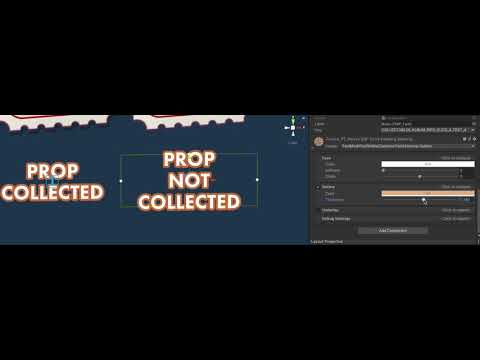
Explanation: A new Atlas is required because TMP calculates the area of the character based on size the character has on Atlas, so by simply adding padding to it you will see the outline already been drawn outside, the problem now is: the area of each character may cross the boundaries of the next char so some letters won’t look great, so to fix it some people were using another text on top of that so the characters would be properly drowned.
Then the reason to use this custom shader is to make a more elegant approach for this solution, what the shader is doing is to draw the text with outline and a second one on top without outlines.
Tip: Increasing the padding will decrease the font’s Point Size, pay attention on it to have a crispy font, if the point size is below 70 increase the Atlas resolution and generate again.
Tip 2: Do not generate a new Atlas for an existent font instead of generating a new font because you will break all texts using the old Atlas.
7619947–947428–TMP_SDF-Mobile ExternalOutline.shader (9.13 KB)