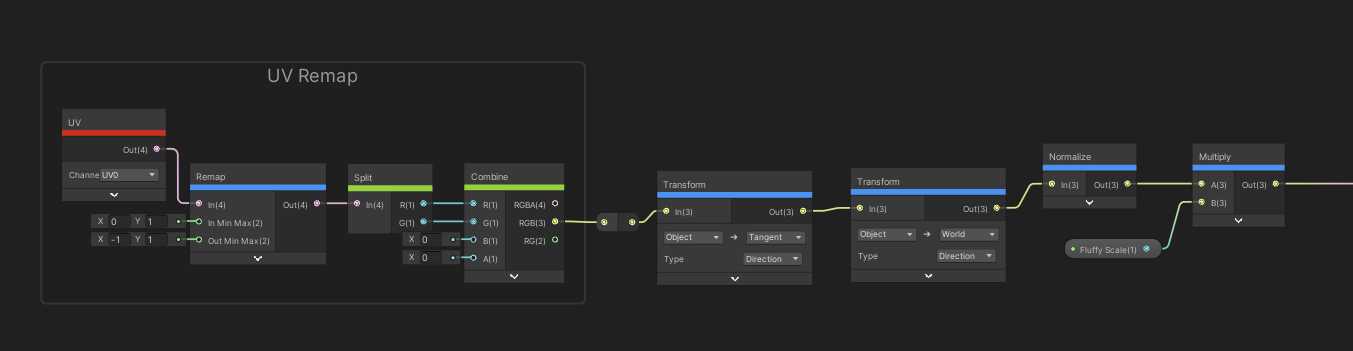
Hey folks, I’m trying to explode out some quads, based on the UV’s. In Amplify Editor this works fine by multiplying the uv’s by a world to tangent matrix and then multiplying again with an object to world matrix.
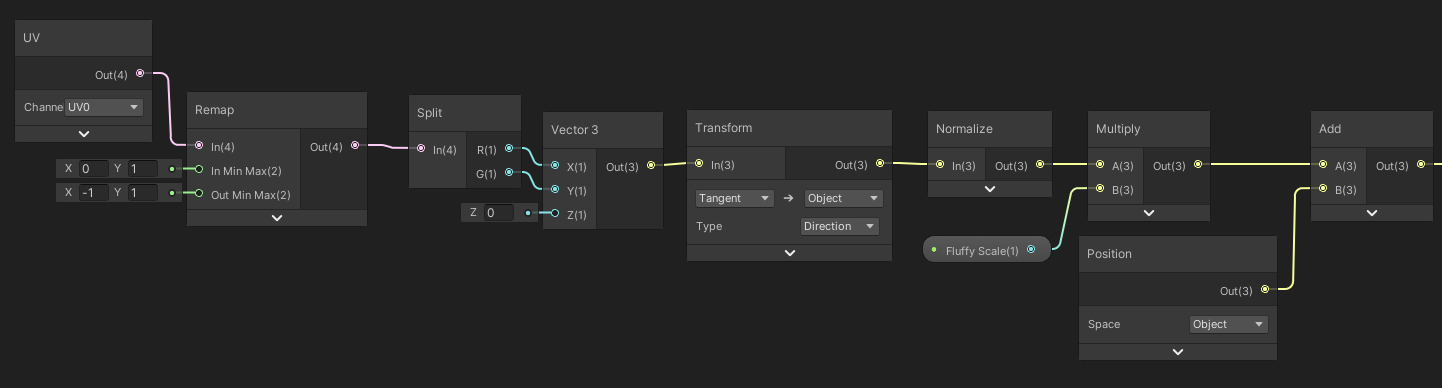
I’ve tried to do the same with Shadergraph (using URP by the way) with something similar to this (and a lot of small variations)
But I just cannot achieve the same results, at this point I am not sure what else to try. I understand shadergraph has a Transform Matrix node but I do not understand the options, is “model” supposed to be “object”? Either way, my results are usually like this when plugged into vertex offset: (put on a custom mesh where each quad has the same 0-1 UVs)
Is this for HDRP? Does changing the Position node in Shader Graph from World to Absolute World make a difference? Just a guess.
I’m using URP, and yeah I’ve seen some other posts about HDRP having issues with that but for me it makes no difference.
In ASE you’re multiplying the UV based position (float3) by the the world to tangent transform matrix (a float4x4).
In Shader Graph you’re multiplying the UV based position (float3) by the tangent space world position (also a float3), not the transform matrix. Shader Graph’s Transform nodes are the equivalent of ASE’s multiply and matrix node combined.
Oh right, hmm… so since I’m using the multiply’s to basically hook all that together, what would my alternative be for getting it all connected in SG?
Feed the output of the combine node into the transform node. Get rid of those position nodes.
Ah I was worried you were going to say that. I’ve tried all sorts of things, including that. I just can’t get the expected results. In ASE the result is clean, the quads scale up and down nicely:
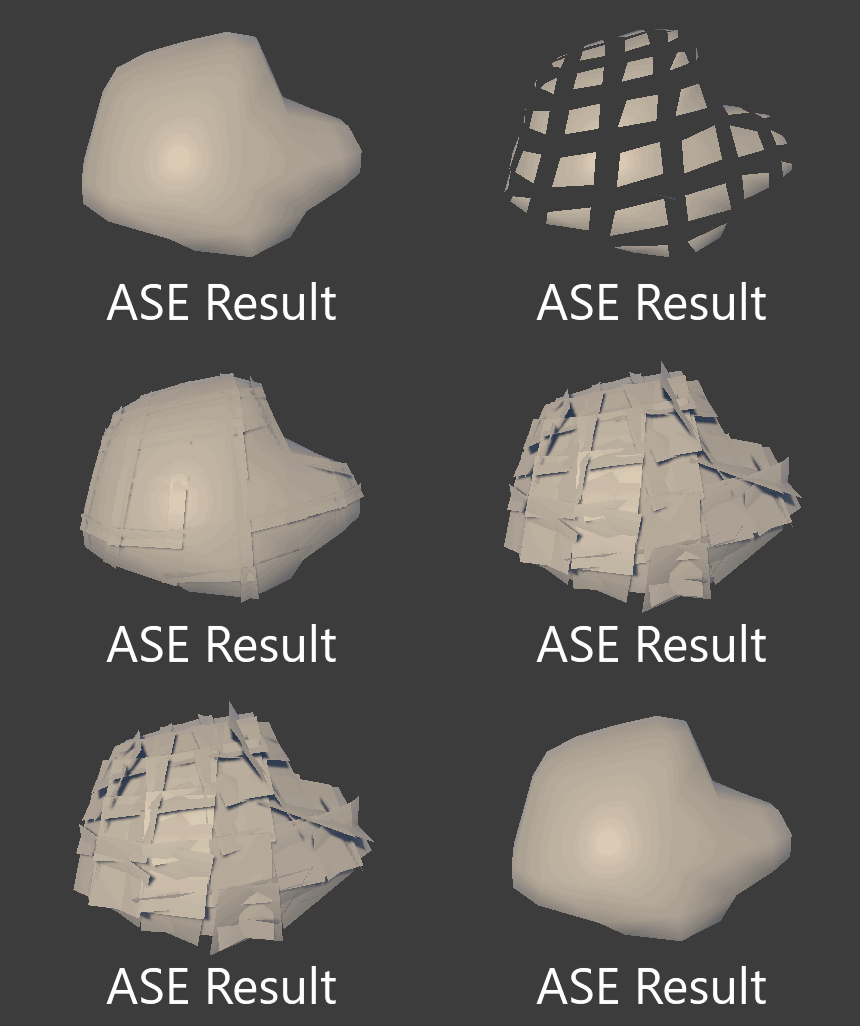
In SG I’ve tried a lot of different ways with transform nodes and transform matrixes. Here’s the example removing the position nodes and feeding the transforms straight in: (I accidentally did object to tangent instead of world to tangent in the screenshot, but it doesn’t make a difference)

(I am not zooming in/out here, I am adjusting the slider on the material)
The closest I have come is with something like this:
Which produces this result:

If anyone is interested I’d be more than happy to share my mesh (any mesh with 0-1 UV’s on each quad will do) and/or shader files if someone wants to take a crack at it?
The order of the vector and the matrix into the multiply changes things. When the vector is going into the A and the matrix is going into the B, the matrix is applied as the transpose of the matrix. This is sort of like applying in the inverse matrix, but not exactly. The funny thing is that “world to tangent” matrix in ASE is likely the transpose of the “tangent to world” matrix.
Basically, to mimic the original ASE shader you want to use the first Transform Node set to Tangent → World, and the second set to World → Object. Or just use one Transform Node set to Tangent → Object.
Oh damn, it works! Thanks bgolus. I’ll admit that I don’t understand a lot of what just happened but maybe one day. Cheers.
Edit
I realise that now even the ASE one could be simpler. Thanks again!
Anyone trying to get this to work in HLSL/ShaderLab. Here is how I did it:
Varyings vert(Atributes IN) {
                ...

                float uvOffsetX = remap(0, 1, _UVRemap.x, _UVRemap.z, IN.uv.x);
                float uvOffsetY = remap(0, 1, _UVRemap.y, _UVRemap.w, IN.uv.y);

                float3 bitangentOS = cross(IN.tangentOS.xyz, IN.normalOS);

                VertexNormalInputs tbn = GetVertexNormalInputs(IN.normalOS, IN.tangentOS);
                float3x3 tangentObject_Transform = float3x3(IN.tangentOS.xyz, bitangentOS, IN.normalOS);
                float3 transformedOffset = mul((float3(uvOffsetX, uvOffsetY, 0)), tangentObject_Transform);
                transformedOffset = normalize(transformedOffset) * _QuadSize;

                float3 positionOffset = IN.positionOS + transformedOffset;

                ...
}
I am not sure if the math is all correct to be honest, but it gives the correct output, or very similar at least.
OBS: I tried to figure out what the “TransformDirection” does on Unity SG docs, but for the Tangent to Object there must be something wrong. It says it uses the world space normal, tangent and bitangent, on my code I used object space instead.
The only reason I am doing this on Shader Lab is to be able to use alpha to coverage.