Links: Asset Store, Manual
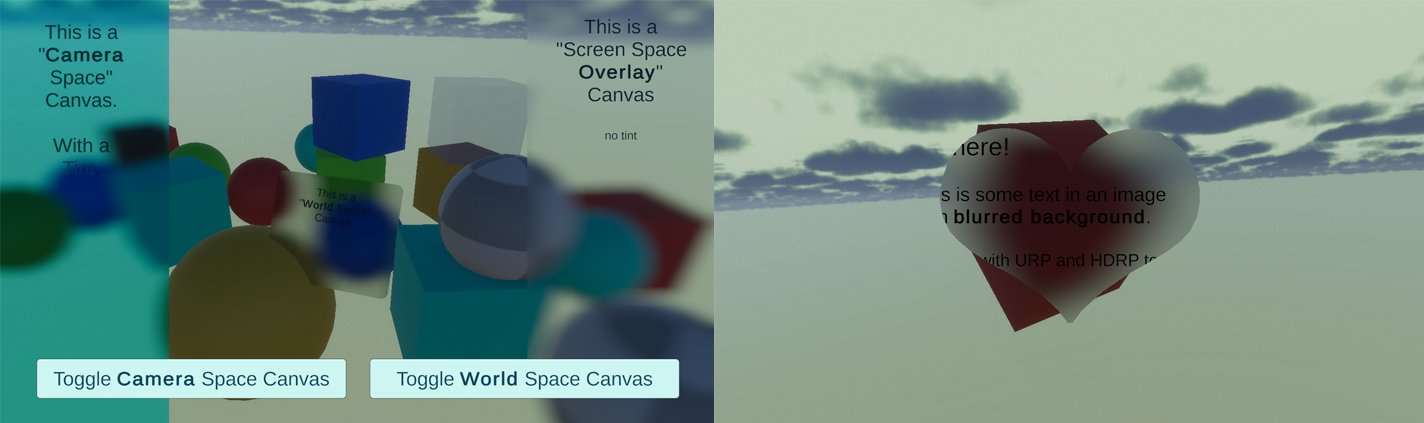
This one is the sister asset to the UI Toolkit Blurred Image I did. It works with all render pipelines, even the URP 2D renderer.


Hope you like it 
Links: Asset Store, Manual
Links: Asset Store, Manual
This one is the sister asset to the UI Toolkit Blurred Image I did. It works with all render pipelines, even the URP 2D renderer.
Hope you like it
Links: Asset Store, Manual
@unity_mtga33YB3fa05w : Sorry about the thread mixup. Here is the reply to your request .
Here are some things you could try (usually these should be done automatically upon import):
Try to force a re-import of the HDRP assets:
Force adding the HDRP shader:
Can you then please check if the proper shader is in your project settings list:
If none of the above succeed then please contact me under office@kamgam.com. I’d love to take a look at your project. Oh and if you can please let me know what exact Unity version you are using.
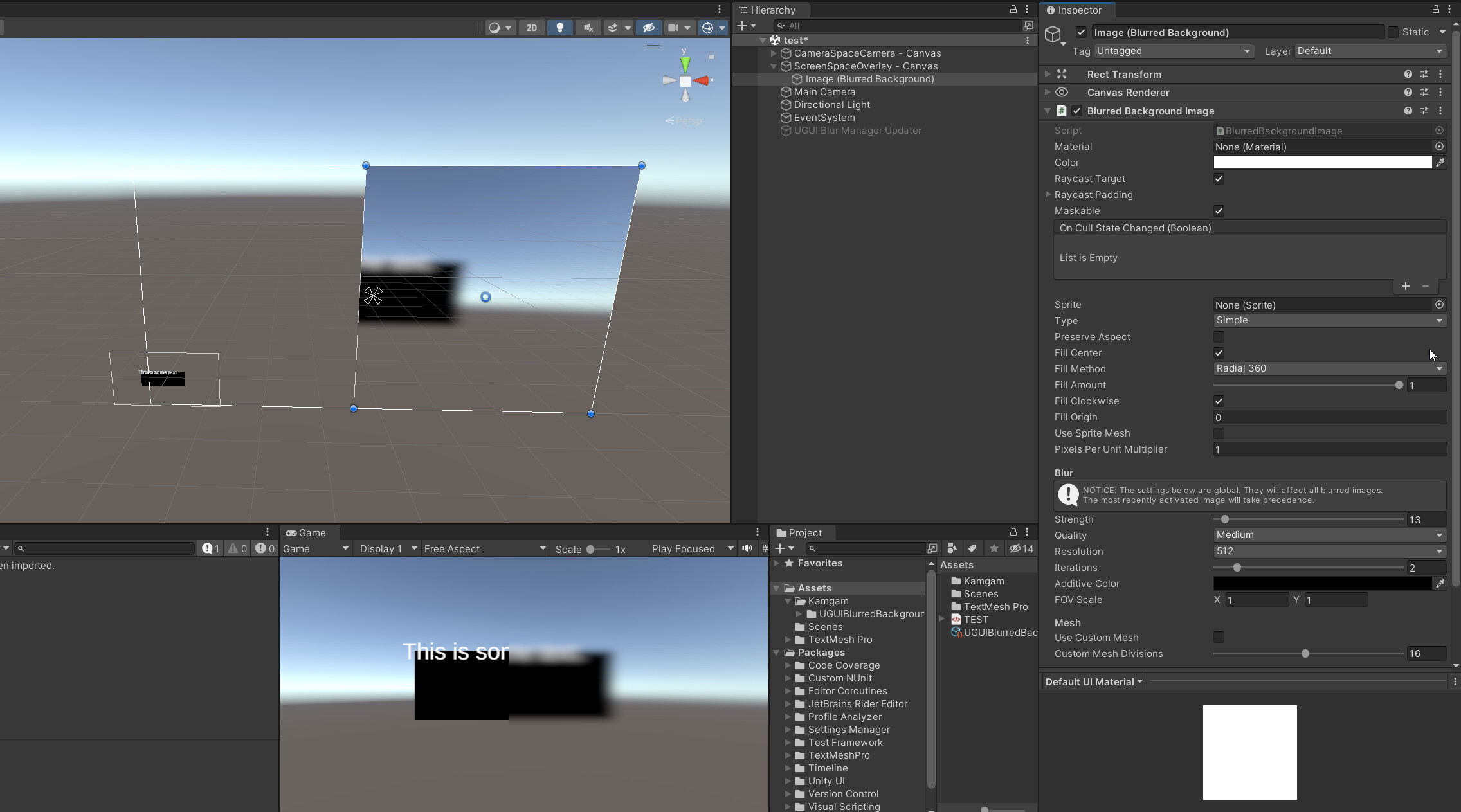
Are you using Camera Stacking? Like this:
Thank you
I have a little problem with your asset: every time in runtime on scene i see a little blured square in lower left corner of the screen and i can not to figure how to get rid of it.

Hi,
thanks for letting me know. Hm that’s very odd. I have never seen that happen before.
Do you always see this? Does it work in the demo scene that I ship with the asset?
Could you please send ma a copy of your project to office@kamgam.com (preferably a download link). First step in fixing is always reproducing and the quickest way is to actually have your project so I can try myself.
Please also include this info in your mail:
The more info I have the better.
Looking forward to your message.
Hi,
I have a Camera Viewport Rect set, W 0.75.
As soon as I enable a BlurredBackgroundImage it flips the Camera Viewport Rect to W 1.
I’m using URP, 2023.2.12f1.
Is there a workaround?
Thanks
Hi, could you please send the scene to me under office@kamgam.com so I can investigate?
Here is a screenshot of me trying to reproduce the issue (with 2023.2.6). It does not reset the rect but it does not blur the parts that are outside the camera (as I would expect):
IIRC I had an update with some fixes for camera rects. What version of the asset are you using?
Hey! Just wanted to confirm. There is no way to get this to blur other UI elements that are underneath the blur image? I read the guide but I didnt understand this part. You said you did it this way on purpose. is that because its just how unity works and there is no way to do this or I am missing something? I have popup modal windows and they look really weird occluding the UI below them.
Hi,
I am sorry but the short answer is: no there is no easy way to do it in Unity.
The reason is that if you were to include the UI in the blurred image it would work fine in frame nr 1.
But the blurred image itself is part of the UI. This means in frame 2 the blurred image gets blurred too since it is part of the UI (effectively blurring it two times). In frame three it would get blurred again (effectively blurring it 3 times). In frame 4, 4 times, … . That escalates quickly.
The solution would be to take the blurry image out of the regular render process. You could do that with layers (multi camera setup). It’s a lot of scaffolding needed for only one blurred image and the layers would need to be configured depending on the context (what’s in front/back of the blurred ui). That’s not easy to automate and the asset currently does not support that (it always uses the color buffer after the scene, but before UI overlay rendering).
OK ya I have used other assets in the past for other pipelines and they were a multi camera setup with layers. Is this something I can do with just layers and objects like extra cameras with your asset or would it require recoding to work?
I have modal popups that i bring to the forefront i want to blur over other UI but I also have UI apps like chat player can drag and move around like in windows OS that will be blurred over other ui.
The easiest (yet not very practical way) would be to make all your normal canvases world- or camera space canvases (then they are part of the normal scene rendering and are blurred) and make only your modals screen space overlay canvases.
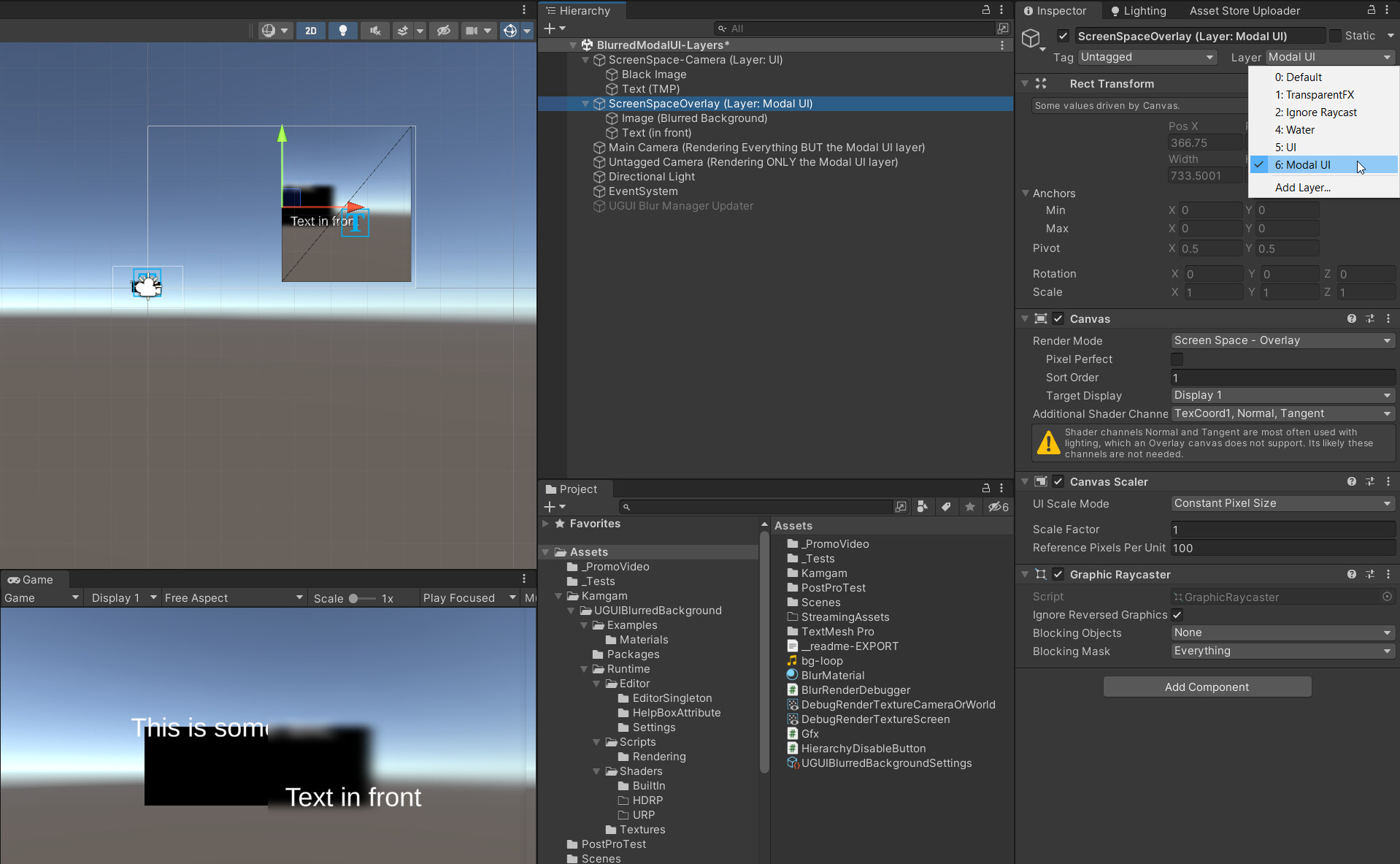
I have tried it (to be extra sure) and it works. Here is my test setup:
Hm, now thinking about it, maybe you could dynamically make your normal UI into a camera space UI only if the modal is shown and revert that change once the modal is closed again. The big disadvantage of course is that your world may clip into your UI if you make it into a camera space UI. I still don’t think that is very practical but it would be a “solution”.
Using layers would require you to tell the asset what camera (the one rendering the normal UI and scene) to use. Right now the camera is chosen automatically via the RenderUtils.GetGameViewCamera(_image); method. I think I could add a “CameraOverride” property to the image component to let you specify the camera. Let me know if you want to try that (write to office@kamgam.com, please include your Unity and RenderPipeline versions). It could be a nice addition.
Hope this helps 
I can try the camera space UI method and see if it works without clipping issues. my game is top down 3D. I am not exactly sure about the using layers bit you mentioned? Does that solution still require two canvas and one in camera space?
If your game is top down and there is no danger of clipping then I think the camera-space / screen-space solution is a usable one. Be aware that post processing can effect your camera-sapce UI. It’s basically a world space canvas stuck to your camera.
Layers would mean two cameras and two canvases (one on each layer: one camera space, one screen space overlay). I’d only go for the layers setup if you have issues with the camera-space/screen-space setup. With layers you can configure one camera to ignore post pro effects but you pay for that with a bit of extra rendering (second camera). Here is my demo layers setup:
Maybe I can add these setups to the example. It seems people really do want this.
Please notice that to my knowledge there is no pure screen-space-overlay solution as screen space canvases are always rendered last (after all the camera culling stuff happened). You will always need a camera-space canvas if you want to do this (at least in BiRP or URP, HDRP is a bit different IIRC).
I have uploaded my test scenes for you here (so you can take a look):
https://kamgam.com/unity/UGUIBlurredBackground-BlurredUI-over-UI-test.unitypackage
(They will be in the examples directory)
UPDATE: Have updated the manual with a section on UI-over-UI blur.
The blur effect is great but I noticed my particle effects that use an additive shader seem to get hidden behind the blurred image. Is this a known issue or is there a workaround for this?
Hi, thanks for letting me know.
What is known is that for Camera- and World-Space canvases anything that is rendered in the transparent queue will not be in the blurred image due to technical limitations (see manual FAQs). Though this also depends on the render pipeline and the shader that is used.
How can I make several blur pressets. I need more then 1 global config
Hi, if you don’t need multiple blur strengths at the same time then it may be helpful to know that the last recently enabled image defines the global settings. If you need multiple blur strengths at the same time then that’s not possible at the moment (in theory you could add another render pass manually but the current code does not easily support this).
Ok so I don’t know if I misunderstood what this asset does or I’m failing to understand how to use it, but I can’t get it to work for my use case.
I have a Canvas based UI with one element which is an image for the UI’s background. I just want to blur this image so it is less distracting to the user. I don’t want to “preblur” the image because the background image can be changed.
I add the component, and set the image and I Can see my image. As soon as I change the blur strength to anything above 0 though the image vanishes and instead I see a blurred view of the standard Unity skybox instead.
Hi, the blur does only effect the scene contents not other ui. To achieve the effect you want you would have to add the background image to your scene (as a world space canvas for example), not your ui. There is a section in the manual on why ui over ui blur is not supported. It’s also mentioned in the asset description, though I understand it’s disappointing. If you want you can ask Unity for a refund (I would support it).
Sorry that I do not have better news for you.
ok so I did totally misunderstand. Oh well, I got it on sale anyway. Yeah I just want to blur an image, not even necessary “ui under” just a single image, I want to blur it Basically I just want to do what Photoshop does only on demand heh.
Even searching around everything I find it like this, wanting to blur the background under the UI which I now see what you mean but I think everyone is using the term background her ambiguously heh.
Oh well at least now I know this won’t do it so I’ll keep looking for something else.
Ah I see, hm, maybe you could use a separate camera, put that image in front of it and then assign that camera to the blur image. Quite a workaround but it should give you a blurred image (haven’t tried it myself, just an idea).