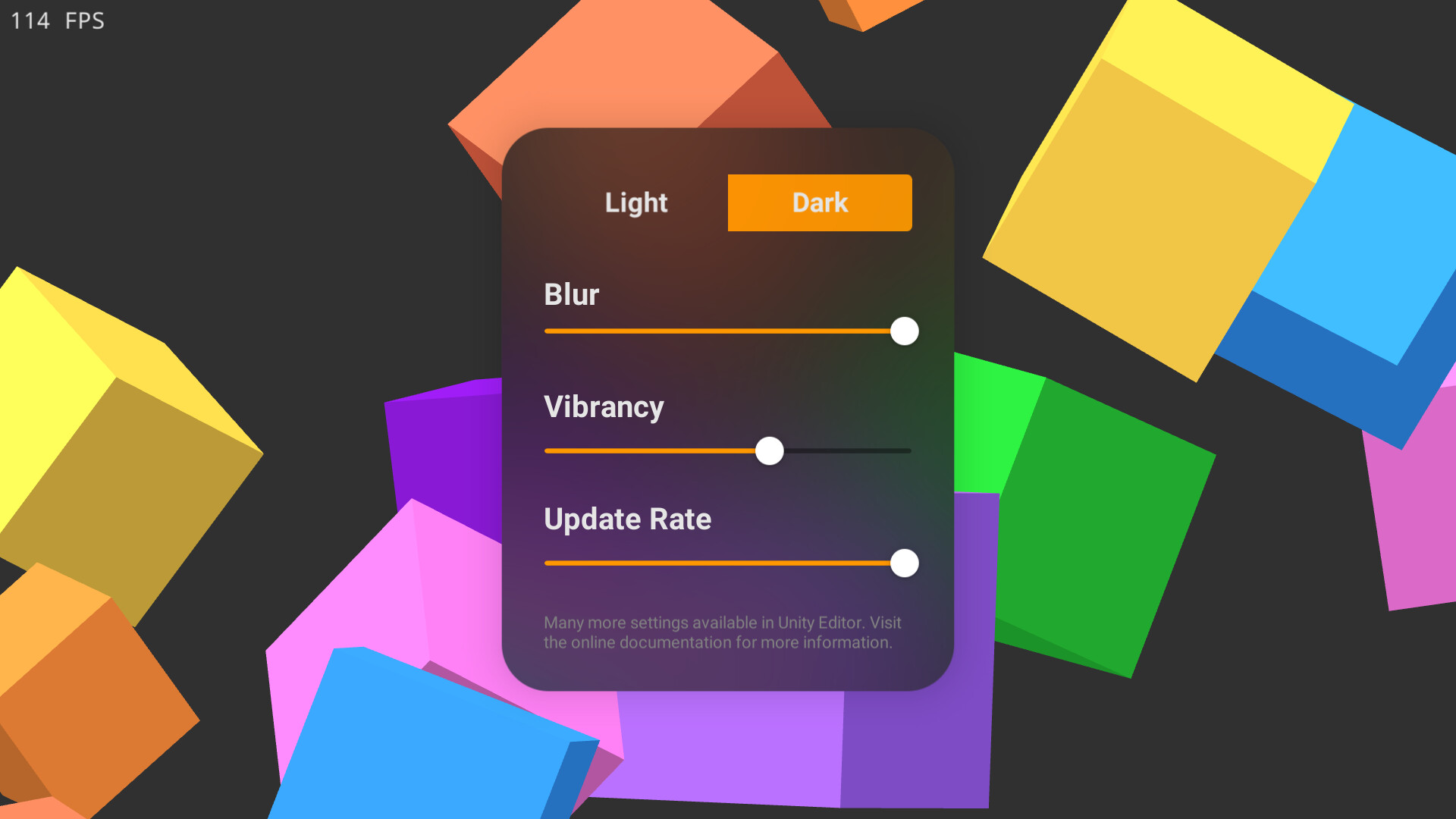
In order to optimize for high performance, the effect is per camera. So if we want multiple layer of blur, we can use multiple camera.
As you can see in the image above, the blurred UI can blur other UI elements (the pictures). You can just set up those UI the same way as the UI on top.
Be aware that this will affect performance negatively on mobile, on PC it pretty negligible.
I did not tested on console, but there shouldn’t be any reason it wouldn’t work.
Multiple camera is supported on Standard render pipeline, but split screen using the camera XYWH property is not.
What you can do is render the views onto a quad, and then render that quad using a final camera that is the source for the blur effect. This also allow a lot more customization for your split view, as it is not limited to rectangular view.
At the moment world space canvas work correctly if you only need them to be on top of everything. This is can already satisfy a lot of use case.
Doing world space ui where each UI can be behind any object is certainly detrimental to performance, as each of them will need their own background to be blurred.
This go against the principle of the asset - to be fast, so unfortunately it is unlikely to be implemented.
@learningbank In standard RP you would do this by using a separated Camera to render the worldspace UIs (by using culling mask). In LWRP it is not possible until Unity implement stacked Camera. They [said ]( Glitching with multiple cameras LWRP page-2#post-5125979)it would be sometime after 19.3 release.
Not sure why the slider knob look like that though , worked on my machine™, probably some import setting issue.
Just bought the asset, the blur looks really good!
In my team, we have a common setup where UI and gameplay are separated into two different scenes. This means, that I have the TranslucentImageSource on the main camera in the gameplay source and the Translucent Image within the canvas hierarchy of the UI scene. This setup generally works at runtime, but Unity is complaining that “Cross scene references are not supported” in edit mode.
Hello! I have a problem wherein the first frame where the first translucent image (since scene is loaded) enables itself, the background is incorrect (usually fully black). It must be linked to the blur not being initialized yet. How can I prevent this?
First, please verify this does not happens in the Minimal Demo scene.
The background is generated by the Translucent Image Source component. Then, at LateUpdate(), the Translucent Images try to acquire the background texture from it. So you must make sure the Source is ready before then.
For example, you might have have some scripts that add the Translucent Image Source component or enable the Camera at runtime, and it is done after the Translucent Images first frame Late Update. You can move these logic to Update, or try playing around with Script Execution Order.
ah that’s the bit that annoys me, is there something that can be done where if the asset is used in a prefab but the rendergraph for urp is not setup or scripts attached to prefabs using it, when in another project require a compiler symbol to be added to the project for those to work?
I’m not sure I understand. Do you mean Translucent Image Renderer features is not setup, or the render graph is somehow not available? Either way the asset will simply not work.
I don’t see how prefab is related. If the other project have the asset installed and setup then it will work. If the other project does not then it will result in missing script error like any other script. Translucent Image doesn’t have any compiler symbols of it own either.