UIElements how to preview sprites and prefabs in a custom editor?

Hi I’m trying to preview my sprite icon when I change it in my custom editor. The problem is that I can’t seem to find a way to only display the selected sprite, I display the entire texture instead.

I assign the sprite texture as so:

icon.style.backgroundImage = new StyleBackground(sprite.texture);

Since StyleBackground does not take a sprite input I’m not sure how to display it.
There is also the scaleToFit problem I do not know how to solve for non-square sprites.
And I need to make sure it works with the custom sprites shapes made using the sprite editor (or by going Create → Sprites → …)

So right now I have:
5352348--540756--upload_2020-1-9_10-0-21.png
But essentially I would like the same thing as displayed in the object picker:
5352348--540759--upload_2020-1-9_10-1-21.png

Can anyone give me some advice?

I would also like to do the same for Prefabs
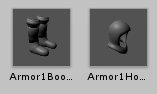
5352348--540762--upload_2020-1-9_10-4-30.png
but I’m not even sure where to start.

Thank you for your time

I found the solution. Turns out unity provides a static to get preview Textures.

var texture = new StyleBackground(AssetPreview.GetAssetPreview(sprite));
objectPreview.style.unityBackgroundScaleMode = new StyleEnum<ScaleMode>(ScaleMode.ScaleToFit);
objectPreview.style.backgroundImage = texture;

GetAssetPreview is asynchronous, so I simply refresh the visual element until it returns a preview.

Here is how it looks:
5352525--540798--upload_2020-1-9_11-8-50.png

4 Likes

Hi,

I’m glad you found the solution I just want to add that the style have implicit operator that you can use.
Instead of :
objectPreview.style.unityBackgroundScaleMode = new StyleEnum<ScaleMode>(ScaleMode.ScaleToFit);

You can do :

objectPreview.style.unityBackgroundScaleMode = ScaleMode.ScaleToFit;

Enjoy!

1 Like