I know this basic question has been asked millions of times, but no solution is working for me.
I have a GameObject and want to move its pivot (a door I want to rotate). I therefore create an empty GameObject that I place at the desired axis and parent my Door under it. Unit stupidly keeps the pivot in its center.
Using Pivot change assets do not work either. Probuilder is of no help (freeze transform is greyed out). How to do something as simple as rotating an object not through its center ?


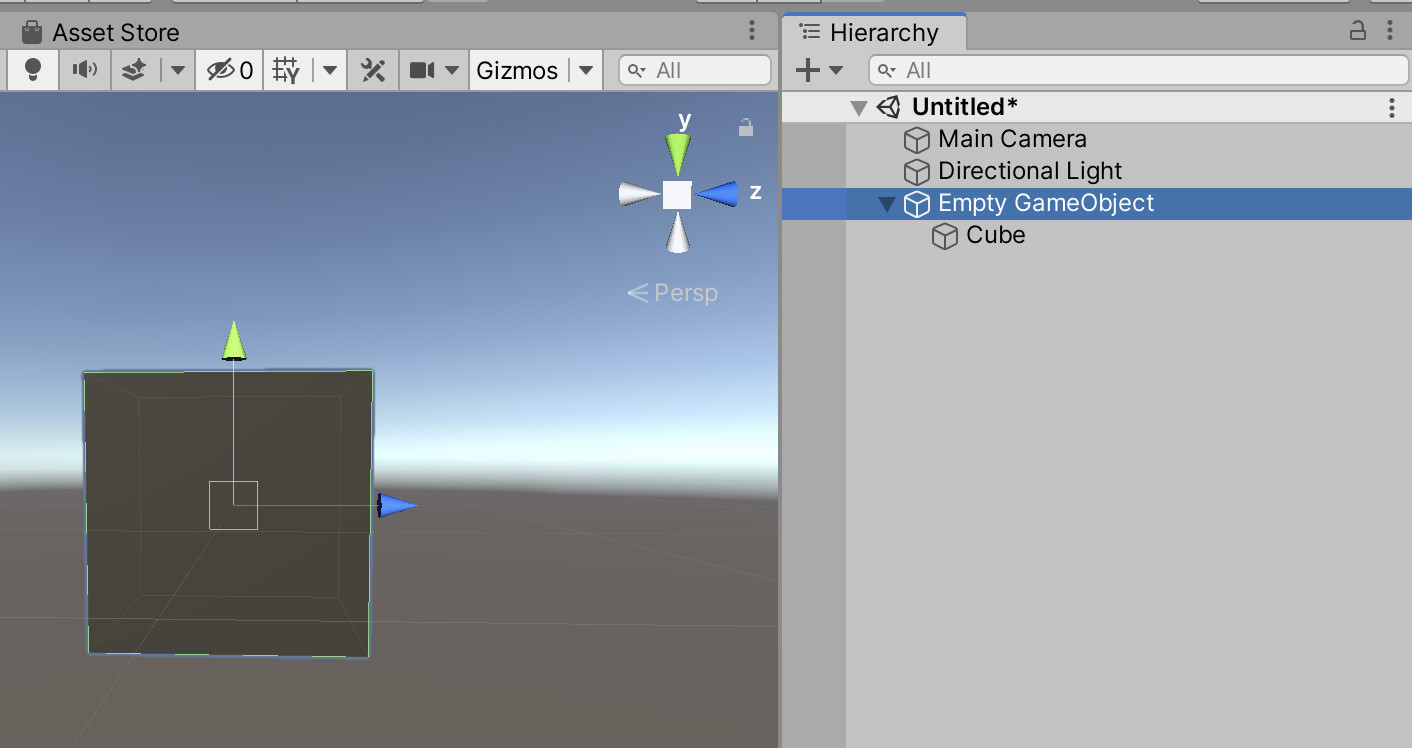
It’s not the way you’ve set this up. Instead, it’s that little button above the Editor: Center. Click on that so it’s “Pivot” instead, and your approach should work.
4 Likes
Thanks. I continued playing with it, and found out I needed to place my empty game object at 0,0,0 coordinates and my cube next to it before parenting it.
I think you’re still not doing it right. That button named “Center”, just above the Scene view window, means that when you select something, Unity will put the transform gizmo at the “Center” of the object. The center is based on the bounding box that contains any and all of the child objects of the selected object. So, if your object contained one other game object, but it was far away, then the transform gizmo would show up half way between the two objects.
It sounds like you’re overcompensating for this behavior by doing some weird stuff with the parent/child relationship of your objects.
If you click “Center”, it will change to “Pivot”. Now, selecting objects will select them at their own pivot points. Having “Center” selected tends to lead to confusion unless you’re sure you that’s what you want.
1 Like
Ok, makes it clearer now and it works well. When scripting the rotation, how to I indicate whether I want a center or a pivot rotation ? Thanks !
There’s no such thing as a center rotation. Rotations will always be around the objects pivot point. For some objects, like primitive cubes/capsules, etc, the pivot is the same position as the center, so it doesn’t matter. But in general, Unity rotates the transform based on the pivot position.
Thanks!! I used it as well))