I’ve been using my steamdeck as a work desktop for a few months. I’ve had issues getting some things to work because it is my first time using Linux, but never issues with Unity. But Today out of the blue the sign in popup for Unity Hub has stopped working. I can input my email and password, but when I click the sign in button nothing happens and the button stays greyed out with a spinning overlay animation indefinitely. Attempting to log in with a google account gives similar results.
I noticed that just today the sign in window changed. What could be causing this issue with this new version? I’ve spent a whole day trying to fix this. I have:
Uninstalled and reinstalled in the Discover app.
Uninstalled and reinstalled flatpaks using Konsole.
Attempted to run an appimage of a previous version to no avail.
ChatGPT sent me on a goose chase fixing various issues that ended up being unrelated, none had any effect.
Hub login attempts should pop up the browser and when the page is finished it’ll tell you to go back to the Hub. That one time I used Linux this didn’t work. The solution was to simply take that URL and paste it in another browser, or make that other browser the system default altogether.
I’m running into the same issue on Archlinux using the Flatpak version of UnityHub. The login was working yesterday morning (albeit with the frustration that it would not remember credentials even when the box was checked), but today it is no longer working. Seems to coincide with the UI for logging in changing too?
What I’m seeing when I attempt to log in (with email crossed out):
If I go back the email prompt then come back to finish signing in again, a fairly generic “We encountered an error when trying to process your request. Please try again” message pops up in the corner instead.
For what it’s worth, I can log in to the Unity website directly (as CodeSmile suggests doing). However, this doesn’t help me actually access the Unity editor, presumably because Flatpak sandboxes Unity such that it can’t see that I’m logged in there (though OP mentions the appimage also didn’t work, so maybe not?). I do want to avoid un-sandboxing Unity if I can, because I don’t see much benefit for it to interact with my browser outside of signing in.
That’s kinda cool… what kinda gear do you have? Just a USB splitter to both power it and have a keyboard / mouse / HDMI? Or did you go wireless on some stuff?
Also, where have you found the best support forum for doing this? It’s something I’ve been meaning to check out but just haven’t taken the leap yet.
I’m having the same problem on EndeavourOS. I’ve opened a ticket about it and am coping in the meantime by launching the Unity editor directly. On Linux, the editor executable should be located at ~/.local/share/Unity/Hub/Editor/[engine version number]/Editor/Unity. It seems to function even if you aren’t signed in.
I was unable to launch the appimage of older unity hub versions because they crashed as soon as they opened, I didn’t make it far enough to attempt to sign in. I was just skimming for solutions when I did it, so I left it at that, but if I can’t find any other good leads I might attempt to troubleshoot the appimage later. Besides that, what you have described in your post are the exact same circumstances I am in.
I am not sure what you mean by “the browser”. I think the unity hub uses some kind of browser of its own for sign in, do you mean that? But that browser does not expose the URL anyway. Although it might be worth to try to fetch it somehow and see if signing in through it with another browser works, so I’ll try that later.
It is pretty bare bones honestly. Just bluetooth keyboard and mouse and a docker for the HDMI input. No need for any support forum in my experience. Just connect the hardware and it will work.
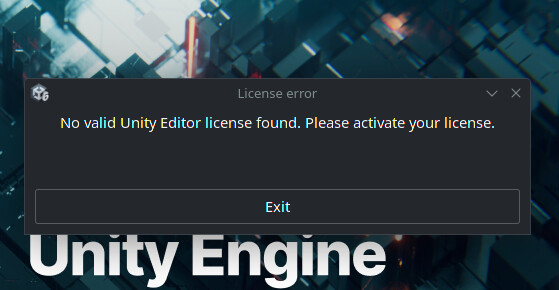
I tried that too. In my case I get a license error. In the days prior to this issue I was having my license invalidated every few days. I am not sure why, it is just a normal student license and I don’t have any income through Unity. Even if I have a valid license in my account, if I can’t sign in then the editor cannot fetch my license data, so I think booting the editor directly is not an option.
I believe I have solved the issue. I was using the Flatpak version of Unity Hub, which caused sandbox issues and login failures. I solved it by manually building and installing Unity Hub from the AUR (Arch User Repository), which runs natively without sandboxing. After that, login worked normally.
If you are using the steamdeck like me and run into this issue, the step by step is:
Uninstall the flatpak Unity Hub, you won’t be needing it anymore.
That’s all. Next time you try to sign in, your default web browser should open instead Unity Hub’s embedded chromium browser, and it will work properly.
Edit: This is not a permanent solution. Any steam updates will delete apps installed this way.