I was building an APK file in unity and get these error
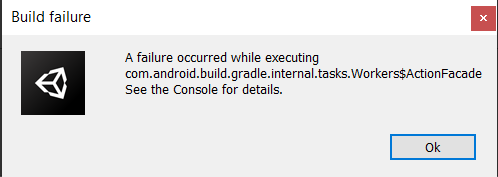
CommandInvokationFailure: Gradle build failed.
E:\unity\2020.3.48f1\Editor\Data\PlaybackEngines\AndroidPlayer\OpenJDK\bin\java.exe -classpath “E:\unity\2020.3.48f1\Editor\Data\PlaybackEngines\AndroidPlayer\Tools\gradle\lib\gradle-launcher-6.1.1.jar” org.gradle.launcher.GradleMain “-Dorg.gradle.jvmargs=-Xmx8000m” “assembleRelease”
Environment Variables:
SHIM_MCCOMPAT = 0x810000001
PROCESSOR_ARCHITECTURE = AMD64
AMPLITUDE_API_KEY_YELLOWBUCKET_DEV = 48835b4d1f5e342aefe5f016324d296a
BURST_ANDROID_MIN_API_LEVEL = 21
DriverData = C:\Windows\System32\Drivers\DriverData
USERDOMAIN = DESKTOP-4ADU9E7
CommonProgramFiles(x86) = C:\Program Files (x86)\Common Files
COMPUTERNAME = DESKTOP-4ADU9E7
DEBUG_ENV_VAR = UnityHub
LOGONSERVER = \DESKTOP-4ADU9E7
AMPLITUDE_TOKEN_GREENBUCKET_PROD = ZpUcbAdZXJYzNSoHsAWtL_s_JppwWid9
PUBLIC = C:\Users\Public
ProgramData = C:\ProgramData
SESSIONNAME = Console
AMPLITUDE_TOKEN_YELLOWBUCKET_PROD = UYDQtPOw83dIfVy3SrW5oMyo7ru4PRkV
NVIDIAWHITELISTED = 0x01
ALLUSERSPROFILE = C:\ProgramData
SystemRoot = C:\Windows
windir = C:\Windows
AMPLITUDE_API_KEY_REDBUCKET_DEV = 46b8b46515e7632fc42a504b72e05fd0
ProgramFiles(x86) = C:\Program Files (x86)
ProgramW6432 = C:\Program Files
OS = Windows_NT
ANDROID_NDK_ROOT = E:\unity\2020.3.48f1\Editor\Data\PlaybackEngines\AndroidPlayer\NDK
PROCESSOR_IDENTIFIER = Intel64 Family 6 Model 165 Stepping 2, GenuineIntel
HOMEPATH = \Users\admin
FPS_BROWSER_USER_PROFILE_STRING = Default
AMPLITUDE_TOKEN_REDBUCKET_DEV = U4PSN7S7PuYVRODivvdcFwbu8R6IHGqa
CHROME_CRASHPAD_PIPE_NAME = \.\pipe\crashpad_8836_GFPFSUIPLRCDETJL
PROCESSOR_LEVEL = 6
JAVA_TOOL_OPTIONS = -Dfile.encoding=UTF-8
CommonProgramFiles = C:\Program Files\Common Files
ZES_ENABLE_SYSMAN = 1
JAVA_HOME = E:\unity\2020.3.48f1\Editor\Data\PlaybackEngines\AndroidPlayer\OpenJDK
USERDOMAIN_ROAMINGPROFILE = DESKTOP-4ADU9E7
TEMP = C:\Users\admin\AppData\Local\Temp
ProgramFiles = C:\Program Files
CommonProgramW6432 = C:\Program Files\Common Files
AMPLITUDE_TOKEN_YELLOWBUCKET_DEV = wKi8foVigDditGFvmZewRFWsEbX9Y0YO
AMPLITUDE_API_KEY_GREENBUCKET_DEV = 3ded2a762163603391a425f688f990c8
AMPLITUDE_API_KEY_REDBUCKET_PROD = ca12bb461ea96f9bdf5df4ded7d52994
HOMEDRIVE = C:
AMPLITUDE_API_KEY_STAGING = 83ee04fccc67e4fcc7dd527c4c6f1e21
USERNAME = admin
OneDrive = C:\Users\admin\OneDrive
AMPLITUDE_API_KEY_YELLOWBUCKET_PROD = e03a9bbe92dc38a88cdb068d24c65b46
PATHEXT = .COM;.EXE;.BAT;.CMD;.VBS;.VBE;.JS;.JSE;.WSF;.WSH;.MSC
AMPLITUDE_TOKEN_REDBUCKET_PROD = jTIgKs5KTZOjiqEEVdZFbgo_VRhABduL
NUMBER_OF_PROCESSORS = 8
AMPLITUDE_TOKEN_GREENBUCKET_DEV = 84H2gMm_FJzhr3mBaX1lM1JVukmCM7d9
AMPLITUDE_DEPLOYMENT_KEY_RED_BUCKET_DEV = client-wbjHYrmeSR87GmWOE7LDpf7sUySOIKHm
AMPLITUDE_API_KEY_GREENBUCKET_PROD = c86fea37a9e1d3f0878b96e15b111c7c
ComSpec = C:\Windows\system32\cmd.exe
ORIGINAL_XDG_CURRENT_DESKTOP = undefined
PROCESSOR_REVISION = a502
AMPLITUDE_DEPLOYMENT_KEY_RED_BUCKET_PROD = client-zH8Y7OK1i331EKuG77C6UxN8ygcM6LzS
TMP = C:\Users\admin\AppData\Local\Temp
SystemDrive = C:
AMPLITUDE_API_KEY = 28f3cae0b33b8b3702120c9ed1a935aa
FPS_BROWSER_APP_PROFILE_STRING = Internet Explorer
SENTRY_ACCESS_TOKEN = 3df78d9e53f8456aa90fbae044ce1a6261421ab1d0014674bc2e933477289017
APPDATA = C:\Users\admin\AppData\Roaming
Path = C:\Program Files (x86)\Common Files\Oracle\Java\java8path;C:\Program Files (x86)\Common Files\Oracle\Java\javapath;C:\PROGRA~2\Borland\CBUILD~1\Projects\Bpl;C:\PROGRA~2\Borland\CBUILD~1\Bin;C:\Windows\system32;C:\Windows;C:\Windows\System32\Wbem;C:\Windows\System32\WindowsPowerShell\v1.0;C:\Windows\System32\OpenSSH;C:\Program Files\dotnet;C:\Program Files\NVIDIA Corporation\NVIDIA NvDLISR;C:\Program Files (x86)\NVIDIA Corporation\PhysX\Common;C:\Program Files\Microsoft SQL Server\150\Tools\Binn;C:\Program Files\Microsoft SQL Server\Client SDK\ODBC\170\Tools\Binn;C:\Program Files (x86)\Windows Kits\10\Windows Performance Toolkit;C:\Users\admin\AppData\Local\Microsoft\WindowsApps;C:\Users\admin.dotnet\tools
PSModulePath = C:\Program Files\WindowsPowerShell\Modules;C:\Windows\system32\WindowsPowerShell\v1.0\Modules
LOCALAPPDATA = C:\Users\admin\AppData\Local
USERPROFILE = C:\Users\admin
WOOTRIC_CLIENT_TOKEN = NPS-aa8be4c3
stderr[
FAILURE: Build failed with an exception.
- What went wrong:
Execution failed for task ‘:launcher:processReleaseResources’.
A failure occurred while executing com.android.build.gradle.internal.tasks.Workers$ActionFacade
Android resource linking failed
AAPT: aapt2.exe E 02-01 16:53:20 7676 25852 LoadedArsc.cpp:109] RES_TABLE_TYPE_TYPE entry offsets overlap actual entry data.
aapt2.exe E 02-01 16:53:20 7676 25852 ApkAssets.cpp:183] Failed to load ‘resources.arsc’ in APK ‘E:\unity\2020.3.48f1\Editor\Data\PlaybackEngines\AndroidPlayer\SDK\platforms\android-35\android.jar’.
error: failed to load include path E:\unity\2020.3.48f1\Editor\Data\PlaybackEngines\AndroidPlayer\SDK\platforms\android-35\android.jar.
-
Try:
Run with --stacktrace option to get the stack trace. Run with --info or --debug option to get more log output. Run with --scan to get full insights. -
Get more help at https://help.gradle.org
BUILD FAILED in 10s
Picked up JAVA_TOOL_OPTIONS: -Dfile.encoding=UTF-8
]
stdout[
Starting a Gradle Daemon, 3 incompatible Daemons could not be reused, use --status for details
Configure project :launcher
WARNING: The option setting ‘android.enableR8=false’ is deprecated.
It will be removed in version 5.0 of the Android Gradle plugin.
You will no longer be able to disable R8
Task :launcher:preBuild UP-TO-DATE
Task :unityLibrary:preBuild UP-TO-DATE
Task :unityLibrary:preReleaseBuild UP-TO-DATE
Task :launcher:preReleaseBuild UP-TO-DATE
Task :unityLibrary:packageReleaseRenderscript NO-SOURCE
Task :unityLibrary:compileReleaseAidl NO-SOURCE
Task :launcher:generateReleaseBuildConfig UP-TO-DATE
Task :unityLibrary:generateReleaseResValues UP-TO-DATE
Task :launcher:compileReleaseAidl NO-SOURCE
Task :launcher:compileReleaseRenderscript NO-SOURCE
Task :unityLibrary:compileReleaseRenderscript NO-SOURCE
Task :launcher:javaPreCompileRelease UP-TO-DATE
Task :unityLibrary:generateReleaseResources UP-TO-DATE
Task :launcher:generateReleaseResValues UP-TO-DATE
Task :launcher:generateReleaseResources UP-TO-DATE
Task :launcher:createReleaseCompatibleScreenManifests UP-TO-DATE
Task :launcher:extractDeepLinksRelease UP-TO-DATE
Task :unityLibrary:packageReleaseResources UP-TO-DATE
Task :unityLibrary:extractDeepLinksRelease UP-TO-DATE
Task :launcher:mergeReleaseResources UP-TO-DATE
Task :launcher:prepareLintJar UP-TO-DATE
Task :launcher:desugarReleaseFileDependencies UP-TO-DATE
Task :launcher:checkReleaseDuplicateClasses UP-TO-DATE
Task :launcher:mergeReleaseShaders UP-TO-DATE
Task :launcher:compileReleaseShaders NO-SOURCE
Task :launcher:generateReleaseAssets UP-TO-DATE
Task :launcher:processReleaseJavaRes NO-SOURCE
Task :launcher:collectReleaseDependencies UP-TO-DATE
Task :launcher:sdkReleaseDependencyData UP-TO-DATE
Task :launcher:mergeExtDexRelease UP-TO-DATE
Task :launcher:mergeReleaseJniLibFolders UP-TO-DATE
Task :launcher:validateSigningRelease UP-TO-DATE
Task :unityLibrary:compileReleaseLibraryResources UP-TO-DATE
Task :unityLibrary:parseReleaseLocalResources UP-TO-DATE
Task :unityLibrary:generateReleaseBuildConfig UP-TO-DATE
Task :unityLibrary:javaPreCompileRelease UP-TO-DATE
Task :unityLibrary:prepareLintJarForPublish UP-TO-DATE
Task :unityLibrary:mergeReleaseShaders UP-TO-DATE
Task :unityLibrary:compileReleaseShaders NO-SOURCE
Task :unityLibrary:generateReleaseAssets UP-TO-DATE
Task :unityLibrary:packageReleaseAssets
Task :unityLibrary:processReleaseJavaRes NO-SOURCE
Task :unityLibrary:bundleLibResRelease NO-SOURCE
Task :launcher:mergeReleaseAssets
Task :launcher:mergeReleaseJavaResource UP-TO-DATE
Task :unityLibrary:mergeReleaseJniLibFolders UP-TO-DATE
Task :unityLibrary:mergeReleaseNativeLibs UP-TO-DATE
Task :unityLibrary:stripReleaseDebugSymbols
Task :unityLibrary:copyReleaseJniLibsProjectOnly
Task :unityLibrary:processReleaseManifest
Task :unityLibrary:generateReleaseRFile UP-TO-DATE
Task :unityLibrary:compileReleaseJavaWithJavac UP-TO-DATE
Task :unityLibrary:bundleLibRuntimeToJarRelease
Task :launcher:processReleaseManifest
Task :unityLibrary:bundleLibCompileToJarRelease
Task :launcher:processReleaseResources FAILED
Task :launcher:mergeReleaseNativeLibs
39 actionable tasks: 10 executed, 29 up-to-date
]
exit code: 1
UnityEditor.Android.Command.WaitForProgramToRun (UnityEditor.Utils.Program p, UnityEditor.Android.Command+WaitingForProcessToExit waitingForProcessToExit, System.String errorMsg) (at <04ae349a1bb4425fb9dfda5cd61109b6>:0)
UnityEditor.Android.Command.Run (System.Diagnostics.ProcessStartInfo psi, UnityEditor.Android.Command+WaitingForProcessToExit waitingForProcessToExit, System.String errorMsg) (at <04ae349a1bb4425fb9dfda5cd61109b6>:0)
UnityEditor.Android.Command.Run (System.String command, System.String args, System.String workingdir, UnityEditor.Android.Command+WaitingForProcessToExit waitingForProcessToExit, System.String errorMsg) (at <04ae349a1bb4425fb9dfda5cd61109b6>:0)
UnityEditor.Android.AndroidJavaTools.RunJava (System.String args, System.String workingdir, System.Action1[T] progress, System.String error) (at <04ae349a1bb4425fb9dfda5cd61109b6>:0) UnityEditor.Android.GradleWrapper.Run (UnityEditor.Android.AndroidJavaTools javaTools, System.String workingdir, System.String task, System.Action1[T] progress) (at <04ae349a1bb4425fb9dfda5cd61109b6>:0)
Rethrow as GradleInvokationException: Gradle build failed
UnityEditor.Android.GradleWrapper.Run (UnityEditor.Android.AndroidJavaTools javaTools, System.String workingdir, System.String task, System.Action`1[T] progress) (at <04ae349a1bb4425fb9dfda5cd61109b6>:0)
UnityEditor.Android.PostProcessor.Tasks.BuildGradleProject.Execute (UnityEditor.Android.PostProcessor.PostProcessorContext context) (at <04ae349a1bb4425fb9dfda5cd61109b6>:0)
UnityEditor.Android.PostProcessor.PostProcessRunner.RunAllTasks (UnityEditor.Android.PostProcessor.PostProcessorContext context) (at <04ae349a1bb4425fb9dfda5cd61109b6>:0)
Rethrow as BuildFailedException: Exception of type ‘UnityEditor.Build.BuildFailedException’ was thrown.
UnityEditor.Android.PostProcessor.CancelPostProcess.AbortBuild (System.String title, System.String message, System.Exception ex) (at <04ae349a1bb4425fb9dfda5cd61109b6>:0)
UnityEditor.Android.PostProcessor.PostProcessRunner.RunAllTasks (UnityEditor.Android.PostProcessor.PostProcessorContext context) (at <04ae349a1bb4425fb9dfda5cd61109b6>:0)
UnityEditor.Android.PostProcessAndroidPlayer.PostProcess (UnityEditor.BuildTarget target, System.String stagingAreaData, System.String stagingArea, System.String playerPackage, System.String installPath, System.String companyName, System.String productName, UnityEditor.BuildOptions options, UnityEditor.RuntimeClassRegistry usedClassRegistry, UnityEditor.Build.Reporting.BuildReport report) (at <04ae349a1bb4425fb9dfda5cd61109b6>:0)
UnityEditor.Android.AndroidBuildPostprocessor.PostProcess (UnityEditor.Modules.BuildPostProcessArgs args, UnityEditor.BuildProperties& outProperties) (at <04ae349a1bb4425fb9dfda5cd61109b6>:0)
UnityEditor.PostprocessBuildPlayer.Postprocess (UnityEditor.BuildTargetGroup targetGroup, UnityEditor.BuildTarget target, System.String installPath, System.String companyName, System.String productName, System.Int32 width, System.Int32 height, UnityEditor.BuildOptions options, UnityEditor.RuntimeClassRegistry usedClassRegistry, UnityEditor.Build.Reporting.BuildReport report) (at <25578071f6e44201aac745680e5c8dfc>:0)
UnityEngine.GUIUtility:ProcessEvent(Int32, IntPtr, Boolean&)
there is my settings:


also i need to mention that i have copied project from one pc to another
i have tried to put different versions of Gradle and Sdk, deleting Library folder, deleting android.enableR8 from gradleTemplate.properties and switching to 2022 version of Unity