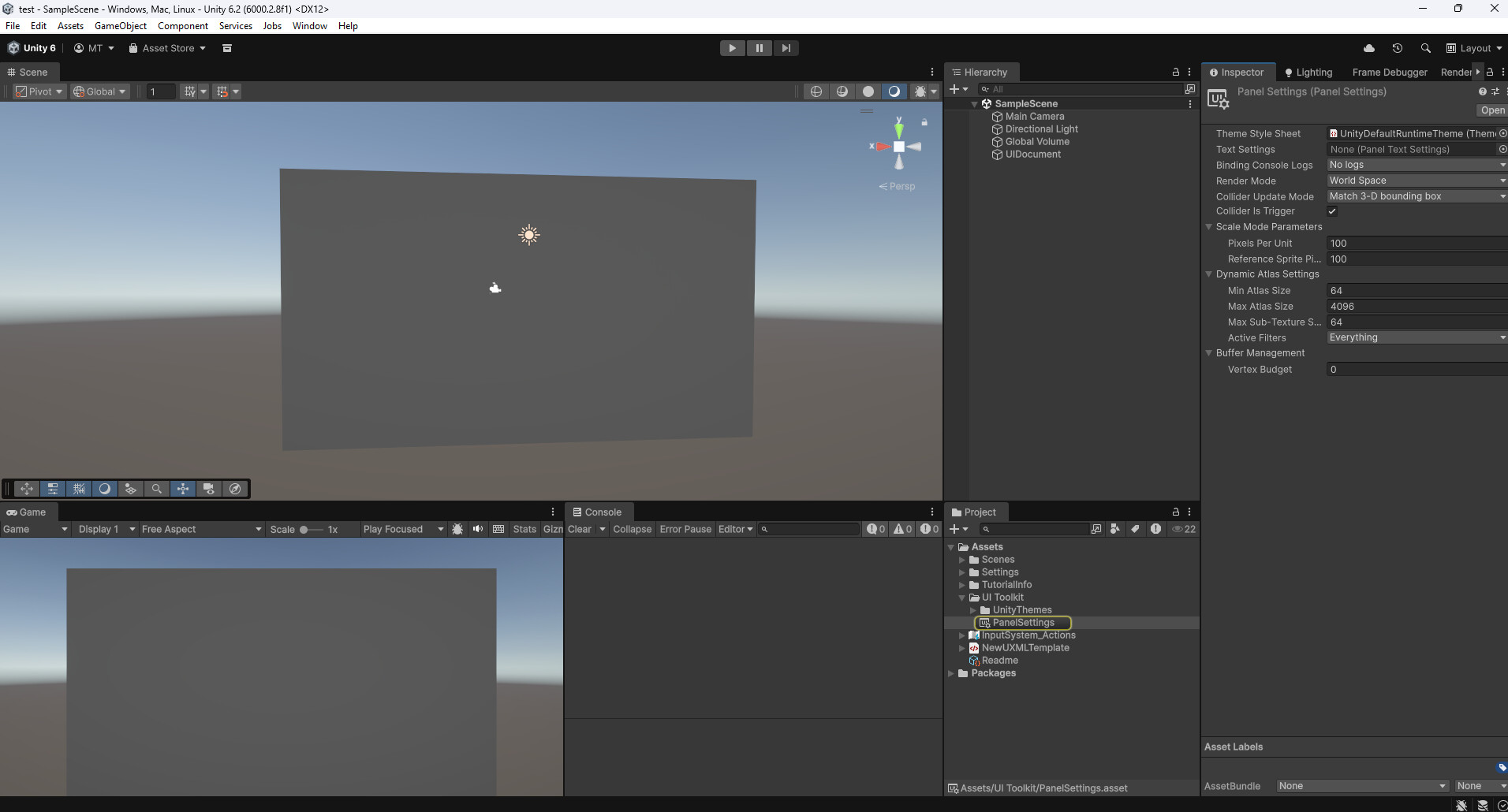
After upgrading my Unity version to 6000.2.8f1 my world space ui panels gives false color shading. In UI Builder this is what i get with RGB(24,24,24):
We investigated and there seems to be a bug where the scene view is being drawn with IMGUI (so in the middle of the rendering of an editor panel), and it begins rendering a scene camera (nested rendering). There seems to be a conflict of material keywords in these conditions. We created the following case: https://issuetracker.unity3d.com/product/unity/issues/guid/UUM-122574
Thanks a lot for confirming this, it really was a bug. I appreciate the quick response and clarification. Marking this as the solution so others can find it more easily.
Please submit a bug report if you’re experiencing it on 6.2 as it might be something else. Go to Help > Report a bug… so that our QA can investigate furthermore.
You found it on 6000.2.0a1 aswell (my first bug report) but didnt fixed it in newest 6.2 release, which is true ive checked it and bug is still exist (which isn’t surprising because it tells that only fix has been done in other versions)
Actually 6000.2 should not have shown up in this case as the dev who worked on the case was unable to reproduce on it. I removed 6000.2 from the list of affected since the fix has been canceled on this version. Can you confirm that you are experiencing this bug in the latest 6.2?
Yep. Upgraded from 6.2.6f2 to 6.2.9f1 (10 has the same problem) and all the world-space UI colors were washed out. Seems like it was introduced around 6.2.8f1 from other people’s reports. Wanting to upgrade asap due to an editor bug where inspector rendering can break.
I opened a new bug report (IN-123452).
Repro steps (I used 6.2.10) were:
Create a new UI document object in a blank URP project and assign a document with a visible Visual Element.
Set the panel settings to display it in screenspace and observe it via the game view.
Change the panel settings to display in world-space and observe the brighter colors in either the game or scene view.
I’ve did some further tests and found some interesting interactions on latest 6.3:
When i change alpha values of a visual elements they change accordingly but for a brief time it fires hover event even though i dont hover on it. And when i close UI Builder whole thing resets to its less buggy version lol
Also I’ve used Vector Graphics while in beta and upgrading it to 6.3 broke some of my svgs color (they were white for tint but some of them suddenly became black, i reimported them to regenerate meta files) they were fixed.
One more also, building it to Meta Quest is flawless but for some reason my buttons getting 1px border width color black…
Thats all the clues i find today, i hope you find the reason,
I’ll ask around and see if we have a known bug that explains this and get back to you.
Unfortunately our fixes are not always backward compatible during beta cycle because it requires extra attention and sometimes we prefer fixing more bugs. Let us know if this kind of problem comes back once we’re out of beta, or if it happens when importing new SVGs in recent beta.
Could you submit a bug report for this one? QA will investigate.