It’s my first time posting here. Basically, I’ve been learning Unity and C# for a few months now. I decided to learn and try out Bolt as well.
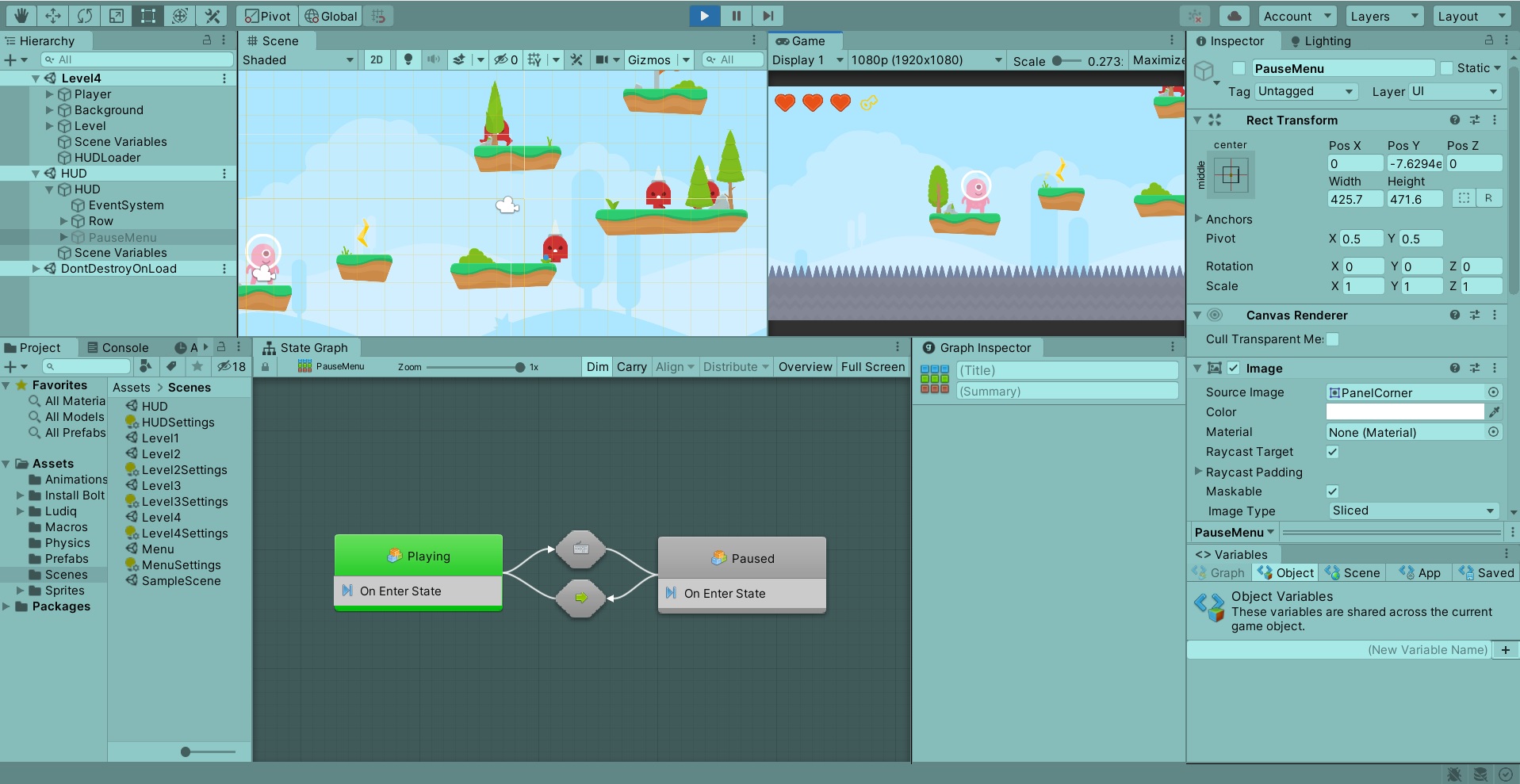
The transitions for going from playing state to pause state don’t seem to work. I have followed the lesson plan and gone through the diagrams multiple times now. You can see a screenshot below:
I added a debug message to confirm but the string doesn’t get printed and the boxes don’t light up when the button is pressed. No input is going through this state machine for transitions, while my player controls are working perfectly. This State Machine is embedded in the pause menu as per the guide.
You’re in HUD scene which has no camera and is supposed to be loaded additively on top of the rest of the game. This is why you don’t see anything happening in the game window.
I forgot how things looked in the light Unity theme. It appears no state is active currently. Is the state machine correctly attached to an object? Perhaps try testing it in the actual level.
Thank you for your reply. I was just showing the Flow Graph and options for the pause menu. Below is an actual screen shot of the 4th level with me tapping the escape button to no result:
I know the playing state seems to be working because if I try to activate PauseMenu the ‘Playing’ box lights up and blocks it from activating. It just seems that the transition parts refuse to work. It doesn’t sense me hitting the escape button.
I know this thread is pretty old, but it never came to a solution, and I believe I solved it. You need to add the state machine component to the HUD object, not the Pause Menu object. The state machine can only work while the object it’s a component of is active, and since you’re deactivating the Pause Menu object that state machine can no longer work.