What is going on with this version of the hub, just having it in the background it’s chewing CPU like crazy seemingly doing nothing, no other Unity Editor opened (and even if I do have an editor opened it’s still just chewing cpu cycles) screenshot on 6.5% but that’s 16/32thread @ 5.4ghz this ain’t right.

@Player7, Could you file a bug with the bug reporter and our team of support engineers can help you. Could you also provide more info here so we can narrow down a possible cause:
- Does this happen immediately on launch or after some time?
- Do you have any projects listed in the Hub, and if so, how many?
- Are there any background processes running (like downloading/installing Unity versions)?
- Does the CPU usage drop if you close the Hub to the system tray?
This definitely doesn’t sound normal - the Hub should be using minimal resources when idle.
Soon as I launch it
I can close it to tray and it still just remains with high usage like that sitting in the background not shown.
No downloads going on it
I’ve taken to just completely shutting down the hub after launching a project leaving it keeps the cpu single threaded performance up high, increases cpu fan speeds
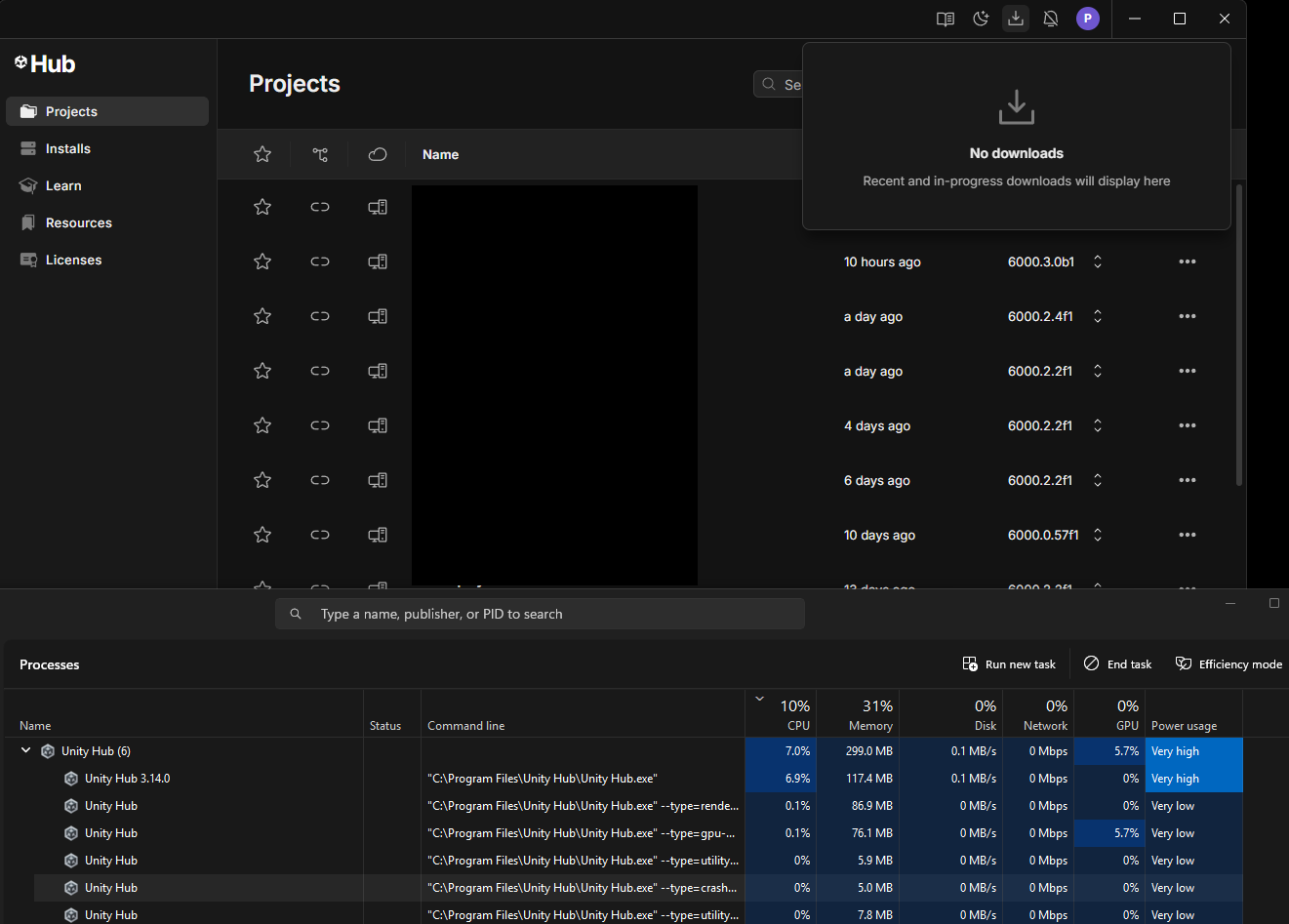
As a comparison I can have 3 unity editors at different versions opened doing nothing and still use less cpu than with this version of the hub left on running.
one with hub closed.l


Report sent in case IN-116018
Thanks we’ll look into it and see if we can find the cause!

I have also been seeing this consistently, UnityHub uses ~20-30% CPU all the time.
- Unity Hub version 3.14.0
- I have 42 projects across 3 hard drives listed in the hub
- Happens immediately on launch
- No background processes running
- Closing to system tray has no effect

Yes, that does not look right. The Hub should not be using 25% CPU at idle. Could please submit a bug report, so we can track this down and fix it.
I have this issue to a lesser extent, which Unity Hub open its constantly using 7% to 10% of CPU, even if minimized it will still use that. If I close it its still there running away in the background using 7% of CPU all the time, I have to terminate the task to stop it. What is it doing, and why does it still run even when I tell it to close?
Hi @SpookyCat
As with above, please file a ticket so we can look into it. The Hub should be using very little CPU in the background.
In 3.15 we added a new option on Linux/Windows to quit the application when you click the close button. You can find the option under Settings > Appearance > Menu bar
Quitting the Hub doesn’t stop it running, it closes the window just fine but the task is always running and using 7% cpu.
I have submitted a bug report but I suspect like every other bug report I have ever submitted to Unity you will say we cant reproduce it and close the ticket.
3.14.4 and 3.15.3 eat 100% of one CPU core.
I submitted the issue and as suspected the stock cant be bothered to look at the problem reply of cant recreate the issue. It really is pretty much a waste of time submitting reports out of the 20+ issues I have reported over the years every one has come back with cant recreate so not going to fix.
Ok, looks like i figured out. I have a few projects on a removable disc. When disk is plugged in everything is ok, when disc is removed unity hub start eating 100% of my cpu
Interesting possibly that is the issue, though it was months ago since I reported the problem when I had it. I’ve since switched disks and only have projects loaded in the hub from one drive source now. Might have had some before that were on other disks that had changed drive letter etc previously.
Hopefully if that is the issue it’s fixed better testing, as it’s pretty bad one to still be causing high cpu just because it can’t access a project path :S
I think it might be related to the drive letter.
After the drive letter of my external HDD (where my Unity projects are stored) changed, Unity Hub kept consuming CPU.
As soon as I changed it back to the original letter, the CPU usage dropped to 0%.
Thanks, this information helped me.
I just removed all projects from Unity HUB, restarted it by killing the background process. Then added projects back - no more full CPU core usage.
Very funny how such bug is even a thing
Had the same issue with 3.17.1 beta, had to remove all projects, kill the task, then re-add everything. Super weird bug, but it’s fixed for me now. Thank you for the tip!
Happened to me to with 3.17.1. Removing all projects, closing hub, opening and readding projects fixed it. It was using 30% cpu non stop beforehand.