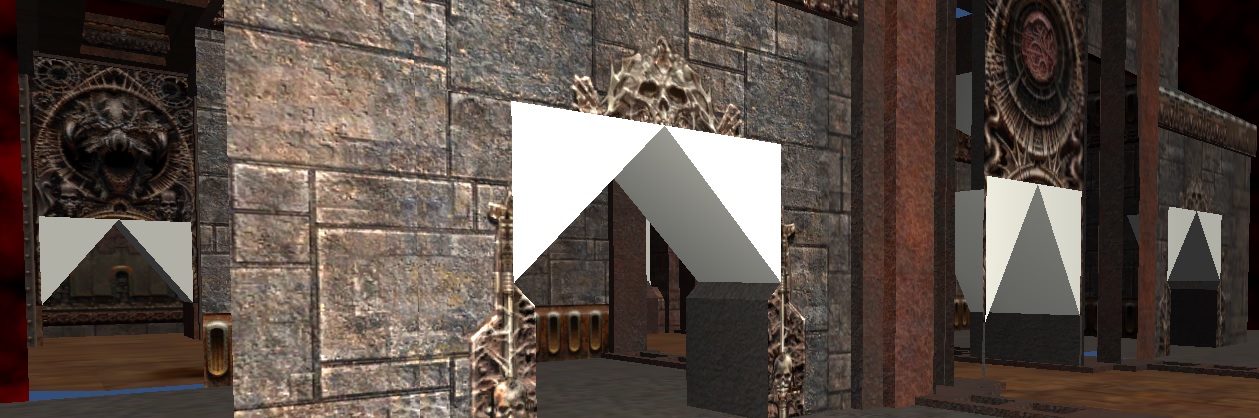
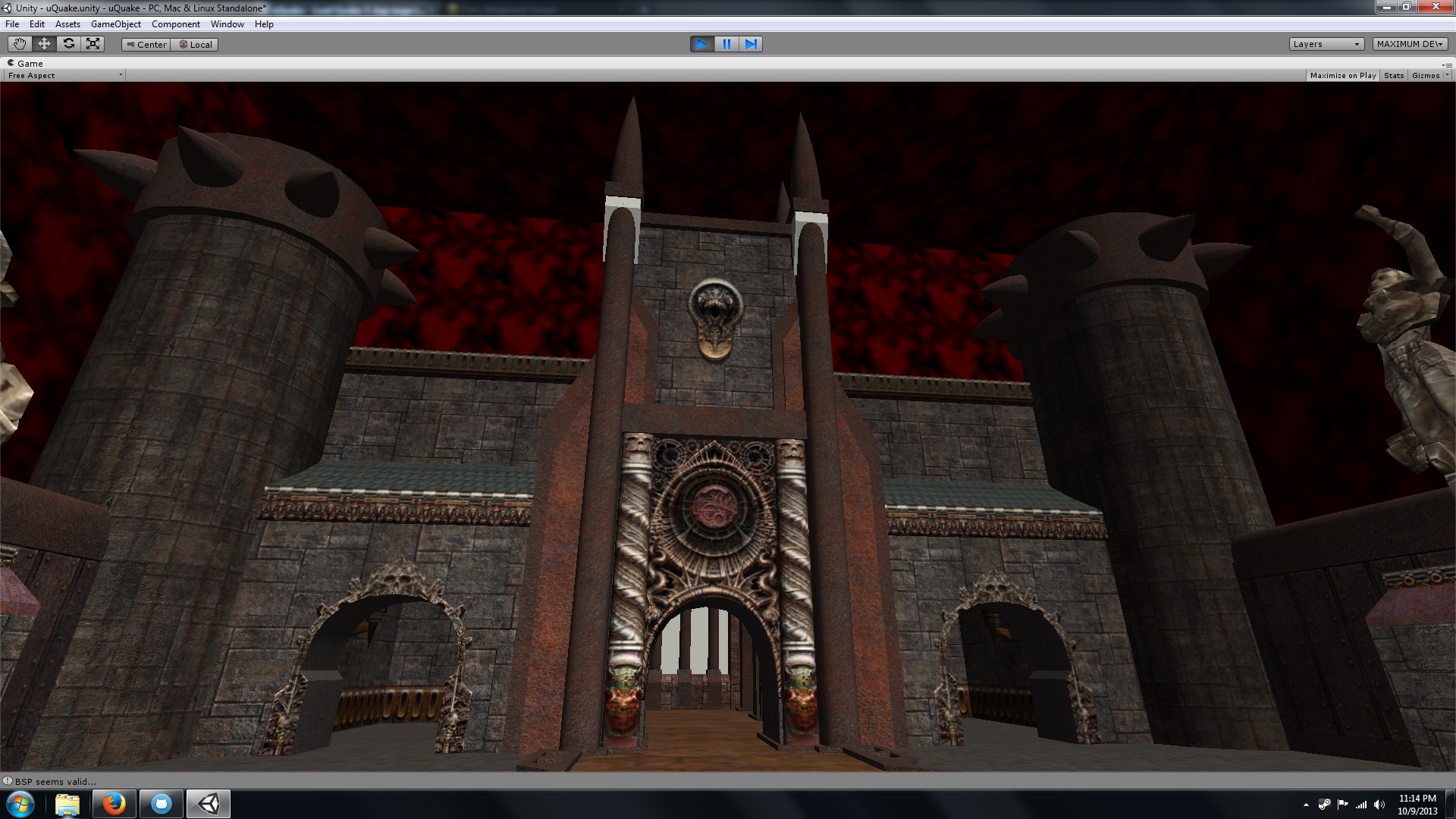
I’m working some C# that parses an unmodified Quake 3 .bsp and recreates the geometry (and eventually entities too, but I digress) inside of Unity. I now have it working 100% for faces, meshes, and bezier patches. Textures are mapped for all three surface types. See later posts.
Original Post:
I have faces working perfectly, but I have no idea how to handle Quake 3’s bezier patches. Many people have implimented this in their own engines that can load Quake 3 .bsp, but I’m not able/sure how to make a mesh from the data in the .bsp. I have made some progress, which I’ve made a video to show.
I tried to port some code from the second link above, but the results are what you see in the video. It appears to tessellate correctly, but as you can see it’s not right.
I’m using .settrianglefan instead of .triangles because that’s the format that the tessellate function produces. I think. To be totally square with you I don’t know enough math to implement them on my own, so I don’t fully understand the code I’ve copied.
The code, and a demo scene/map is here, the github readme has a short blurb about how to make it work. It is simple:
I’ve made some progress. The function I tried to port outputs triangle strips, and if I convert them to normal triangle indexes, they look closer than if I use .settrianglestrip, but still not right. If I set the tessellate count to 1 I at least now get the rough shapes. I’m not sure how to advance to the next patch in faces that have more than one patch, but rendering the control points of single-patch faces is working.
Wow that’s some great sorcery you’ve done there. Keep working on it and I’m sure you’ll get an “aha!” moment. Don’t forget to import lightmaps and lighting as well
Bez patch rendering is now working! It’s not tessellated yet, but I have rendering them working correctly. The way I do the rendering will allow me to render them correctly no matter what level of tessellation is used, so when tessellation is working, it’ll just work.
This is impressive and a great idea.
Does this work with goldsource .bsps, too? If i remember right, it was possible to create half-life maps with the Q3-map editor, too (gtkradiant or something?).
/btw, did you make this to be able to use the Q3 map editor for unity projects?
For now it only works with Quake 3 .bsps. If I can find documentation on Half-Life’s .bsp format I can give it a shot, but for now only Quake 3 maps are supported. Quake 1 (which Half-Life is very close to) and Quake 2 use a different method for storing their geometry, so it’d be a pretty big re-write. Quake 3 stores a giant list of vertexes, and a list of faces, with each face having a list of indexes into that vertex array. Quake 1 and 2 (and I assume Half-Life) used a list of vertexes as well, but in those games a face didn’t refer to them directly, it referred to a series of edges, who each had two vertexes. Texture mapping was also different.
I made this just for fun actually. I don’t have a game in mind for it, though being able to use any Quake 3 editor to make levels for Unity is appealing. You can also use that editor to do your textures, and make full use of bezier patch geometry for tessellation.
I have it working much better now. All face types are now rendered, save for billboards (sprites, like torches) and are properly texture mapped. I rip and apply lightmaps too, but I must be either ripping or referencing them wrong, because they’re all wrong. Lightmapping is disabled by default, but you can turn it on using the worldSpawn prefab’s options.
Check these shots out.
Bezier patches are now perfect, including their texture mapping.
I have lightmaps working now, but they are very dark. I’m using the Legacy shader Lightmapped-Diffuse, since none of the other shaders seem to support supplying your own RGB lightmap.
Is there a shader that will work better than the legacy one? I can tell the lightmaps are correct, colors and all, but they effect of using them is so subtle where in Quake 3 the lightmaps are very bright and the colors are vibrant.
I didn’t use GTKradiant for anything, these maps came as part of Quake3.
I noticed a few people asked questions, and I haven’t been around. Sorry about that.
Currently there’s no support for dumping, or decompiling a map into Unity prefabs or gameobjects, everything is generated at runtime. The meshes, UVs for them, lightmaps, and the bez curves are all recreated at runtime from the data in the .bsp. I tried to make a dumping function, to make some geometry from the level, and therefore be able to do things like lightmapping, and static render batching to speed up performance, but I didn’t get far with it. I’d need to study unity’s asset database/saving system more.
So far I’ve tested this on Windows, Mac, and Android. I assume it would work on iOS devices too, but I don’t have the needed licenses to compile iOS apps, from Unity or Apple.
I’m thinking about taking this project up again and seeing how clean and functional I can make the project. My C# skills have improved a lot since this project, so I’m sure I can spruce it up a bit.
In-editor, to parse and reconstruct Q3DM1, which is fairly small, it takes three or four seconds. This is on an iMac with a 2.5GHz i5 and 16GB of memory. Performance once the level is recreated is also good, but again this is a small level. With larger levels it is not as performant. It does not use any of the VIS data that turns of rendering non-visible surfaces. This could be added without too much fuss, but I think generating persistent gameobjects is a better way to performance. If the objects were not generated at run-time they could all be marked as static and Unity would have no problems batching them. There really aren’t that many triangles in Quake 3 levels compared to what we’re used to in games today.
I think I’m going to work on this a bit more, to see if I can get it to save/recompile levels into a format that Unity can keep ready ahead-of-time. You could say that now it’s a JIT Quake map compiler, when it’d be swell if it was an AOT map compiler.
I used SharpZipLib to whip up some .pk3 support, and now maps and textures can be read directly out of the .pk3 files that legit Quake 3 uses. No more having to extract .bsp maps or textures. The time to generate a level with all of its textures has gone up by about 10 seconds or so, probably because of me thrashing around in the zip file for each and every object. It might be faster for me to extract all of the textures to a collection at once and them assign them from there, right now I make a new memorystream and read it as a texture2d for each and every face, which some levels have thousands. For q3dm2 it takes about 20 seconds to fully render the level. That’s next on my list of things to implement.
After I get real-time generation working I think I’ll see about dumping or converting the levels in some way. You think there’d be a simple way to save a gameobject with it’s mesh and material as one asset, but that doesn’t seem to be the case. I’ll look into it more for sure. I don’t really want to bother with the PVS/VIS system. I did that with my other uQuake project, for Quake 1 .bsp, and it took a long time, and wasn’t very much fun. It was a challenge, but it wasn’t enjoyable to implement.
I’m still having a hell of a time getting lightmaps to work correctly. I suspect Quake 3 used some kind of overbrighting allowance when it did its texturelightmap2 multiplication, but I’m not well versed (or versed at all) in Unity shaders to make that happen. I’m also not sure I’ll be able to get Quake 3’s own shaders working. I’d have to write some kind of renderer for them. I haven’t even looked into this, so it may not be nearly as complex as I imagine. Some other guy did it in javascript, so it can’t be too much of a nightmare.
uQuake will now pull maps and textures directly from .pk3 files. I use SharpZipLib to work with the .pk3 files, and look through all available .pk3 files for relevant files, such as maps and textures. In this way, you can add a .pk3 that has a custom map in it, and just load the map inside by name, and any relevant textures will be pulled from where they need to be. It’s pretty cool!
I also wrote/adapted a TGA loader to load Quake 3’s TGA textures from the streams inside the .pk3 files. This means that all non-shader textures are working! I’ve been able to load any custom map I’ve tried.
I create a texture dictionary that the materials use to pull textures, which sped up map generation from ~30 seconds to about ~5 seconds.
I’m still having big problems with performance, though. I don’t have Pro so I can’t use the profiler to find out where. The level generates quickly, but when I turn the camera on new sections of the map, there’s a pause and CPU shoots to 100%. It did not do this at all when I was loading textures from disk,so I’m sure it’s got something to do with my texturing, but I can’t figure out what. I would make and share a build, but I really want to squash this bug first.
Glad this is up and running again! Still looking awesome. I have Unity PRO, you could add me on Skype and we can work together with the profiler to find out the issue? My skype username is: haloeditor
I’ve recently discovered that it’s only one of my computers that has the performance issue, which is a fairly decent iMac. I’ve tried my Surface Pro 2, and my desktop with a 660 Ti and both work very well. The Surface Pro 2 is using an Intel HD 4000, so I don’t see any reason for the Mac to struggle. It’s not just OS X causing the issue, either, as it works almost exactly the same in a Win7 VM inside the Mac.
I was able to snag a Unity Pro trial due to an OS reload on one of my machines, and though I admit I haven’t used the profiler much, it doesn’t look like anything is too far out of the ordinary. Though it’s hard to tell what is causing the strife when it’s running fine.
On the improvement front, I’ve started the process of exploring how I can “decompile” a Quake 3 map into a Unity scene. Run-time support is as slick as I think I can make it for now, so I’m giving a few different approaches a shot for making the map persistent. It would be easy to dump all the objects to .obj files, but .obj files don’t have a way to specify a second set of uvs (for the baked lightmaps) and their handling of materials is very primitive and un-Unity like. .FBX would be better, but it’s a more complex file type to generate. Still looking.