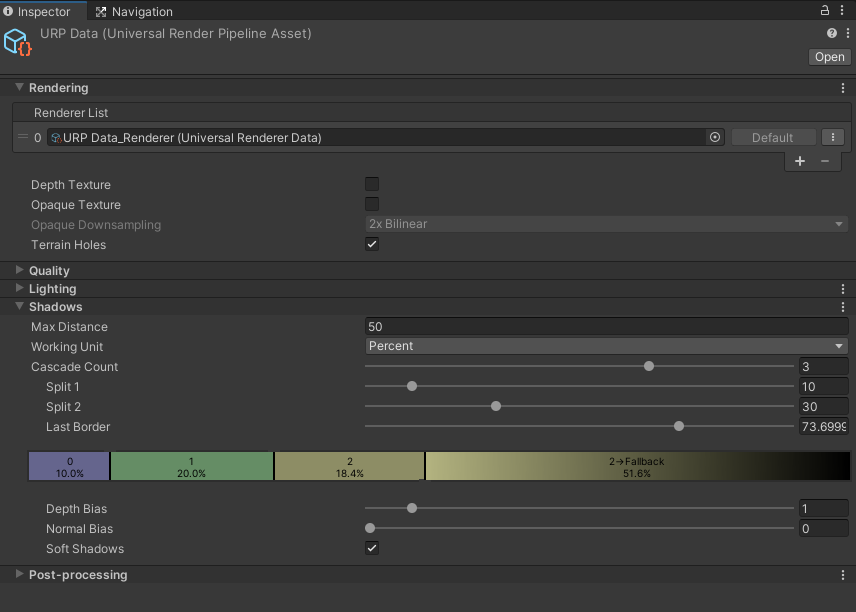
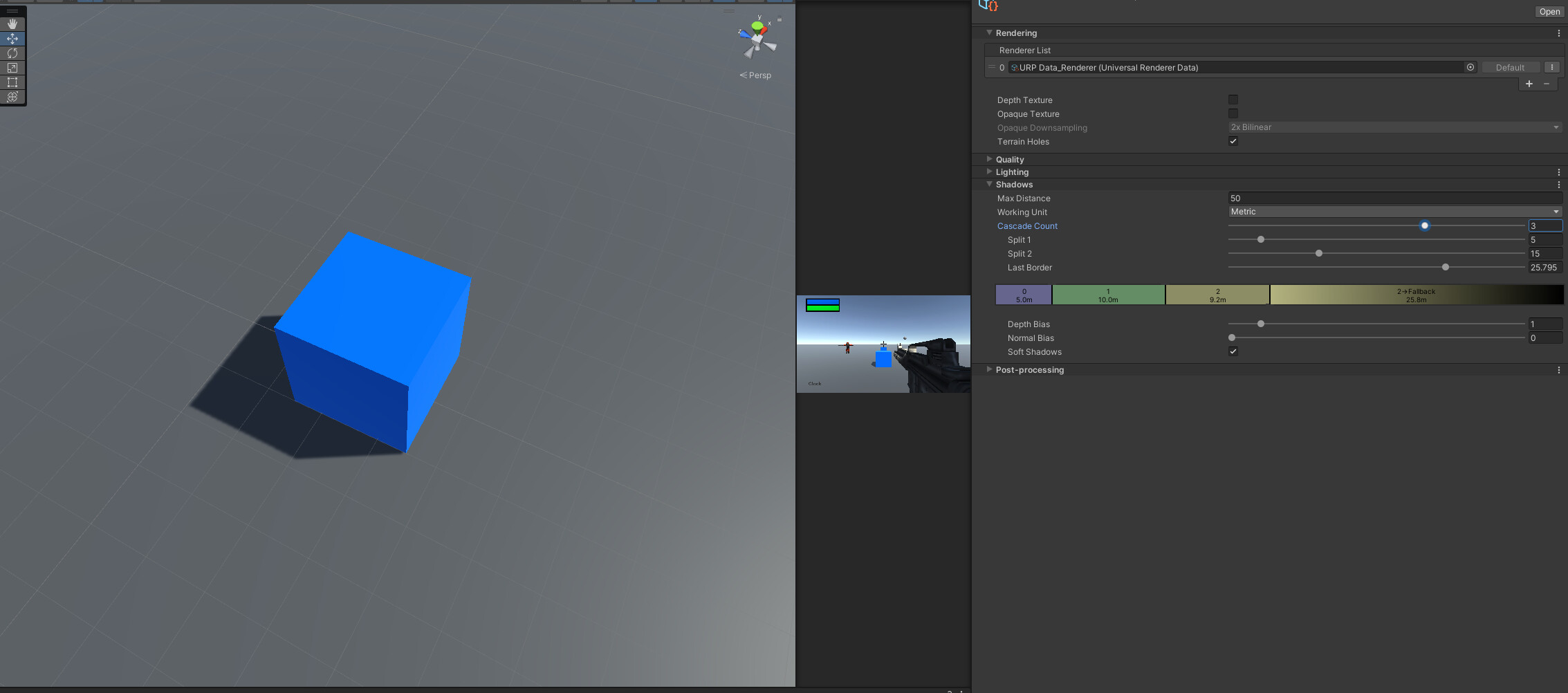
I updated from legacy to URP.
Default Settings:

Maxed out settings:

It looks bad. I set all stuff to max, i followed youtube-“fixes” for bad shadows, it still looks really bad.
Is this just what URP is or can it do better?
I updated from legacy to URP.
Default Settings:
Maxed out settings:
It looks bad. I set all stuff to max, i followed youtube-“fixes” for bad shadows, it still looks really bad.
Is this just what URP is or can it do better?
Update: Created a new URP Projekt, just to see what it looks like on “high quality”
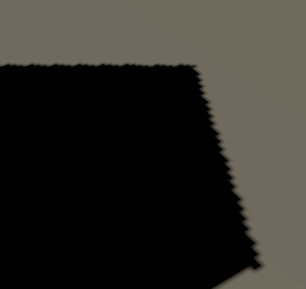
Oh damn it.
Change Normal Bias in Shadow Settings in RenderPipeline asset to 0. That should fix it.
Thanks! I tried, but it doesnt.
If you’ve got soft shadows enabled, you should get better results than that. But they need enabling both on the light source and on the URP pipeline asset:
Have you just missed this checkbox?:
(AFAIK mobile platforms use simpler/cheaper shadow filtering though. Not sure if this is visible in the editor when in iOS/Android mode, or just on device)
Hey, i tried. It gets the same blocky line with softened edges. It still looks really bad.
Even a standard new URP project looks bad.
The default construction site scene you get when you create a new URP project should have soft shadows enabled and looking pretty good. From there you can turn the shadow resolution up another notch and fiddle with the cascade distances+biases
I don’t know if the construction scene used baked lighting, i just know that one cube doing a shadow on a different cube looks pretty bad on the best settings possible.
Not only bad, but bugged, broken. I mean look at the screenshots. Thats not 2020 “low quality”, that would have been considered ugly in 2005.
There’s definitely something wrong in your URP setup. To me it looks like you have a low shadow map resolution.
Also, make sure you’re modifying the settings on the right URP Assets.
It’s 2022 and i still have the same problem… does someone know how to fix? have already max settings on the engine… cranked up almost every single possible shadow quality settings and looks preety bad.
BIRP + Next-Gen Soft-Shadows…it’s a few years old and still doing a better job… Frankly I don’t think URP is going to get better at anything anytime soon.
1 - First you need to understand that URP is for low/mid end hardware. Mostly phones and handhelds like switch or low poly games.
2 - Realtime shadows are very demanding (something that almost nobody knows) so, for low/mid hardware is not useful to have pixel perfect realtime shadows
3 - …But you can achieve great shadows even for urp, do not forget to check the “shadow resolution” options in your pipeline asset > rendering
4 - do you really need 4096+ resolution for realtime shadows for your objects in a URP project? Really?
5 - Are you sure you can not use baked lightmaps?
6 - If you need more than that (which i really doubt) you can work with a HDRP project but you will need to work really hard on performance.
Check this video 
The problem isn’t the resolution, it’s the prehistoric shadow filtering.
TBH, the shadows in built-in are also ugly, but at least there are 3rd party assets for solving that.
This under 2-minute video shows how to solve lots of this I am not saying they will be gorgeous but at least smooth without light shining through. It is not my video. Also, check the top comment about setting normal bias slightly above 0 maybe 0.1

This video is the only thing that helps fixing the shadows! Thanks!
The settings fix look from 3 years ago! Something more actual?
well a year later and URP is still barely anything good about it
It’s not like we are expecting Unreal Engine 5 level of graphics for URP.
Recently in research about UI elements, i came across screenshots from UT2003 which is UnrealEngine 2.
And to be honest, it’s shadows looks fine. Not amazing by todays standard, not impressive by any means, but not ugly.
I would take 2003 quality shadows.
Unity really needs to add a screen space blur pass to it’s shadows. O3DE and Godot do this to fantastic effect.