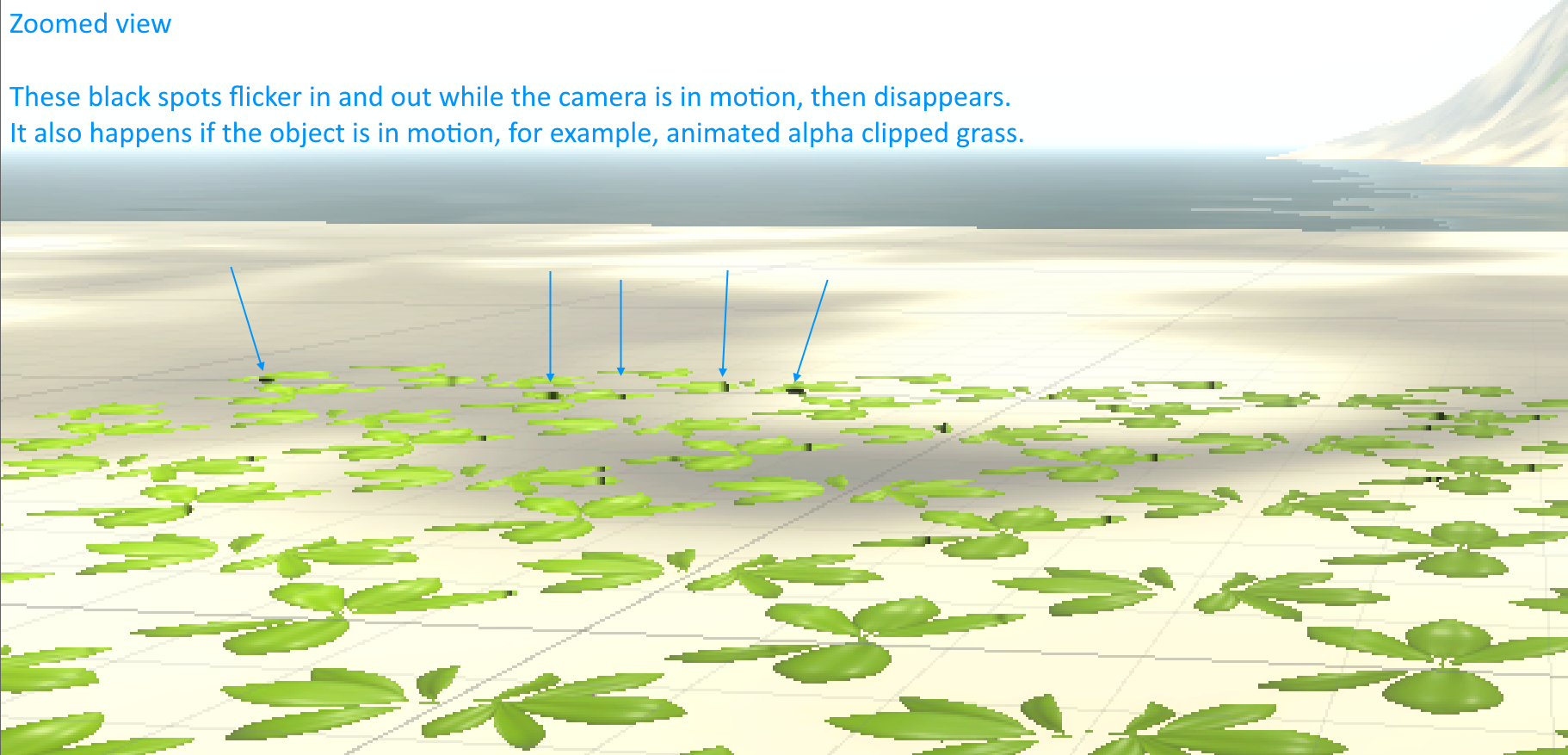
Problem description:
When Volumetric Clouds is enabled with the Local Clouds checkbox on, horrendous black spots will be rendered on the edges of alpha clipped materials during any motion. It settles after a short while and then disappears.
Test setup:
Directional light (sun).
Plane with simple HDRP Lit material with alpha clipping (leaves).
Simple background plane to help show what’s going on.
Global Volume with Volumetric Clouds and Local Clouds enabled, alongside other common settings like gradient sky, fog, etc.
Additional info:
Our world is covered by very dense foliage/grass in the form of alpha clipped materials. So while this issue might seem small in isolation, it turns our game world into a sea of flickering black spots. The goal was to have real clouds that have the ability to cast shadows and dim the sun in a natural way that looks great on our terrain and grass… but in the current state, this makes local clouds with shadows basically unusable.
We are using Unity 2022.1.0b11 and HDRP 13.1.7.
Hey, thanks for the detailed report.
Out of curiosity, can you disable the clouds, and then assign a cookie texture to the directional light (a black and white cloudy texture rendered via the corresponding Photoshop filter will do).
I’m asking this to isolate the issue: it might be unrelated to clouds, and be instead linked to the light’s cookie (which the clouds use to cast shadows).
Thanks for the reply.
For a while during testing, I also thought it was related to sun cookie. I actually tested this by disabling the cloud shadows and then manually adding a sun cookie. No black spots in this case.
The following series of images show the test setup and the result with various combinations. I also have two inspectors open on the right - one showing the cloud properties, the other showing the directional light properties.


Hi,
I’ve noticed the same problem. No custom sun cookie, volumetric clouds shadows enabled, local clouds enabled.
It looks like black spots are not visible at all when local clouds are disabled so it’s possible that the problem is related to clouds or clouds shadows.
Unity 2021.2.15
Thanks.
In my previous reply, based on the various combinations I tried (screenshots), I can confirm that the problem is completely unrelated to sun cookie and completely unrelated to cloud shadows on/off (which indirectly uses sun cookie). It is reproducible ONLY by enabling Local Clouds, regardless of any other settings.
Great! Do you mind adding a bug via Unity (Help > Report a bug), with a tiny scene that showcases the issue? This way, it will be much easier for our engineers to repro and fix the bug.
Update - the bug can now be tracked here: