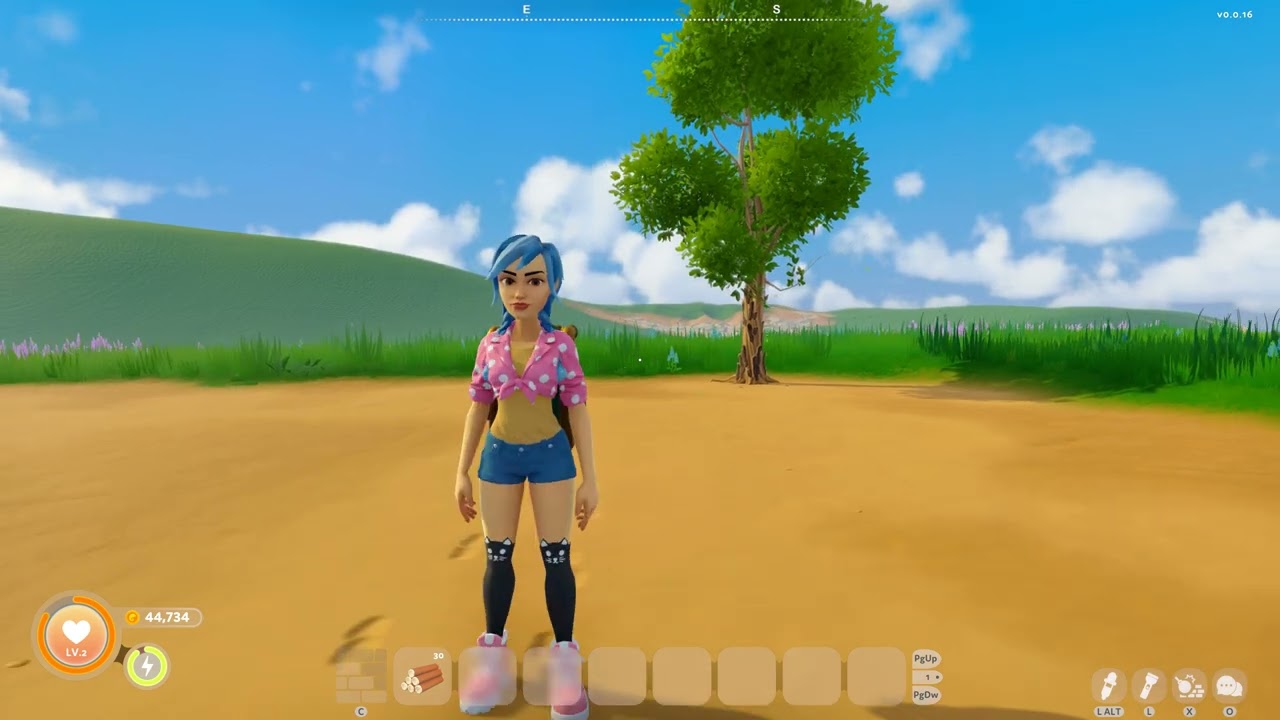
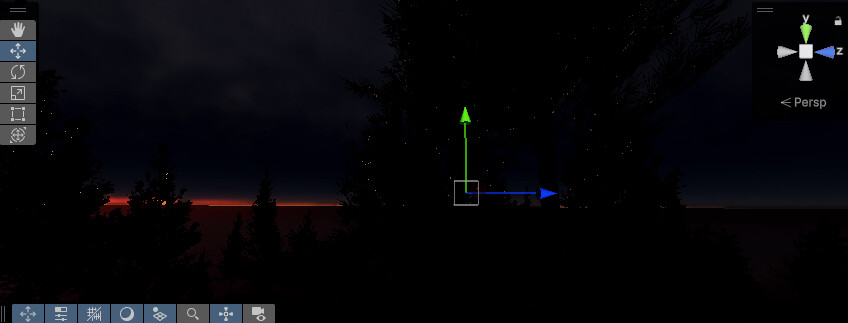
I’ve come across a bug in HDRP (Unity 6000.0.40f1) with volumetric clouds where the sky becomes visible through clouds around objects that use alpha clipping (HDRP/Lit shader). This is especially noticeable at night or in dark environments, particularly with moving vegetation. I’ve already reported the bug through the Unity editor, but I’m sharing some images here as well and leaving room for discussion.
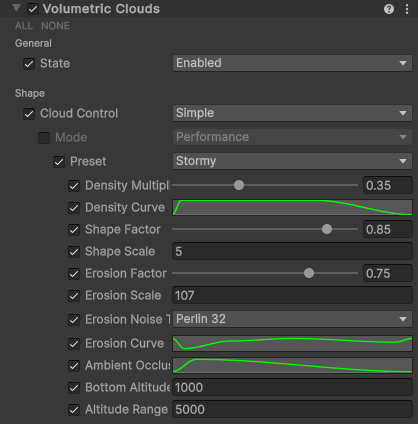
Hello, I have sent the minimal example project as part of the bug report IN-96220. In general, you just need to enable volumetric clouds in an empty HDRP project. Set up volumetric clouds (e.g., the “stormy” preset) and add any object with alpha clipping (grass, trees) using the HDRP/Lit shader. When the lighting is set as shown in the images (dark, night), this happens…
It occurs in cases where small parts of the sky are visible between a large number of alpha-clipped objects. When looking through a single billboard, it’s almost invisible, but when several billboards overlap and the sky is visible only through small gaps, it happens very frequently and noticeably.
Yep, I had a look and managed to repro quickly, as far as I know, it just needs to have alpha clipped geometry in front of volumetric clouds. Thanks for the report, the regression will be investigated asap
Just to add here - I think I’m also seeing this on 2022.3.59. When I look at clouds near the edges of tree leaves (alpha cut-out), a lot of white/glow becomes visible over the tree leaves. But to be honest, I can’t be totally sure if this is the same thing or something unrelated.
All I know is, the white/glow only appears where clouds are, not where clear sky is… so it doesn’t appear to be a brightness/bloom kind of issue.
Yesterday I looked at this issue briefly and tried checking and unchecking dozens of random things on the clouds override, including the ghosting reduction setting. But the heavy white blurs remain whenever the clouds are behind some alpha clipped tree leaves. I will dump a video here (later or tomorrow). But in a nutshell, while the camera is moving at all, even forward/backward towards the leaves, the clouds become visible through the leaves essentially. Almost like a heavy bloom effect.
While the issue does make Local Clouds pretty bad, I worked around it by removing the local clouds option, and then rendering our sun and moon physical objects + custom stars layer (VFX) in a custom pass injected at After Opaque and Sky. This places the volumetric clouds correctly over these objects. Everything is fine now using this method.
I am experiencing the exact same issue. As you can see, in low light, with volumetric clouds enabled, you can see a noticable “sparkle” in the trees. If you look closer, you can see this is coming from little pinholes in the trees. The scene is very dark, as thats what showcases the problem best, but the thing I’m referring to are the bright dots scattered in the trees throughout my screen. I’m hard stuck on my project until I can find a fix, or this gets patched. Does anyone have any idea how I can address this?
I’m in the process of upgrading from 2022.3 LTS to 6.0 LTS.
My previous solution to the clouds ghosting issues, was to uncheck Local Clouds so that the clouds render in the alternative “not in the world” mode.
However… in Unity 6 this option is gone, and I’m afraid that the cloud issues right now are seemingly impossible to fix or work around.
Specifically… we have a chain of issues, where each fix causes another serious problem:
When Temporal Accumulation is disabled, the clouds understandably look noisy and unstable in the details.
But cranking up Temporal Accumulation, causes severe ghosting (first half of my example video).
The Ghosting Reduction checkbox perfectly fixes the ghosting, but causes severe flickering in the tree leaves anywhere near alpha clipped edges (second half of my example video). Weirdest part is, the flickering only happens when the camera stands still, i.e. after the accumulation period. Maybe this is a hint as to how this bug might be solved.
So we’re really stuck here with having to select one of three pretty bad problems. I’m not sure if a bug has been logged regarding this. If not, should the focus be on the flickering that happens when Ghosting Reduction is enabled?
Part 1 - ghosting
Part 2 - flickering
(Please watch on YouTube or the flickering will not be visible)
It would be a real shame if the entire Volumetric Clouds system is essentially not usable, when it’s 99.9% finished
So, it’s not gone, it just has been moved and renamed elsewhere as part of some sort of “unification” task since it touches a lot of settings of the physically based sky atmosphere as well.
Now you can change it in the visual environement under planet > rendering space.
You can change the dropdown to Camera or World (local clouds option in the past) if you want to be able to go closer to the clouds.
Let me know if that fixes your issues otherwise, we’ll have a look if there was a regression of some sort in that area !
EDIT:
Thanks for getting back to me. I tried the Camera rendering space (Planet settings) and the flickering noise is still there.
(To summarise one more time: we have to use Ghosting Reduction because the ghosting is very severe over trees and near mountain edges. But, enabling Ghosting Reduction causes severe flickering noise)
Please see the video in YouTube itself (not embedded):
I’m also experiencing this problem but with non-alpha clipping materials as well. For example I believe I can see the sky through a terrain (default HDRP terrain material) when looking at clouds from above:
Notice how the problem is not apparent at close range but increases in far range clouds; there is a bright border around them which grows even larger when the camera moves similar to the videos above in this thread. I’m using 6.2.15f1 to demonstrate this but I’m assuming the situation is no different in 6.3 if there hasn’t been any mention of it being fixed.
I know this might not be the intended use case for volumetric clouds but in my game players are definitely going to see them from above quite often. So this is noticeable enough that I may have to come up with my own cloud solution if there’s no fix…
Okay, looks like it got some attention after all. Marked as fixed in 6000.4.0b10 which is publicly available right now. Not for 6.3 sadly. Hopefully someone from Unity will show up and clarify. Have anyone tested yet, @mgeorgedeveloper@NadaZilch@SomeGuy22@dmnkpv7@kinlough ?
I tried using this Expanse volumetric asset as a replacement for the built-in volumetric clouds and they seem to fix the issues described here, though there is a heavy reliance on reprojection and you will need to mess with the quality settings to avoid low-res artifacts. Another thing to note is that the asset requires their specific components on light sources to get the lighting direction and their own physically based sky option to be selected instead of the built-in one for the Visual Environment setting in your sky volume. But besides that (and some ground flickering that could be caused from shadow/fog settings), the asset seems like it could work out as a potential replacement.
Unfortunately neither the asset or Unity’s clouds handle transparent object sorting which is an issue for my project because I have a large semi-transparent water surface built with a custom shader that always renders above the clouds:
I know it’s a bit of a different topic but reading through this discussion I just discovered that selecting a “refraction model” under Transparency Inputs in the standard Lit shader allows correct sorting with clouds, but it creates a blurry scene behind the object’s transparent pixels regardless of the settings I choose. So I’ll have to do more research to see if this refraction trick could work or if I need an entirely different approach that solves these issues. Right now my idea is to try out GPU simulated particles emulating the look of clouds via the Visual Effects Graph, which might be another good option for anyone coming across these artifacts.