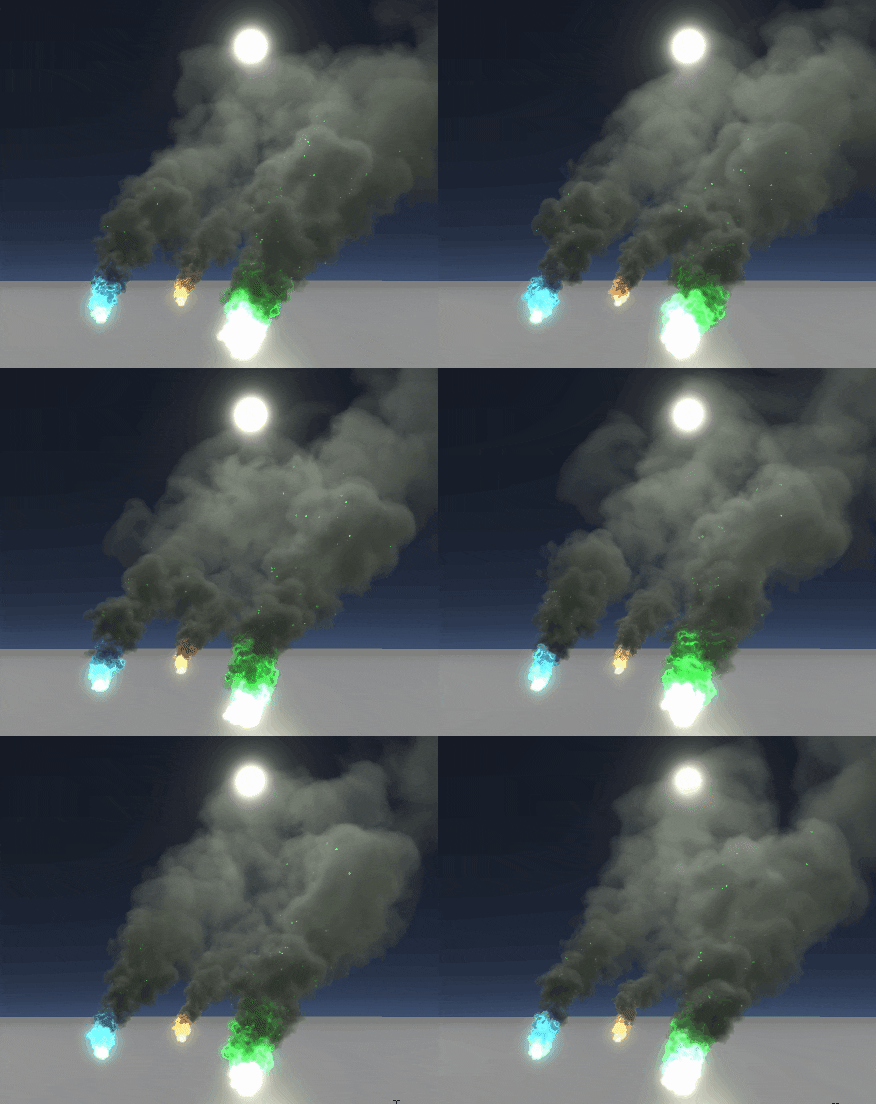
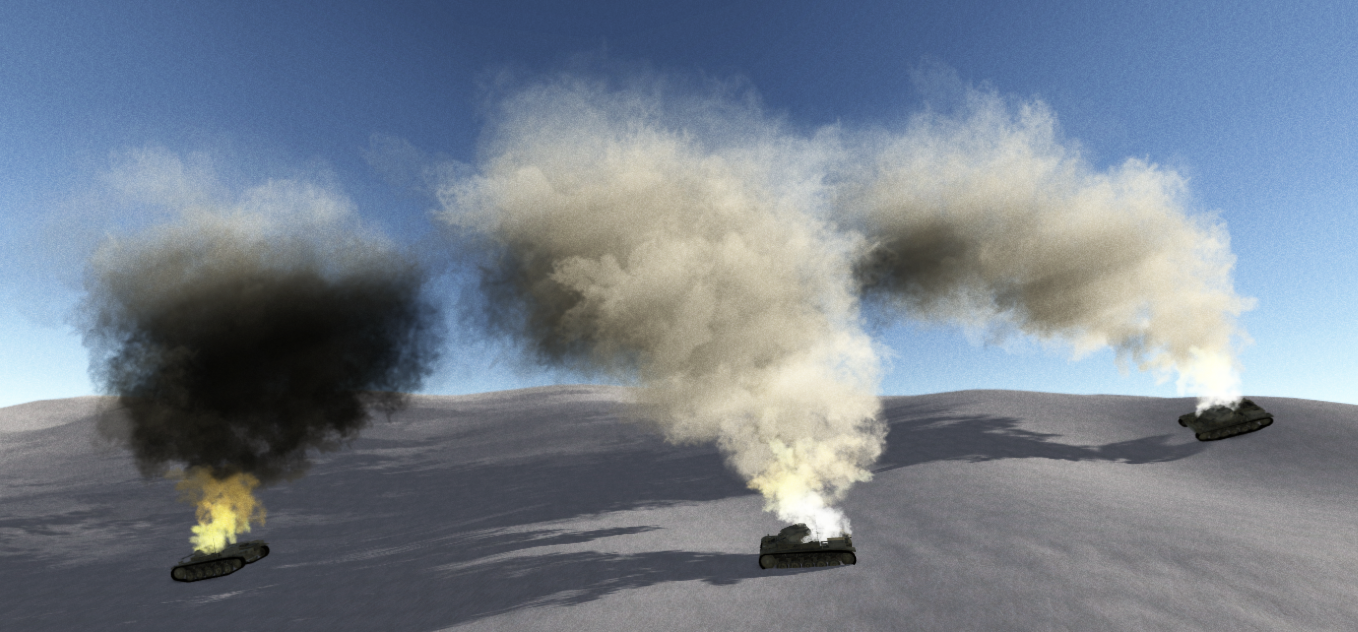
As part of the Volumetric particle lighting project I have created a stand alone Asset available on the asset store called Advanced Normal Mapped Particles which is available here https://www.assetstore.unity3d.com/en/#!/content/60561 . the later posts in this thread mostly discuss this asset.
----------------------------------------------------- END EDIT ------------------------------------------------------
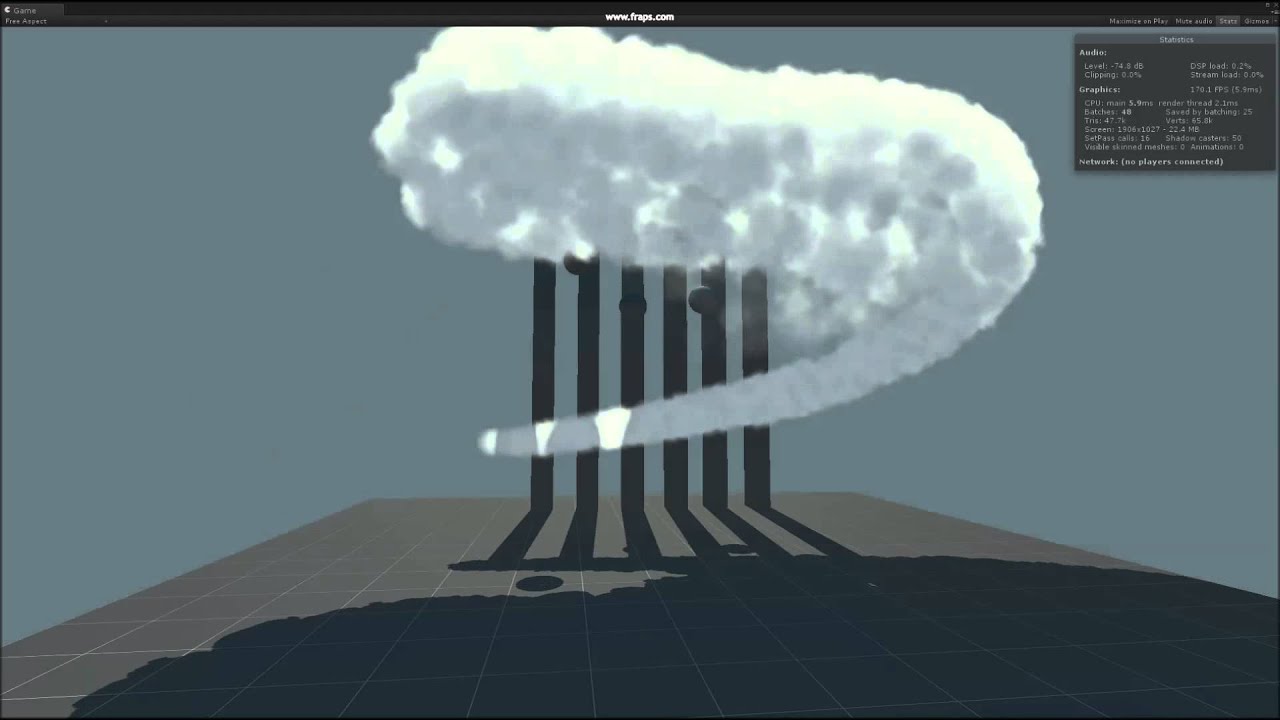
Hi i was not impressed with the current lighting solution for particle systems so i am working on integrating volumetric lighting into the particle lighting solution. here is my progress so far.
left is my solution right is the current unity particle effects using the same texture
requirements are direct x 9 hardware so no ios or droids unfortunately as for performance i haven’t done any benchmarks yet but its going to be somewhat expensive. there are a lot of ways i can trade quality for performance though so i think i can get it running on lower end systems
Animated sprite sheets should work fine, elongated sprites,mesh particles , trails and just plain meshes should also work fine with my current setup, the only limitation at the moment is that it only works with one directional light no spotlights or point lights but i plan on changing that in the future. at the moment I’m stripping out all the code and reorganizing it so i can build one mega shader with optional graphics setting so i don’t end up with 20 shader variations but when that’s done ill build some new test beds to show it off. Speaking of test beds What sort of environments / game styles would people like to use this in?
i should clarify my current solution only receives shadows from transparent objects at the moment it does not receive shadows from hard objects ( causes graphical glitches ) but im working on a solution to this that has reasonable performance
AFAIK there’s a method in 5.2 that allows you to sample the shadow buffer quicker for post fx etc. Since this is a transparent pass it can be utilised.
Sorry, it’s in 5.3 so if you’re not a pro user you won’t be able to access it at the moment.
Graphics: CommandBuffer.SetShadowSamplingMode() can be used to enable sampling raw depth value from shadowmaps, to be copied or post-processed by user effects.
I’m not actually sure, I go through so many alphas and betas. The best thing to do is keep a close eye on the release notes for 5.2 and 5.3. Think there’s another similar one too.
Like @hippocoder said, having particles being affected by shadows from opaque objects is a must in basically all 3D games. Would be really nice if you could implement that into this!
I’ve seen in some slides about “Uncharted” graphics, that they recommend only having SSAO in the shadow areas. With this new feature maybe someone could implement that as an option into the default SSAO effect? Maybe as a blend parameter between full AO and no AO in the directly lit parts?
its easy enough to dump in shadows, only 1 or 2 lines of shader code but the performance hit can be quite harsh. the average pixel in a scene without transparency will require 10 to 20 texture lookups if you have a particle effect with 20 to 30 particles stacked on top of each other without shadows its still only one texture lookup per particle so around the 40 - 60 mark but if you add in a pcf5 shadow lookup it increases the cost 5 fold which is not good
Made some more changes to the code, now you will have the option of doing the expensive light calculations per pixel or per vertex depending on the level of fidelity you need.
Using per vertex lighting removes a lot of the fine details especially when looking up through the smoke towards the light but should dramatically reduce the overall cost especially with large particles that fill the camera. I’m planning on adding normal mapping of some kind to add back in the details that are being lost by the per vertex calculations.
Speed is nice, it’s pretty much the only thing I need except for being able to darken particles in shadow, but probes might help there as it doesn’t really need per pixel accuracy?
at the moment probes are only sampled in the center of the mesh which is not very useful. I’m going to do some tests with doing per vertex shadowing but that probably will result in nasty popping artifacts