Hi, I’m seeing some massive performance issues in Chrome in comparison to Firefox. The frame rate in Chrome is maybe 1/3rd (barely playable) or less than that of Firefox. Firefox runs easily at 60 FPS+ with no lag at all. I’m on a MacBook Pro Apple M1 2021 on macOS Monterey 12.5 using Chrome version 104.0.5112.79 (arm64).
Any ideas on how to debug what’s going on here? I’m also seeing this performance degradation on other Unity apps not just mine, e.g. https://zombsroyale.io runs super fast on Firefox but insanely slow on Chrome.
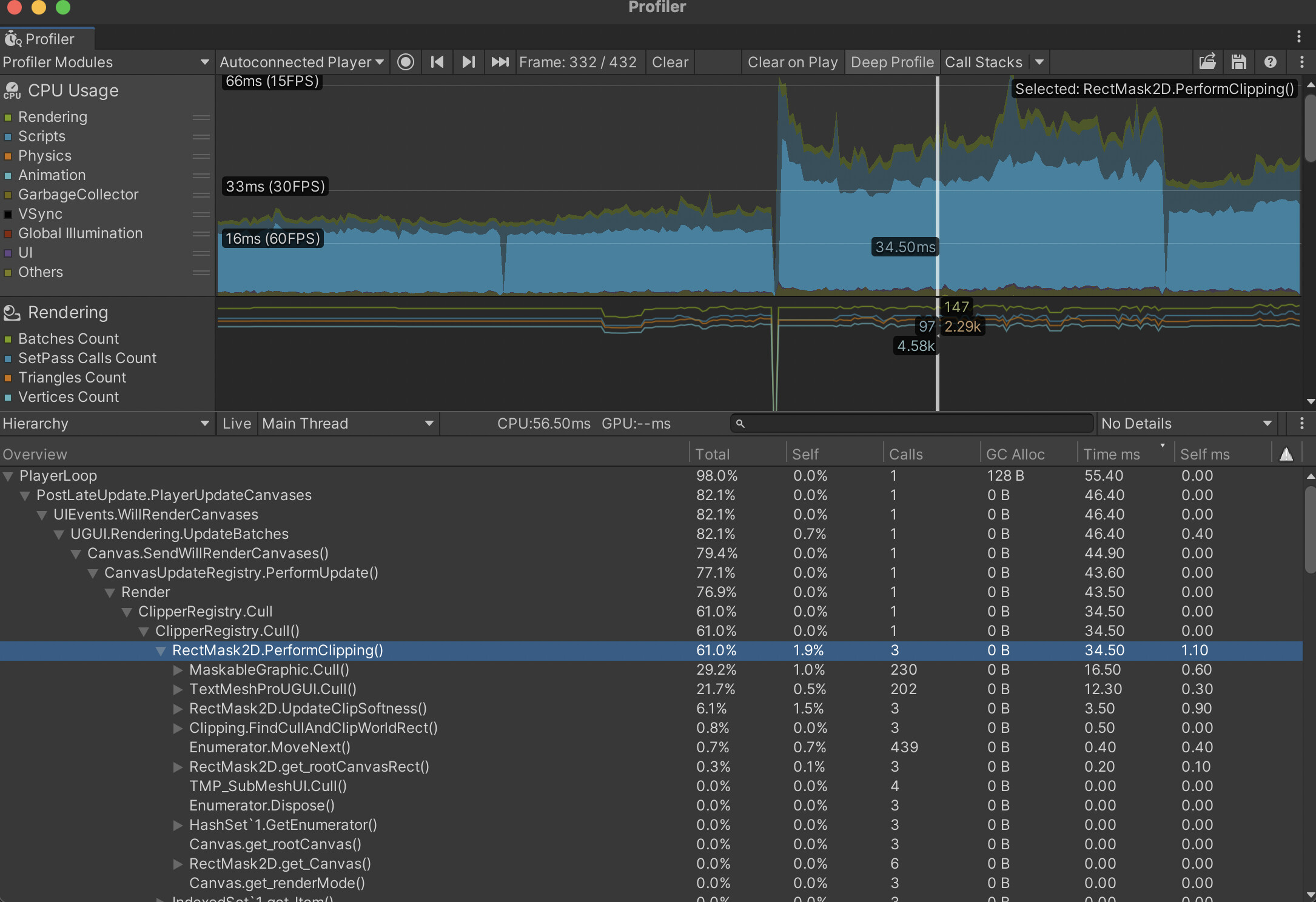
Here is a single frame when profiling on Chrome. The scene I’m testing is a simple canvas UI with some scrollable elements.
Maybe around 2 years ago in tests we did Firefox was always roughly 20% faster than Chrome. Even Edge had an edge over Chrome. This was on Windows though.
Make sure to run tests on a vanilla installation of browser and OS to be sure the difference is because of the browsers, not the plugins or some user settings. At a minimum create a new user account or set up each browser to use a new browser-specific account (Chrome has a concept of users, don’t know about FF). That way both browsers will be using their default settings.
@CodeSmile I’ve tried using Chrome in Incognito with all extensions disabled to rule out any extensions having an effect but not seeing any difference. I think the FPS difference I’m seeing is much higher than 20%. Chrome seems to be about ~20 FPS or less and I can see many frames being dropped if I record a performance snapshot via dev tools. It’s barely playable. But Firefox is running at ~60 FPS without any issues.
One last thing you can try is to run a WebGL performance test on the web in the two browsers. If you see the same performance difference, it is either due to the browser or related to your machine. Since you already mentioned that in the first post you should try to make the same tests on another machine. I would expect this to be a hardware/software issue on your end.
Try these:
https://web.basemark.com/
Funny enough I get a better score in Chrome on the benchmarks than on Firefox. Using basemark I got 1807.77 on Chrome and 1631.68 on Firefox. I tested it on another device - a MacBook Pro 2019 model on an Intel chip and got the same results: super slow on Chrome and fast on Firefox.
It seems like it’s an issue with only Unity WebGL builds on Chrome on macOS. Other web games with similar complexity like https://rocketbotroyale2.winterpixel.io/ that uses Godot runs fine on Chrome.
Firefox uses a different graphics engine/backend than Chrome and Safari. And then Chrome uses the OpenGL backend of its engine, and Safari uses the Metal backend, making it very tricky for us to know what’s happening without a project that reproduces the issue. Can you attach a project (or better yet, open a bug report  ), that shows this problem?
Interestingly, we tried out the zombsroyale game you shared in your original post and it performed similarly on Firefox and Chrome on an M1 Mac.