XR Interaction Toolkit 2.6.4 - Button Press Carries Over to Newly Activated UI Panel

I’ve recently upgraded to the XR Interaction Toolkit version 2.6.4 and encountered an issue with UI button interactions.

In my setup, pressing a button closes one panel and immediately opens another. If the new panel has a button in the same screen position as the one just pressed, it gets triggered unintentionally — even though it shouldn’t. It seems like the input event is “bleeding through” to the newly activated panel.

This is causing a lot of accidental button presses and unexpected behavior. Has anyone else experienced this? Is there a known fix or workaround?
Hey @joeysipos,

This sounds like a potential bug. We will set up a similar scenario and see if we can reproduce it. I am wondering if you are triggering any click events on mouse/controller button press rather than on release?

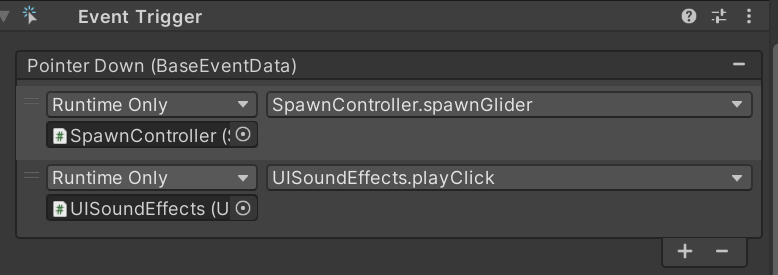
Hi VR Dave. Yes, I would really appreciate if you could look into this issue. We are triggering the button using “Pointer Down” event. It was working fine before I upgraded to XR Interaction Toolkit version 2.6.4. Then this bug stated occurring. I had to revert back to 2.6.3. Thanks.