Hello, im having trouble with this error, on line 8, 5.
I had a error like this not too long ago but I think that the error is not in the line that it shows so I don’t know.
Here’s the code:
using System.Collections;
using System.Collections.Generic;
using UnityEngine;

public class moimientoo : MonoBehaviour{}


    bool jump;
    bool move;

    // Start is
    // called before the first frame update
    void Start()
    {

    }

    // Update is called once per frame
    void Update()
    {
        if (Input.GetKey("left"))
        {
            gameObject.GetComponent<Rigidbody2D>().AddForce(new Vector2(-1000 * Time.deltaTime, 0));
        }

        if (Input.GetKey("right"))
        {
            gameObject.GetComponent<Rigidbody2D>().AddForce(new Vector2(1000 * Time.deltaTime, 0));
        }
        if (Input.GetKeyDown("up") && jump)
        {
            gameObject.GetComponent<Rigidbody2D>().AddForce(new Vector2(0, 250f));
        }
    }

void OnCollisionEnter2D(Collision2D collision)
{
    if (collision.transform.tag == "zuelo")
    {
        jump = true;
    }
}
I’ll remove the tag “2D physics” because your post is nothing to do with that. I’ll also move your post to the Scripting forum as again, the above is nothing to do with 2D but rather just a typo or misunderstanding of C#.
public class moimientoo : MonoBehaviour{}
You don’t put the curly braces like that when defining a C# class; they are supposed to encapsulate the contents of the class i.e. your fields, methods etc. Unity creates you this class when you add a script so just add one and have a look at it or follow any tutorial online to see a class.
I would recommend that you follow some documentation/tutorials on how to define a C# class such as this one: C# Classes and Objects
The error is always either on the line or somewhere before that line that is reported. The compiler reads your code just like you would read a book. From the top left to the right and line by line downwards. An earier mistake might only surface at a later point in time.
In line 5 you declared a new class type named “moimientoo”. However the body of that class is started and ended on the same line since you have the { and } right on the same line. That means your class declaration is finished at that point. That means the code in line 8 makes no sense since you try to declare a variable but you’re not inside a class / type definition. What you want is this:
    using System.Collections;
    using System.Collections.Generic;
    using UnityEngine;

    public class moimientoo : MonoBehaviour
    {
        bool jump;
        bool move;

        // Start is
        // called before the first frame update
        void Start()
        {

        }

        // Update is called once per frame
        void Update()
        {
            if (Input.GetKey("left"))
            {
                gameObject.GetComponent<Rigidbody2D>().AddForce(new Vector2(-1000 * Time.deltaTime, 0));
            }

            if (Input.GetKey("right"))
            {
                gameObject.GetComponent<Rigidbody2D>().AddForce(new Vector2(1000 * Time.deltaTime, 0));
            }
            if (Input.GetKeyDown("up") && jump)
            {
                gameObject.GetComponent<Rigidbody2D>().AddForce(new Vector2(0, 250f));
            }
        }

        void OnCollisionEnter2D(Collision2D collision)
        {
            if (collision.transform.tag == "zuelo")
            {
                jump = true;
            }
        }
    }
Note that you currently set your “jump” variable to true when you start colliding with something. However you never set the variable back to false anywhere. You may want to use OnClooisionStay2D instead to set it to true and set the variable to false when you actually jump. Though that’s up to you.
No. You have nine errors. One of them is hiding the other eight. C# will do that with some errors. In this case you’re not using opening/closing curly braces correctly. A class should have a pair the surrounds everything belonging to that class. A method should have a pair that surround everything belonging to the method.
If you accidentally leave part of your class outside of the class curly braces or part of the method outside of the method curly braces you will get errors like that (it won’t always be that specific error).
@alisaleh1980 Well, first of all… telling us the compiler error number (CS8803) does not help much. The Console window in Unity should normally tell you the exact line and column (X, Y) at which point the error occurs.
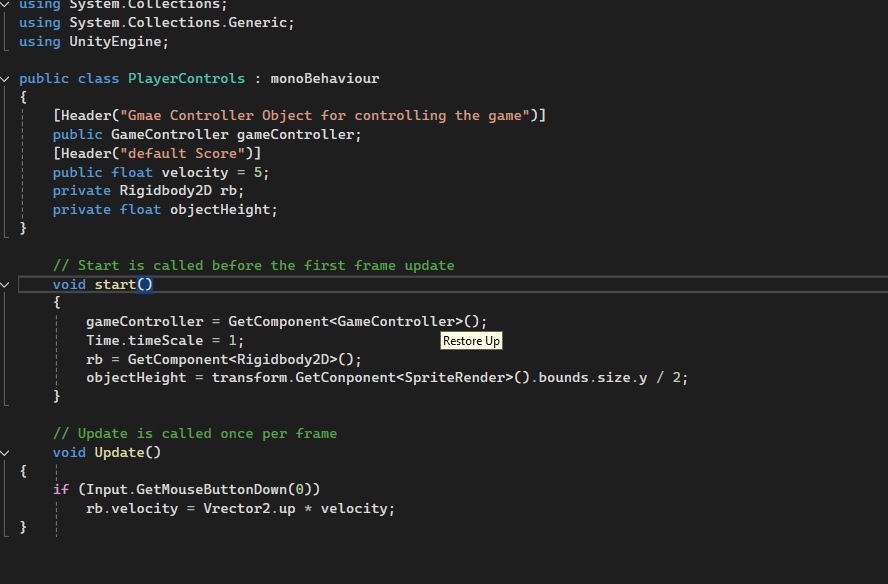
Looking at your screenshot, however, there are some obvious errors visible immediately:
You are just making simple typing mistakes. Don’t do that.
You can fix your own typing mistakes. Here’s how:
Remember: NOBODY here memorizes error codes. That’s not a thing. The error code is absolutely the least useful part of the error. It serves no purpose at all. Forget the error code. Put it out of your mind.
The complete error message contains everything you need to know to fix the error yourself.
The important parts of the error message are:
the description of the error itself (google this; you are NEVER the first one!)
the file it occurred in (critical!)
the line number and character position (the two numbers in parentheses)
also possibly useful is the stack trace (all the lines of text in the lower console window)
Always start with the FIRST error in the console window, as sometimes that error causes or compounds some or all of the subsequent errors. Often the error will be immediately prior to the indicated line, so make sure to check there as well.
Look in the documentation. Every API you attempt to use is probably documented somewhere. Are you using it correctly? Are you spelling it correctly? Are you structuring the syntax correctly? Look for examples!
All of that information is in the actual error message and you must pay attention to it. Learn how to identify it instantly so you don’t have to stop your progress and fiddle around with the forum.
The compiler supports intellisense to help you. This may help you with intellisense and possibly other Visual Studio integration problems:
Sometimes the fix is as simple as doing Assets → Open C# Project from Unity. Other times it requires more.
Other times it requires you also nuke the userprefs and .vsconfig and other crufty low-value high-hassle files that Visual Studio tends to slowly damage over time, then try the above trick.
Barring all that, move on to other ideas:
Also, try update the package inside of Unity: Window → Package Manager → Search for Visual Studio Editor → Press the Update button
Depending on flavor and version of Visual Studio, it may also have an installation step that you perform within the actual Visual Studio. This step seems finicky at best and may require multiple openings of VS before it comes up.
Update: The VSCode extension has been deprecated and abandoned:
Update: the VSCode integration is back… maybe!?
There may be a community fork available that is receiving updates.
Recently (July 2023) I worked on a Windows11 system that required a Microsoft component to be installed from within Visual Studio before it would work properly with all the OTHER software installed under Unity. I have no documentation on that process as I have only seen it once and it surprised me as well.