Hello,
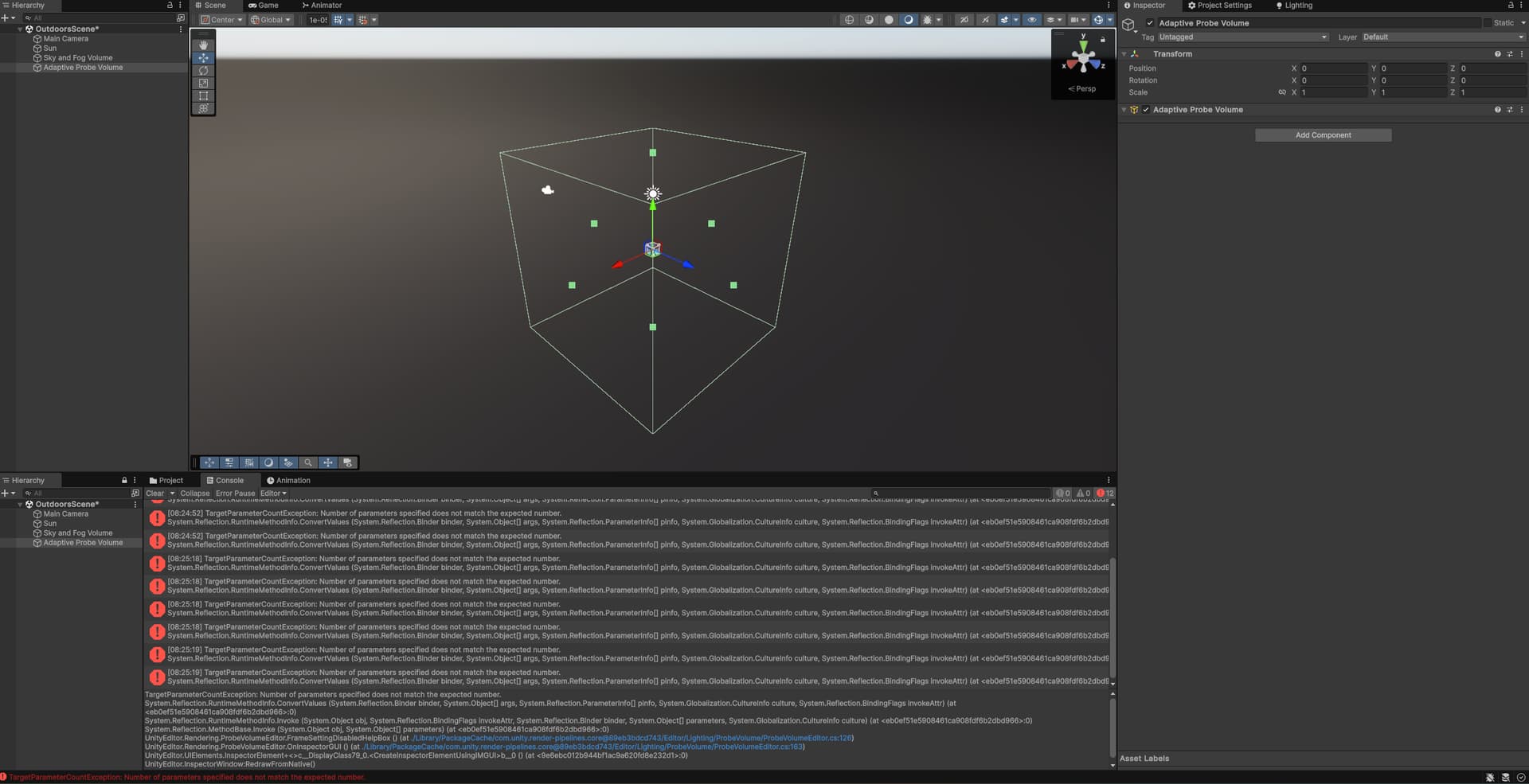
Since version 6000.0.35f1, I have been encountering the following error in the console when adding an Adaptive Probe Volume to the scene or clicking on an existing Adaptive Probe Volume. Additionally, the APV settings that should appear in the Inspector window are not visible:
“TargetParameterCountException: Number of parameters specified does not match the expected number.”
When I comment out the relevant code block in the ProbeVolumeEditor script, the error disappears. However, I don’t believe this is a permanent solution. This error completely prevents the use of Adaptive Probe Volume.
This issue has been previously reported on the Issue Tracker and was marked as resolved. However, even in the new 6000.0.37f1, the error persists.
TargetParameterCountException: Number of parameters specified does not match the expected number.
System.Reflection.RuntimeMethodInfo.ConvertValues (System.Reflection.Binder binder, System.Object[] args, System.Reflection.ParameterInfo[] pinfo, System.Globalization.CultureInfo culture, System.Reflection.BindingFlags invokeAttr) (at <eb0ef51e5908461ca908fdf6b2dbd966>:0)
System.Reflection.RuntimeMethodInfo.Invoke (System.Object obj, System.Reflection.BindingFlags invokeAttr, System.Reflection.Binder binder, System.Object[] parameters, System.Globalization.CultureInfo culture) (at <eb0ef51e5908461ca908fdf6b2dbd966>:0)
System.Reflection.MethodBase.Invoke (System.Object obj, System.Object[] parameters) (at <eb0ef51e5908461ca908fdf6b2dbd966>:0)
UnityEditor.Rendering.ProbeVolumeEditor.FrameSettingDisabledHelpBox () (at ./Library/PackageCache/com.unity.render-pipelines.core@89eb3bdcd743/Editor/Lighting/ProbeVolume/ProbeVolumeEditor.cs:126)
UnityEditor.Rendering.ProbeVolumeEditor.OnInspectorGUI () (at ./Library/PackageCache/com.unity.render-pipelines.core@89eb3bdcd743/Editor/Lighting/ProbeVolume/ProbeVolumeEditor.cs:163)
UnityEditor.UIElements.InspectorElement+<>c__DisplayClass79_0.<CreateInspectorElementUsingIMGUI>b__0 () (at <9e6ebc012b944bf1ac9a620fd8e232d1>:0)
UnityEditor.InspectorWindow:RedrawFromNative()