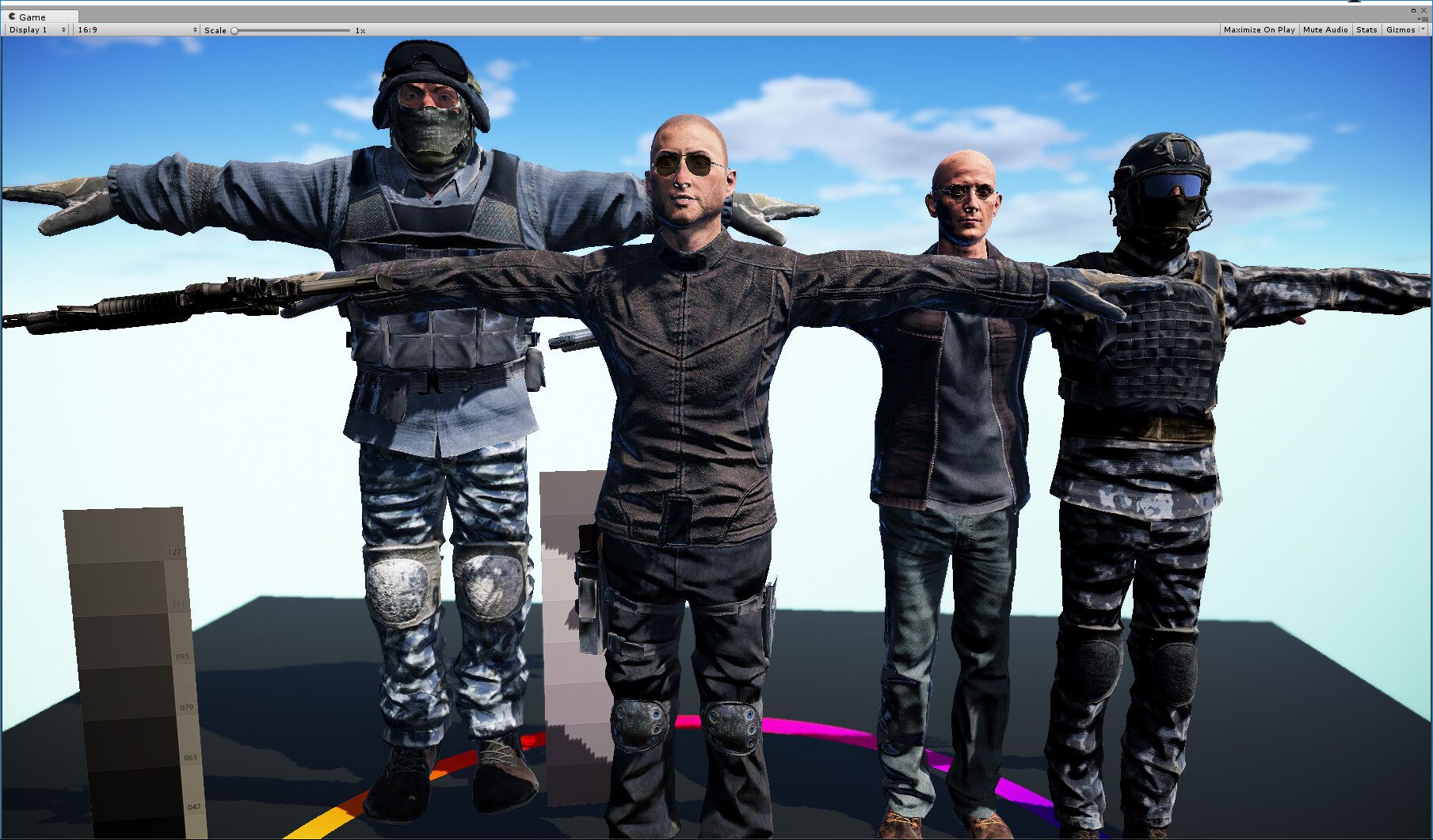
Found a neat tool from Adobe called Fuse (it’s been around, but it’s new to me). Wanted to test a character export to Unity and check out how it renders. What I like is that there are toon characters as well for stylized character exports. With a little polish and some work on the materials and textures I think this could be used for The Answer is Never! character exports (saves me a ton of modeling and UVing time).
Adobe loves their acquisitions. I remember when Mixamo first released it but I don’t remember if I’ve ever tried it. I can’t think of a case of anyone talking about it either but then most people just referred to Mixamo’s products as “Mixamo”.
I was very late to finding out about Mixamo, I do believe Adobe had already owned it. I was only aware of the online animation packs. I had no idea until very recently they had a character generator.
Yes I’m seeing that! I used to rely on MakeHuman for quick character exports that I could prototype and test, but this makes such nicer characters that can be made to look unique (not that they can’t in MakeHuman). My only critique is that I had to break out the eyeball texture to it’s own material and the eyelashes as well. In fact the eyelashes were the only transparent part of the entire body of the character, and yet the entire body has to be set to be a transparent material.
FYI the mixamo team is on record in the adobe forums that adobe has abandoned this project and nobody is working on it or fixing any bugs. They say they may come back to it someday, but don’t hold your breath.
@kdgalla I think the character is between 20-30k triangles if I’m not mistaken. It’s a desktop model as it comes out of Fuse. However with easy-to-use retopology tools nothing stops these from being converted to mobile assets with minimal work.
@hard_code Yeah I agree this wouldn’t be something one would expect any new features or expansions from. However it may live a while as users can upload their own content into it and modify that as well, so maybe the communities can keep it going. I simply like the fact this software spits out a decent topology base mesh, with UVs and a basic texture with the click of a button. After that you can use that base to build something truly unique out of it.
@wetcircuit Ha ha your avatar is really nice looking too, I especially like the unique hairstyle. I’ll have to look into UMA and how folks are leveraging these softwares together.
Fuse basemesh is around 17k… Clothing and hair are extra, but the basemesh is designed to be cut away underneath to save poly (you don’t have to cut away the body). Textures can atlas or remain separate.
Your tutorials are very well done, thank you for that link! I’d like to add that the topology is good on these models, so edgeloop decimations are not usually that problematic. You can bring polygon counts down pretty decently.
I found it odd that Adobe bought a program that was reliant on another companies texturing. I thought at the time that they may have their sites on Allegorithmic. Maybe now they have bought Allegorithmic we will see updates. Probably not.
well, the characters have color keys and are rendered and textured based on the same tech, I used Quixel Suite to render better materials, using the same color key, easy peasy…this was in 2017.1
When you refer to “color key” are you talking about something like an ID map similar to Substance Painter? I’m trying to figure out a good workflow for editing these Fuse texture maps.
I also have another question. The maps Fuse spits out don’t seem to do the specular/gloss properly, also the normal maps looks strange. Are there good settings or “gotchas” to be aware of when using Fuse texture maps in Unity?
Yes, I needed better textures, some clothes I hand drew the maps based on the UV’s, others were somewhere in the program directory. my main character’s face was hand done from hi-res photo’s. Time for a Tutorial!!
The skin substance in Fuse will need tweaking, the default settings are poor but the substance can do better. I export some helper textures by reseting the skin to white and manually creating a hair mask for a custom skin shader I made with Amplify Shader Editor… I replace the spec/gloss for the skin, it’s not procedural, it just outputs the same noise map over and over (it does some invert filtering on that map, but it’s not realistic it seems to just be noise). I think Unity might have even inverted the gloss map since Fuse was designed, so you’ll need to play around.
You can export just the textures. Maybe try un-atlased textures while learning what looks good because the Standard shader isn’t always great about having a full-range of options (different transparencies for glass and hair).
It’s a nice tool. I like the older version that can be found on Steam. Has a better variety and outputs better optimized models Just beware because the two are not compatible.


 It’s on Steam lol