What is this project:
This project contains a scene with a flat ground, and a spawner script that spawns any number of any given prefab on that ground using a selected method. The spawning methods right now are:
GameObject: creates each object with GameObject.Instantiate
DOTS: creates each object with EntityManager.Instantiate, after an ECS conversion of the original prefab
MeshCombine: gradually builds up a single mesh representing all of the spawned objects combined into one, and then creates a gameObject with that big mesh
How to use:
Open in Unity 2019.1
Open the _Project/Scenes/Env scene
Choose one of two spawning methods:
Enable the “GrassSpawner” object in the scene and set the desired parameters parameters
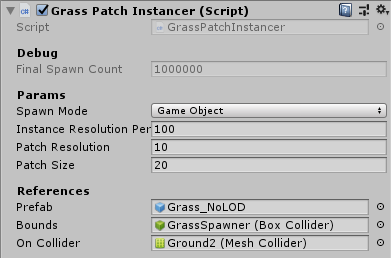
Or, enable the “GrassPatchSpawner” object in the scene and set the desired parameters
Press play and it’ll spawn the grass
Grass shader is the “Grass” ShaderGraph (mostly copied from Brackeys tutorial)
Results:
For 100k grass instances, using “GrassSpawner”:
GameObject method: >100ms
DOTS method: 20.8ms
MeshCombine method: 5.7ms
I think it would be interesting if we could take a look at this collectively and try to figure out ways we can improve performance with the DOTS approach, or with all approaches in general. Even though the MeshCombine method shows better performance than DOTS, it is also the least versatile method for real-world scenarios (difficult to do culling or LOD with this). So DOTS approach would be more promising, I think.
Any ideas/suggestions welcome
Also, can unity devs share their plans or intentions regarding DOTS rendering? What kinds of improvements can we expect in the future?
First of all an optimal solution needs to set up everything in tiles.
In terms of GPU performance some sort of MeshCombine method is always going to be a good idea. No matter how well instancing is optimized most modern GPU have 64 wavefront. So if you have less than 64 vertices being processed you are not going to hit optimal GPU performance. So optimally you combine the two techniques, based on the amount of vertices in the mesh.
In particular up close you usually would want to use higher resolution meshes in which case it probably makes sense to use instancing. Using tiles makes mesh combining in a good way easy. You don’t want to make one massive mesh but a bunch of meshes for each tile. So each tile can be properly culled. Aiming for roughly 2k-20k triangles per tile is reasonable.
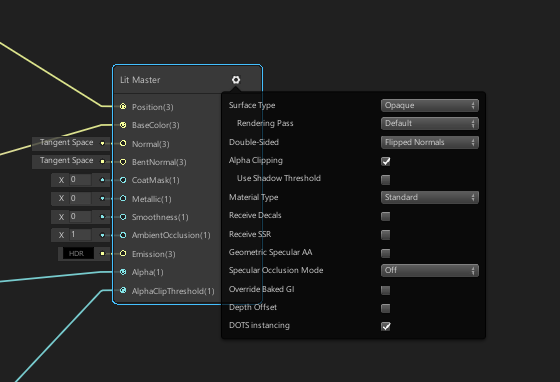
Also make sure to use “DOTS instancing” in material graph & GPU instancing checkbox on the material itself. And ensure you are using SRP batcher on the HD RP asset.
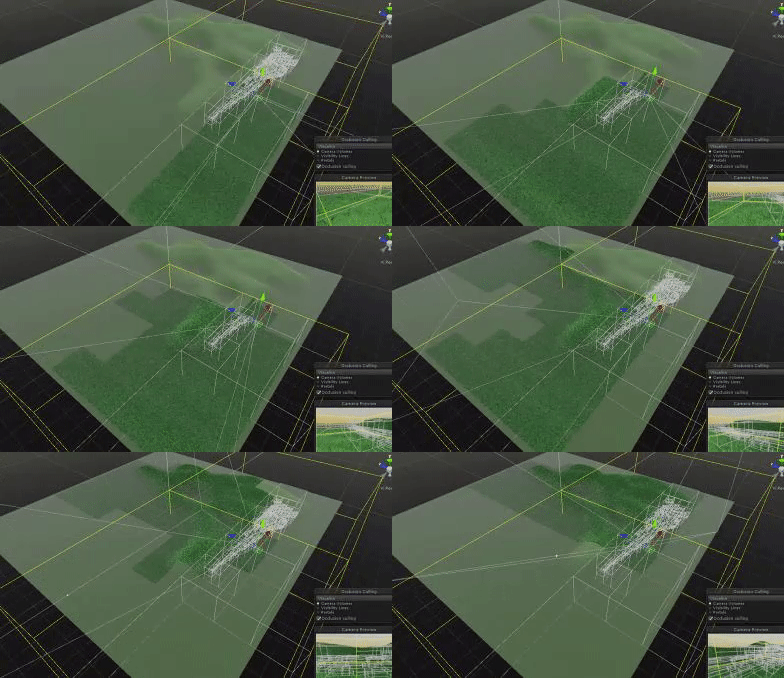
There is an option to do culling per chunk by leaving out the PerInstanceCulling tag component. Meaning for each chunk we use the combined bounding volume. For grass likely a good choice.
Lastly you need to make sure grass is marked static and renderer picks it up as such conversion pipeline for static objects does this, but there is a bunch of code to set everything up so you need to replicate that for procgen streaming.
You want to use a dedicated world and ExclusiveEntityTransaction + MoveEntitiesFrom to populate everything in small tiles that can be seperately loaded & unloaded.
You want to use batch based Instantiate since its massively faster than doing things one at a time.
is there a way currently to visualize culling for the Hybrid Renderer? Or some way I can validate how many of my grass objects are actually being culled?
Right now I make my grass objects static by adding a “Static” component to them after instantiating them. And after all of them have been instantiated, I call “EntitySceneOptimization.Optimize(World.Active);”. Is there anything else I should be doing for static optimizations? Here’s what it looks like in the Entity Debugger
I don’t know if that will work for instantiated objects. We haven’t really dug deep and optimized for that use case yet. So not sure yet. Best bet for now if you want to make sure it works is to actually check in the render system if it takes the static render code path.
When you do implement a tiled version, you’ll probably find that there won’t be too much of a perf difference between GO and DOTS. (Or at least that’s what I found :))
@PhilSA is the major cost in the DOTS version for you “UpdateDynamicRenderBatches”? This is the major cost for me, even when most of my meshes are offscreen and should be culled:
This is with ~130k instances of a simple tree mesh in the scene, GPU instancing enabled on the material, and a simple Shader Graph shader (though the built-in LWRP/Lit shader has the same outcome).
I’m not clear on what “DOTS instancing” is so I’m not sure how to check whether I have that enabled or not.
I expect taking the approach of combining some meshes into “tiles” would see some gains here based on what @Joachim_Ante_1 said above, but with each one completely separate I would have expected to see some kind of culling here where there are fewer batches being processed when I’m zoomed in? I actually expected there to not be many “dynamic” batches anyway, since every mesh is identical - is there a cap on how many identical meshes can be in a single batch or something?
Got an initial tiled version working (pushed on repo). Both with GameObjects and with DOTS. This now works through the GrassPatchInstancer script
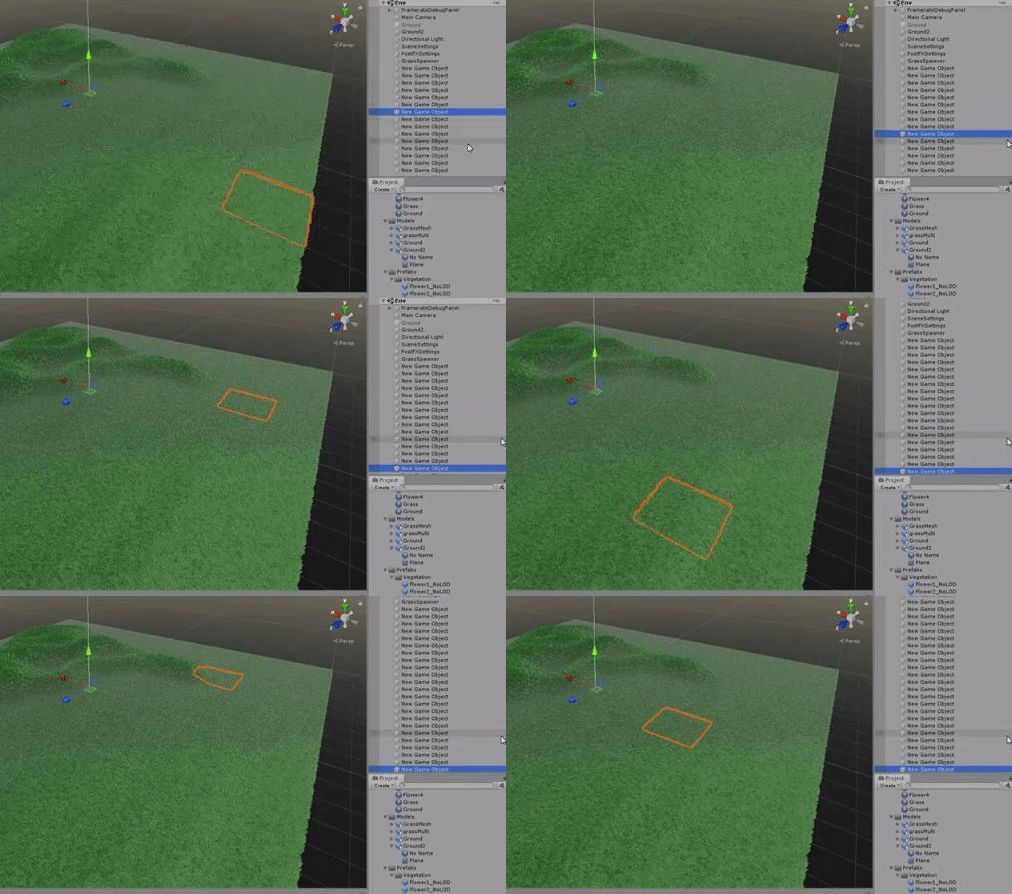
Tiles/patches of grass are spawned with a given size and resolution, and each patch is a combined mesh. Right now, each patch is 20k tris. There is no real usage of GPU instancing since every patch is a unique mesh (due to terrain irregularity)
I notice 2 things:
Performance is about just as good as the huge single mesh combine version. This does seem like the best solution so far
DOTS version of tiles is less performant than GameObject version, which is weird. Maybe my culling isn’t really working in DOTS?
Yeah, I think that there are so few individual objects to render now that it barely makes a difference
It comes down to that all of them are marked as dynamic now. So we rebuild them every frame. The dynamic codepath is not very well optimized right now yet. For megacity we focused on getting the static codepath. So try to get the static optimization code path working on a per tile basis.
I’d definately make it optional to have tile based mesh merging & instancing. There are definately real world tradeoffs based on geometry etc. Also some shaders require pivot point to be in the expected place etc.
Is this as simple as putting the Static component on? I ask because I tried that in a project very similar to this thread’s and did not get observable perf gain.
Yeah I noticed the same thing in both Editor and Standalone Player. There are some inherent overhead with the HybridRenderer + Unique meshes. https://discussions.unity.com/t/742064/10
you need to run the FrozenStaticRendererSystem on it or do the same thing it does. Essentially adding AddSharedComponentData for all entities that are being instantiated.
Either you add the same shared component data value to all tiles (Triggering a rebuild whenever a new tile is added) or you add different ones for each tile ensuring that only data in the tile has to get readded to the batchrenderer group.
If you want to see best rendering perf, add the same
FrozenRenderSceneTag to all entities irregardless of tile.
But for production code beyond profiling probably not the best choice because cost of adding things into batch renderergroup at scale is a tradeoff.
I discovered after some time that as soon as there is a terrain in the scene, this seems to break DOTS rendering. So the demo currently won’t work for DOTS unless you disable the terrain, and possibly delete Library (not sure about this one) and restart Unity. It’s very weird and I don’t know if that’s a false conclusion on my part. All I know is that very often my DOTS renderers aren’t showing
However, the DOTS version with static/frozen working still isn’t as performant as the gameObject version. I think at this point it might be better to wait for a more “official” release of the Hybrid Renderer package
Thanks, this thread was super helpful! Getting FrozenSceneRenderTag working has eliminated the UpdateDynamicRenderBatches cost, and a bit of tweaking of setting different SceneIndexes has got me to a decent tradeoff of batch size vs performance when changing the batches.
I am running into a similar problem, in that my DOTS entities will not render if I add a FrozenRenderSceneTag to them. I don’t have any terrain in my scene, and have tried to delete the Library and restart Unity (but to no avail).
I am also instantiating my objects (like you are your grass), so I am not sure if this has anything to do with it.
Hi @PhilSA I didn’t get what you are exactly adding to the instantiated tiles, the StaticOptimizeEntity, Static or the FrozenRenderSceneTag. Is these components aren’t automatically added to by the Conversion pipeline ?
And what’s the difference between them ?
I found that if you add an empty FrozenRenderSceneTag to your entities it will stop them being rendered. The FrozenRenderSceneTag had to contain data for it to work correctly e.g. I set SectionIndex = 1 and things worked well
I was about to move my grass solution from compute shaders to ECS, and by about to, I mean 3 or 4 days from today and I’ve been waiting for the chance to do so for about a year already.
This couldn’t have appeared at an any better time, oh wait, this was actually necrozied, either way, I didn’t knew about this.
Considering that this was necrozied, A couple of questions:
Was there any big improvement on batched rendering that is not being used on this project?
Is it possible to get per-instance material properties on non-HDRP materials/projects? This is crucial, and I can’t really change to HDRP because I have plenty of very complex shaders that would need to be rewritten on shadergraph
this means that instead of handling a single 4 vertices blade of grass per instance, I should be working on 16 blades of grass per instance? So that I hit the 64 wavefront thing?
Is there also a ‘preferred number of instances per tile’? Because my current implementation suffers quite heavily on the number of tiles rather than the size of them, making a tile have 10x more instances does not increase the cost to draw said tile in 10x, it’s actually about 2~ at best
I gotta admit: this grass project started out as a hybrid renderer test, but eventually turned out to have barely anything to do with DOTS . And not only that, but I also think it’s not an appropriate approach to grass for most games.
The problem with this approach is that it just generates huuuuge meshes containing all the grass. And that makes it super easy to have very few draw calls and to have inexpensive culling. But the big downsides are:
if you generate the grass in editor, the size of your scene completely explodes
if you generate the grass at runtime, it freezes for a few seconds and takes up a ton of RAM
in both cases, you lose the ability to have per-grass-instance shader property control. So you can’t do stuff like grass bending, etc…
and so I don’t think it’s a realistic solution to use.
However, I did end up doing another test later, using more recent versions of DOTS packages and using just hybrid rendering (no “big generated meshes”), and I ended up with this: https://i.gyazo.com/fda05dc9b2eb341f86ed28c3e4b445ae.mp4
This is about 500k grass meshes totaling 40 milion grass quads (the “grass meshes” are just a few tuffs of grass that are close to each other), running at 60fps on i5-4690k + GTX970. There is no culling or LOD, and no special tricks involved; it’s just 500k grass prefabs spawned on Start() and rendered with DOTS’s default rendering
But at the end of the day, I really don’t think grass is a great use case for DOTS Hybrid Renderer. Better to have a more specialized solution that utilizes compute shaders for grass culling & LOD, like GPUInstancer or VegetationStudio on the asset store.
One good thing I get out of this, though, is that DOTS hybrid rendering basically lets you drag n’ drop hundreds of thousands of meshes in your scene and it’s going to render those with astonishing efficiency compared to what we were used to in legacy Unity, without any tricks involved. And this is only the beginning, because the performance we’re getting here is not even multithreaded yet




 . And not only that, but I also think it’s not an appropriate approach to grass for most games.